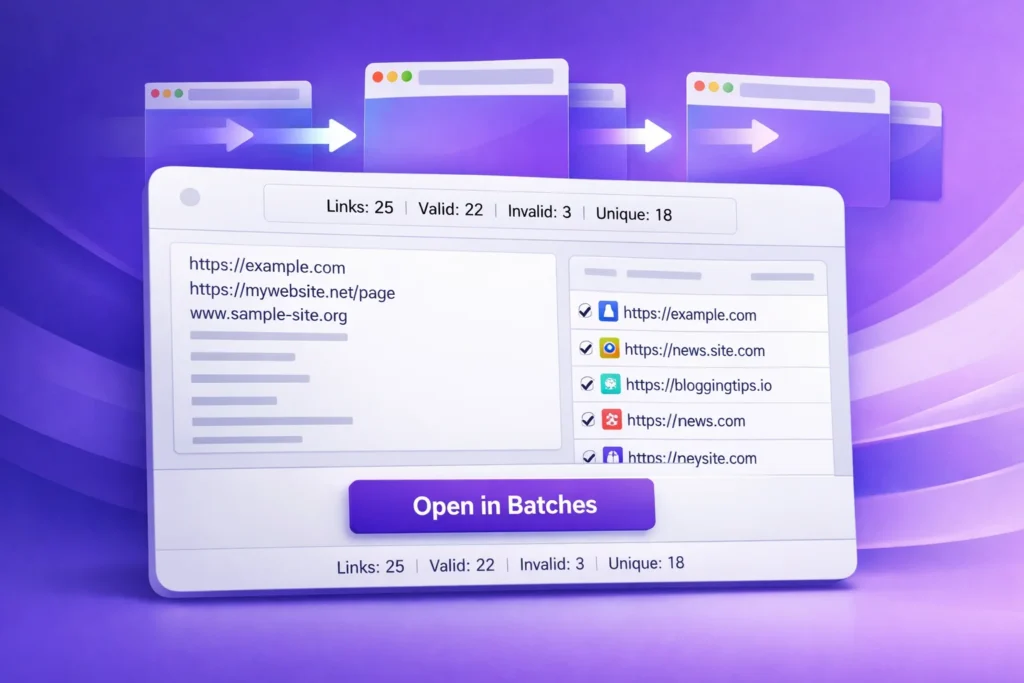
Bulk URL Opener for Multiple Links or Websites
Bulk URL Opener lets you paste multiple links, remove duplicates, filter valid URLs, and open them in batches with delay control.
Bulk URL Opener
Open multiple links or websites simultaneously in new tabs. Paste raw text, automatically linkify, filter, deduplicate, and open URLs in controlled batches with customizable delay settings — free, private, and entirely browser-based.
- 100% Free
- No Signup
- Private & Secure
- Instant Processing
Everything you need at a glance
Performance, privacy, requirements, and capabilities — no fine print.
100% Free
No credit card, no hidden costs, no usage limits. A truly free bulk URL opener for webmasters, researchers, and marketers.
Private & Secure
Runs entirely in your browser. Zero data collection, logging, or storage of the URLs or text you process.
Instant Processing
Our optimized client-side engine extracts, deduplicates, and validates hundreds of links in under a second.
Any Text Format
Paste raw text, copied paragraphs, or structured lists. The tool automatically detects and extracts valid URLs.
Fully Responsive
Desktop, tablet, or mobile — one clean, accessible experience for professionals managing links on the go.
Browser Crash Protection
Built-in batch sizing and millisecond delay controls prevent your browser from freezing when opening dozens of tabs.
What the Bulk URL Opener does
The Bulk URL Opener is a powerful, browser-based productivity tool designed to help SEO professionals, web developers, researchers, and digital marketers open multiple links or websites simultaneously. Manually copying and pasting dozens of URLs into new browser tabs is tedious, error-prone, and wastes valuable time. This tool automates the entire workflow, allowing you to paste raw text, automatically extract valid links, and open them in controlled batches.
Understanding batch processing and delay control is crucial for modern web workflows. Opening 50 tabs instantly can trigger browser popup blockers or cause system lag. By allowing you to set a specific batch size (e.g., 5 tabs at a time) and a delay in milliseconds between each batch, this tool ensures a smooth, crash-free experience while respecting your browser’s resource limits.
Built for SEO specialists auditing backlink profiles, academic researchers gathering sources, and QA testers verifying multiple web pages. The tool also features auto-deduplication to remove redundant links and a domain blacklist to prevent accidental navigation to unwanted or unsafe websites. Related searches: Open multiple links at once, bulk link opener, URL extractor and opener, mass tab opener tool.
Try our other link extractor or explore more utilities in our SEO, Domain, IP & Web Tools category to streamline your digital workflow.
Open multiple links in four simple steps
No account, no learning curve. Anyone can process and open batches of URLs safely.
- 1
Paste URLs or Raw Text
Copy your list of links or any block of text containing URLs and paste it into the main input field. The tool accepts one URL per line or mixed paragraphs.
- 2
Configure Batch & Delay Settings
Set your preferred batch size (e.g., 5 or 10 links at a time) and the delay in milliseconds between each batch to prevent browser overload or popup blocking.
- 3
Apply Filters and Blacklists
Enable auto-deduplication to remove redundant links. Optionally, add domains to the blacklist (comma-separated) to exclude them from the final opening queue.
- 4
Execute and Manage Tabs
Click the open button. The tool will sequentially open the validated, unique URLs in new tabs according to your delay settings. Remember to allow popups for neksiotool.com in your browser.
Built for speed, control, and webmaster efficiency
Smart Linkify Extraction
Automatically detects and isolates valid HTTP/HTTPS URLs from messy, unstructured raw text or copied paragraphs.
Auto-Deduplication
Instantly scans your list and removes duplicate URLs, ensuring you never waste time opening the same webpage twice.
Custom Delay Control
Set precise millisecond delays between tab openings to bypass strict browser popup blockers and prevent system lag.
Batch Size Management
Control exactly how many tabs open simultaneously, giving you full command over your browser’s memory and CPU usage.
Domain Blacklisting
Enter comma-separated domains to automatically filter out and ignore specific websites from your bulk opening queue.
Valid URL Filtering
Optionally show and process only syntactically valid URLs, ignoring broken or malformed link structures.
Text File Import
Directly upload .txt files containing your URL lists, eliminating the need to manually copy and paste large datasets.
Real-Time Statistics
View instant counters for total links, valid links, invalid links, and unique URLs before you initiate the opening process.
100% Browser Based
All text processing, regex extraction, and tab management happen locally in your browser. No server-side processing means zero latency.
Mobile & Desktop Ready
A fully responsive interface that works seamlessly whether you are at your desk or checking links on a mobile device.
One-Click Selection
Quickly select all extracted links or individual entries to customize exactly which URLs are sent to the opening queue.
Privacy Friendly
We do not store, log, or share the URLs or text you process. Your research and browsing history remain completely confidential.
See what the output looks like
Input
Output
Valid Links: 3
Invalid Links: 1
Unique Links: 2 (After auto-dedupe)
Action: Opening 2 unique, valid URLs in batches of 1 with a 300ms delay.
How the bulk URL opening works
Paste Text → Regex URL Extraction → Deduplication & Filtering → Batch Queue → Timed Tab Opening
This Bulk URL Opener operates using a sequence of client-side text processing techniques. It applies Regular Expressions (Regex) to scan the input string for valid URL patterns (HTTP/HTTPS). It then passes the extracted array through a deduplication filter (using Set data structures) and a blacklist validator. Finally, it utilizes the JavaScript setTimeout function to iteratively trigger window.open() commands at your specified millisecond intervals, ensuring smooth browser performance.
Important Browser Note: Modern browsers have strict popup blockers to prevent malicious sites from opening dozens of tabs. To use this tool effectively, you must grant "Allow popups and redirects" permission to neksiotool.com in your browser settings. The built-in delay feature is specifically designed to work harmoniously with these browser security mechanisms.
How to configure every metric
Quick reference for the controls the Bulk URL Opener uses to manage your links.
| Setting / Metric | What it means | Recommended Value |
|---|---|---|
| Batch Size | The number of tabs the tool will attempt to open simultaneously. | 5 to 10 (Prevents browser memory spikes). |
| Delay (ms) | The waiting time in milliseconds between each batch execution. | 300 to 1000 ms (Bypasses strict popup blockers). |
| Auto-Dedupe | Automatically removes identical URLs from the processing list. | Enabled (Saves time and bandwidth). |
| Show Only Valid | Hides syntactically incorrect or malformed URLs from the final list. | Enabled (Ensures clean execution). |
| Blacklist | A comma-separated list of domains to actively ignore and exclude. | Use for known spam, tracking, or irrelevant domains. |
| Unique Count | The final number of distinct, valid URLs ready to be opened. | Review this number before clicking "Open". |
Why professionals choose this bulk link opener
Save Hours of Manual Work
Eliminate the tedious copy-paste-open cycle. Process hundreds of links in seconds, freeing up time for actual analysis.
Prevent Browser Crashes
Unlike naive scripts that open everything at once, our batch and delay controls protect your system’s RAM and CPU from freezing.
Enhance SEO Audits
Quickly open multiple competitor pages, backlink sources, or indexed URLs to visually verify their status and content.
Streamline Academic Research
Students and researchers can instantly open dozens of cited sources from a bibliography or raw text document for rapid review.
Clean Data Automatically
Built-in deduplication and validation ensure you only interact with high-quality, unique, and properly formatted URLs.
Zero Risk & Private
No login, no data collection, no tracking. Your browsing lists, research, and client URLs remain 100% confidential.
Built for anyone who manages multiple web pages
SEO Specialists
Professionals who need to quickly open and visually audit multiple backlink sources, indexed pages, or competitor URLs.
Web Developers
Developers testing responsive designs or functionality across multiple staging environment URLs simultaneously.
Academic Researchers
Students and scholars gathering sources, needing to open dozens of journal links or references from a raw text document.
Digital Marketers
Marketers verifying ad landing pages, affiliate links, or campaign tracking URLs in bulk before launching.
QA Testers
Quality assurance professionals who need to rapidly cycle through a list of known bug reproduction URLs or test cases.
Content Curators
Editors and writers gathering reference material, needing to open multiple source articles quickly for fact-checking.
Data Analysts
Professionals cleaning scraped datasets, using the tool to spot-check a sample of extracted URLs for validity.
Everyday Users
Anyone who frequently receives long lists of links in emails or documents and wants a faster way to access them.
Expertise you can trust
Mubashir Hussain
Founder, Neksio Tool · 8+ years in web tools & productivity software · Specialized in creating efficient, privacy-focused, and SEO-optimized utilities for webmasters and digital professionals.
Explore more webmaster utilities
Hand-picked tools that pair perfectly with the Bulk URL Opener.
Guides that pair with this tool
Deep-dive tutorials on webmaster productivity, SEO audits, and URL management.
SEO Tool
Explore our comprehensive guides on technical SEO, link auditing, and strategies to improve your website's search visibility.
Miscellaneous Tools
Discover a wide array of everyday utility tools designed to simplify your digital workflow and save you time.
Hashtag Extractor
Learn how to quickly extract and organize hashtags from social media posts or raw text for better content categorization.
Frequently asked questions
Everything about the Bulk URL Opener, browser settings, and link management.
Start opening multiple links safely and efficiently
Join thousands of webmasters, researchers, and marketers who trust Neksio Tool to manage their URLs without the hassle of manual tab management.