
CNIC Photocopy – Create 8 CNIC & Driving License Copies Instantly
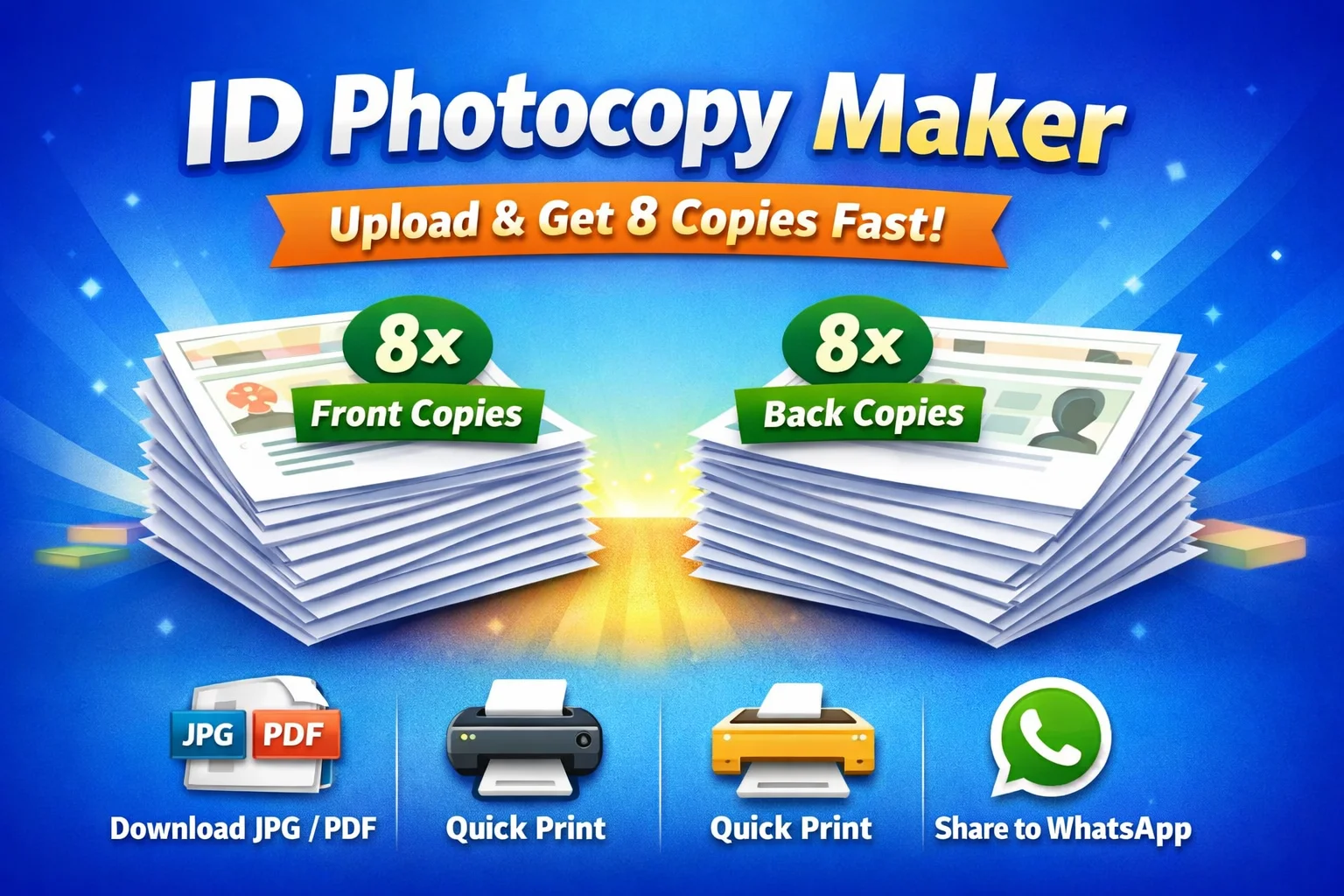
📄 Need multiple photocopies of your CNIC or Driving License?
Running back and forth to photocopy shops, paying per copy, waiting in queues, and ending up with low-quality prints that look unprofessional. And when it comes to official use, you need watermarked, clear, and properly arranged copies — not random, misaligned printouts.
If this sounds familiar, the CNIC Photocopy tool is exactly what you need. Whether you’re a student applying for admission, a government employee submitting official documents, or a visa applicant gathering paperwork, the ability to create 8 CNIC or Driving License copies on a single A4 sheet saves time, money, and frustration. This complete guide will walk you through everything the CNIC Photocopy tool offers — from watermark protection to image enhancement, PDF export, and more.
What is CNIC Photocopy Tool?
The CNIC Photocopy tool is a browser-based utility designed specifically for Pakistani citizens who need professional, print-ready copies of their Computerized National Identity Card (CNIC) and Driving License. Instead of relying on traditional photocopy shops, you can generate 8 CNIC copies on a single A4 sheet with just a few clicks — completely free, with no registration required.
What makes this CNIC Photocopy tool different is its comprehensive feature set. Beyond basic layout generation, it includes advanced watermark customization, built-in image enhancement tools, and multiple export options including JPG download and PDF generation. Whether you need a CNIC Copy for bank verification or a Driving License Copy for traffic documentation, this tool handles both document types with equal precision.
All processing happens locally in your browser, meaning your sensitive Pakistan CNIC Copy data never reaches any server. This privacy-first approach makes the CNIC Photocopy tool the secure choice for handling personal identification documents.
Why People Need CNIC Photocopy Sheets
The demand for reliable ID Card Photocopy sheets has grown significantly as more institutions require verified document copies. Here are the most common scenarios where a CNIC Photocopy sheet becomes essential:
- Bank Account Opening: Banks require CNIC Copy verification for every new account — often needing multiple copies.
- Visa Applications: Embassies request clear, watermarked copies of your CNIC and Driving License for processing.
- Government Job Applications: Most government positions require attested ID Card Copy submissions.
- Educational Enrollment: Universities and colleges ask for CNIC Photocopy of the student and guardian.
- Property Transactions: Real estate dealings require multiple CNIC Copy sets for registration.
- Mobile SIM Registration: Cellular companies need verified CNIC copies for every connection.
- Passport Applications: NADRA requires clear CNIC copies during the passport renewal process.
In each of these scenarios, having a pre-formatted CNIC Photocopy sheet with 8 copies eliminates the need for repeated trips to photocopy shops and ensures your document presentations remain consistent and professional.
How to Create 8 CNIC Copies on One A4 Sheet
Creating 8 CNIC copies with the CNIC Photocopy tool is straightforward. Follow these simple steps:
Step-by-Step Process
- Upload Your CNIC Image: Click the upload button and select a clear, front-facing photo of your CNIC. The CNIC Photocopy tool accepts JPG, PNG, and WebP formats.
- Select Document Type: Choose “CNIC” from the document type dropdown. The CNIC Photocopy tool is optimized for both CNIC and Driving License formats.
- Choose Layout: The tool automatically arranges 8 CNIC copies in a 4×2 grid on an A4 sheet, maximizing paper usage while maintaining readability.
- Adjust Watermark Settings: Add custom text like “For Bank Use Only” or “Visa Application” to protect your CNIC Copy from unauthorized reuse.
- Apply Image Enhancement: Use the darken, brighten, or sharpen tools if your uploaded image appears faded or blurry.
- Generate and Export: Click “Generate” to create your CNIC Photocopy sheet, then download as JPG or PDF for printing or digital submission.
📋 Time Saved:
Creating 8 CNIC copies manually at a shop takes approximately 15–20 minutes including travel. The CNIC Photocopy tool generates the same output in under 2 minutes — saving you over 80% of your time.
How to Create 8 Driving License Copies on One A4 Sheet
The CNIC Photocopy tool also supports Driving License copies with equal functionality. The process mirrors the CNIC workflow:
- Upload your Driving License image — the Driving License Photocopy feature works with both front and back views.
- Select “Driving License” from the document type menu.
- Choose the 8-copy A4 layout — the License Copy Sheet automatically adjusts dimensions to fit standard license sizes.
- Apply watermarks and enhancements as needed.
- Export your Driving License Copy as JPG or PDF for immediate use.
This feature is particularly valuable for commercial drivers, transport companies, and individuals who frequently need to submit Driving License Photocopy documents to traffic authorities, insurance providers, and vehicle registration offices.
Advanced Watermark Settings
One of the standout features of the CNIC Photocopy tool is its comprehensive watermark system. Watermarks protect your documents from misuse and clearly indicate the intended purpose of each copy.
Customization Options
- Custom Watermark Text: Add any text you want — from personal identifiers to purpose-specific labels. The CNIC Photocopy tool lets you type exactly what you need.
- Watermark Color Selection: Choose from predefined colors or pick a custom shade. Red is commonly used for “Visa Application” while gray works well for “Office Record.”
- Watermark Opacity Control: Adjust transparency from barely visible (10%) to bold and prominent (90%). The CNIC Copy watermark remains readable without obscuring document details.
- Watermark Font Size Control: Make your watermark text small and subtle or large and prominent depending on your requirements.
Common Watermark Examples
- For Bank Use Only — prevents misuse of CNIC Photocopy submitted to financial institutions
- Visa Application — identifies embassy-submitted CNIC Copy documents
- Office Record — for internal documentation within organizations
- Educational Purpose — for university and college submissions
- Not Valid For Reuse — prevents recycled use of submitted copies
Adding a watermark to your CNIC Photocopy sheet is essential for maintaining document integrity. It serves as both a security measure and a context indicator, helping recipients understand how to handle the document appropriately.
Built-In Image Enhancement Tools
Not every uploaded CNIC or Driving License image is print-ready. Faded colors, dark shadows, blurry edges, and low lighting can ruin an otherwise perfect CNIC Photocopy sheet. That’s why the CNIC Photocopy tool includes four powerful image enhancement tools:
Image Enhancement Options
- Darken Tool: Use when your CNIC image appears washed out or too bright. The ID Card Photocopy tool intelligently darkens the image while preserving detail.
- Brighten Tool: Perfect for dark, poorly lit uploads. This CNIC Copy enhancement brings out hidden details and improves overall readability.
- Sharpen Tool: Fixes blurry images, making text and edges crisp. Essential for Driving License Copy where fine details matter.
- Reset Tool: Reverts all adjustments to the original uploaded image, allowing you to start over if needed.
These tools transform poor-quality uploads into professional CNIC Photocopy outputs. Before applying enhancements, you can preview the changes in real-time, ensuring your ID Card Print Tool produces exactly the result you need.
Benefits of Using CNIC Photocopy Tool
The CNIC Photocopy tool delivers benefits beyond simple convenience:
- Cost Savings: Create 8 CNIC Copy sheets for free — no per-copy charges, no travel costs, no time wasted in queues.
- Quality Control: Every CNIC Photocopy you generate maintains consistent quality and alignment — unlike manually cut copies from shops.
- Versatility: Support for both CNIC and Driving License copies makes the Document Copy Generator useful for multiple document types.
- Professional Presentation: Watermarked, enhanced, and properly arranged ID Card Copy sheets make a strong impression on officials and institutions.
- Instant Availability: Generate your CNIC Photocopy sheet anytime, anywhere — no shop operating hours, no transportation needed.
- Environmental Impact: By optimizing 8 copies on a single A4 Duplex Print sheet, you reduce paper consumption and waste.
Privacy & Security Features
When dealing with sensitive documents like CNIC and Driving License, privacy isn’t optional — it’s essential. The CNIC Photocopy tool takes document security seriously through several key measures:
- Images Never Leave Browser: Your uploaded CNIC or Driving License image stays entirely within your browser. No data transmission occurs during the CNIC Photocopy generation process.
- No Server Upload: Unlike online tools that require file uploads to remote servers, the CNIC Photocopy tool processes everything locally. Your NADRA CNIC Copy data never reaches our servers.
- Local Processing: All operations — from CNIC Copy generation to watermark application to image enhancement — happen directly in your browser’s memory, not on external infrastructure.
- Privacy-Safe Document Handling: No stored data, no logged access, no retention period. Once you close the browser tab, all data associated with your CNIC Photocopy session disappears.
This local processing approach is particularly important for government employees, visa applicants, and other professionals who handle sensitive identification documents. The CNIC Photocopy tool ensures your Pakistan CNIC Copy remains under your control throughout the entire process.
📄 Create your professional CNIC Photocopy sheet with watermark protection now.
Create CNIC Photocopy Sheet Now →CNIC Photocopy Tool vs Traditional Photocopy Shop
| Feature | Traditional Shop | CNIC Photocopy Tool |
|---|---|---|
| Cost | PKR 10–20 per copy (8 copies = PKR 80–160) | Completely Free |
| Speed | 15–20 minutes (including travel) | Under 2 minutes |
| Privacy | Your document handled by unknown staff | 100% private — local browser processing |
| Watermark | Manual addition, extra cost | Free, fully customizable |
| PDF Download | Not available | ✅ One-click download |
| JPG Download | Not available | ✅ One-click download |
| Print Ready | Variable quality | ✅ Professionally aligned A4 layout |
| Image Enhancement | Not available | ✅ Darken, Brighten, Sharpen |
As the comparison shows, the CNIC Photocopy tool offers substantial advantages over traditional photocopy shops — better privacy, lower cost, faster results, and more professional outputs.
Key Features Checklist
- Generate 8 CNIC copies on one A4 sheet
- Generate 8 Driving License copies on one A4 sheet
- Professional A4 Print Layout with proper alignment
- JPG Download for quick sharing and printing
- PDF Download for high-quality document preservation
- WhatsApp Share for instant digital transfer
- Custom Watermark with your own text
- Watermark Color Control with color picker
- Watermark Opacity Control for perfect transparency
- Watermark Font Size Control for readability
- Darken Images to fix washed-out scans
- Brighten Images for dark, poorly lit photos
- Sharpen Images to enhance blurry details
- Reset Option to revert all adjustments
- 100% Browser-Based Processing — No server upload
This comprehensive feature set makes the CNIC Photocopy tool the most complete CNIC Copy Generator and Driving License Copy solution available online in Pakistan.
Who Can Use This Tool?
The CNIC Photocopy tool serves a diverse range of users across multiple sectors:
- Students: Create 8 CNIC Copy sheets for university applications, scholarship forms, and exam registrations.
- Government Employees: Generate professional CNIC Photocopy for official documentation, service records, and pension paperwork.
- Visa Applicants: Produce watermarked CNIC Copy sheets for embassy submissions — with proper labels like “Visa Application” to prevent document confusion.
- Office Staff: Maintain ready-to-use ID Card Copy sheets for HR records, payroll processing, and employee verification.
- Photocopy Shops: Replace manual layouts with automated CNIC Photocopy generation, saving time and reducing errors.
- Businesses: Standardize CNIC Copy documentation across multiple employees, vendors, and partners.
- Educational Institutions: Create consistent CNIC Photocopy records for student files, fee records, and admission documentation.
For additional document processing needs, you might find our Unicode to Inpage Converter useful for Urdu document preparation, or check our IP Address Finder for network-related needs.
For image format conversions, explore PNG to WebP Converter to optimize your document images for different platforms.
Frequently Asked Questions About CNIC Photocopy
Using the CNIC Photocopy tool, simply upload your CNIC image, select your preferred layout, add a watermark if desired, and click generate. The tool automatically arranges 8 copies in a 4×2 grid on an A4 sheet, ready for download as JPG or PDF.
Yes, the CNIC Photocopy tool fully supports both CNIC and Driving License documents. You can generate 8 Driving License Copy sheets on a single A4 page with all the same features — watermark, enhancement, PDF download, and JPG export.
Absolutely not. The CNIC Photocopy tool processes everything locally in your browser. Your CNIC Copy images never leave your device, are never uploaded to any server, and are not stored anywhere. This makes it the most secure CNIC Copy Generator available.
Yes, the CNIC Photocopy tool includes advanced watermark settings. You can add custom text, choose colors, adjust opacity, and set font size. Common watermarks like “For Bank Use Only” or “Visa Application” help protect your CNIC Copy from misuse and clearly indicate document purpose.
For official guidance on CNIC documentation, refer to the NADRA Official Website for the latest requirements and guidelines.
🖨️ Get your print-ready CNIC Photocopy sheet with 8 copies, watermark, and enhancements — completely free.
Generate 8 CNIC Copies Free →Conclusion: Why CNIC Photocopy Tool is Your Best Choice
The CNIC Photocopy tool represents a significant upgrade over traditional methods of producing identification document copies. Instead of paying per copy, waiting in queues, and accepting whatever quality you get, you can generate professional CNIC Photocopy sheets from the convenience of your browser — completely free, with full privacy protection.
Whether you need 8 CNIC copies on one A4 sheet or 8 Driving License copies on one A4 sheet, this CNIC Photocopy tool delivers consistent, high-quality results. The built-in watermark system protects your CNIC Copy from unauthorized reuse, while image enhancement tools ensure even poor-quality uploads become print-ready.
With PDF download, JPG export, and WhatsApp sharing, the CNIC Photocopy tool supports every workflow — from instant digital submissions to professional printing. And because all processing happens locally in your browser, your Pakistan CNIC Copy data remains 100% private and secure.
Stop wasting time and money on photocopy shops. Create your professional CNIC Photocopy sheet with the CNIC Photocopy tool today — fast, free, and secure.