
YouTube Thumbnail Downloader – Download HD YouTube Thumbnails Free
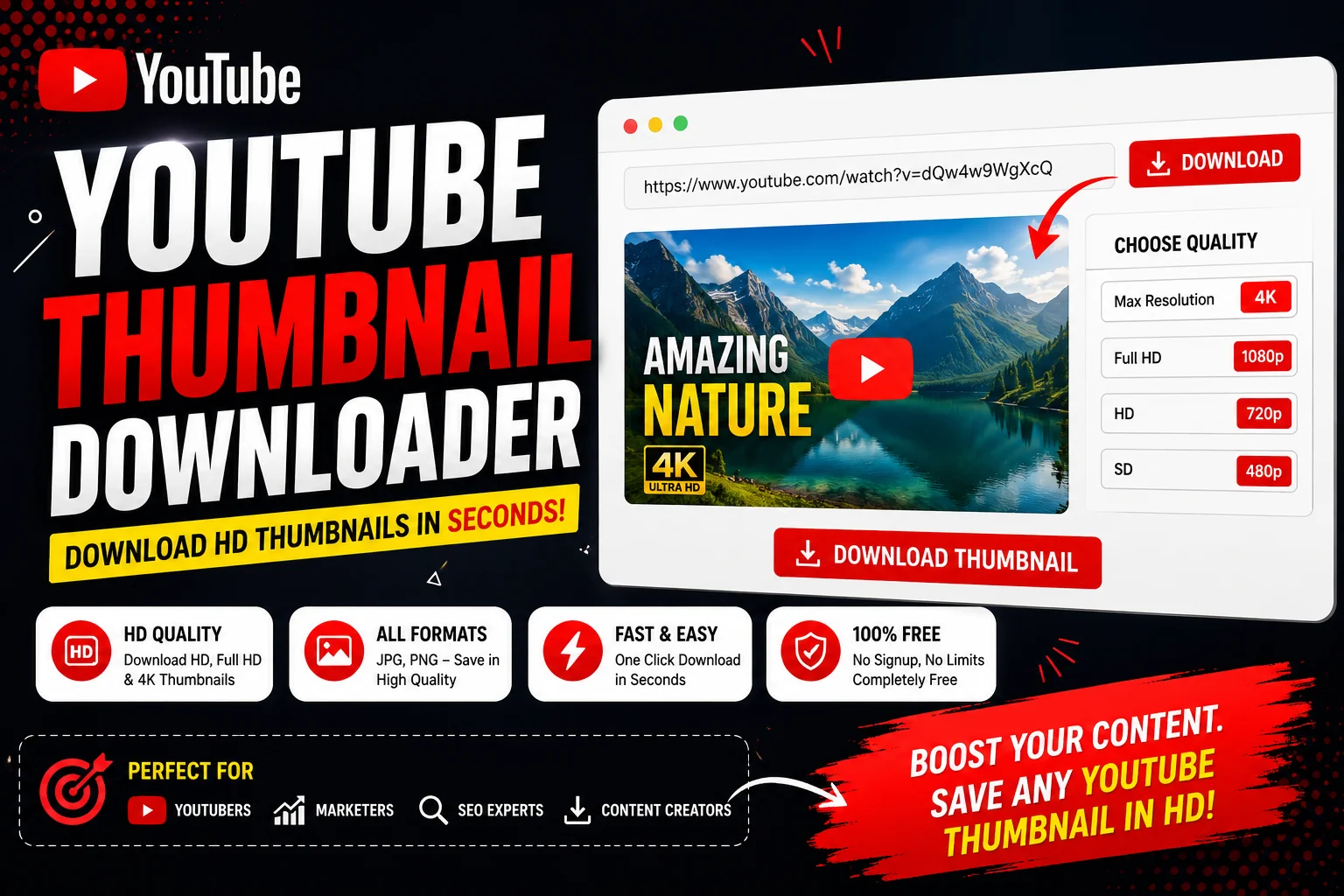
🎯 Need to download YouTube thumbnails in high quality?
Whether you’re a content creator analyzing competitor thumbnails, a marketer gathering visual inspiration, or a developer building YouTube-related applications, accessing high-resolution thumbnails is essential. But YouTube doesn’t make it easy to download thumbnails directly from the platform.
The YouTube Thumbnail Downloader solves this problem instantly. Simply paste any YouTube video URL, and the YouTube Thumbnail Downloader extracts and displays all available thumbnail resolutions – from standard definition all the way up to 4K. You can download YouTube thumbnails in HD, Full HD, and 4K quality with a single click, completely free.
This comprehensive guide will walk you through everything you need to know about the YouTube Thumbnail Downloader – what YouTube thumbnails are, why creators need to download thumbnails, how the tool works, and how you can use it to enhance your YouTube workflow.
📑 Table of Contents
- YouTube Thumbnail Downloader: What Is a YouTube Thumbnail
- YouTube Thumbnail Downloader: Why Creators Download Thumbnails
- YouTube Thumbnail Downloader: How the Tool Works
- YouTube Thumbnail Downloader for YouTubers
- YouTube Thumbnail Downloader for SEO
- YouTube Thumbnail Downloader Pro Tips
- YouTube Thumbnail Downloader Benefits
- YouTube Thumbnail Downloader FAQs
- YouTube Thumbnail Downloader Conclusion
YouTube Thumbnail Downloader: What Is a YouTube Thumbnail
A YouTube Thumbnail Downloader helps you access the visual preview images that represent every YouTube video. Before we dive into the YouTube Thumbnail Downloader tool, it’s important to understand what YouTube thumbnails are and why they matter so much in the YouTube ecosystem.
A YouTube thumbnail is a small image that appears alongside a video title in search results, recommended videos, and channel pages. The YouTube Thumbnail Downloader gives you access to these images in their original resolution. It’s the first thing viewers see when they encounter your content, making it arguably the most important visual element of your video.
YouTube thumbnails come in multiple resolutions and formats. The YouTube Thumbnail Downloader extracts all available versions, giving you complete control over which quality you want to download.
Thumbnail Sizes and Resolutions
| Resolution | Dimensions | Quality | Best Used For |
|---|---|---|---|
| Default | 120×90 | Low | Quick preview, mobile thumbnails |
| HQ (High Quality) | 480×360 | Medium | Standard thumbnails, social sharing |
| HD (High Definition) | 1280×720 | High | Desktop thumbnails, blog posts |
| Full HD | 1920×1080 | Very High | Professional use, presentations |
| 4K (Ultra HD) | 3840×2160 | Maximum | Print materials, high-end design |
Using a YouTube Thumbnail Downloader, you can access any of these resolutions. The YouTube Thumbnail Downloader automatically detects which qualities are available for each video and presents them for easy download.
YouTube Thumbnail Downloader: Why Creators Download Thumbnails
A YouTube Thumbnail Downloader serves many purposes beyond simple image saving. Here’s why creators, marketers, and researchers rely on a YouTube Thumbnail Downloader:
Competitor Analysis
A YouTube Thumbnail Downloader helps you study what successful creators in your niche are doing. Downloading thumbnails of top-performing videos lets you analyze design patterns, color schemes, and visual strategies that drive high CTRs.
Content Planning and Inspiration
Using a YouTube Thumbnail Downloader, you can build a visual library of effective thumbnails. This becomes a reference point when designing your own thumbnails, helping you understand what works in your niche.
Thumbnail Testing
Professional creators use a YouTube Thumbnail Downloader to save multiple thumbnail variations for A/B testing. By downloading thumbnails from successful videos, you can identify what visual elements consistently outperform others.
Design Reference
A YouTube Thumbnail Downloader provides raw material for designers. Downloading high-quality thumbnails gives you reference images for composition, color grading, and typography inspiration.
Market Research
Marketing professionals use a YouTube Thumbnail Downloader to track visual trends across industries. The YouTube Thumbnail Downloader makes it easy to collect and analyze thumbnail strategies across different content categories.
Content Repurposing
YouTube Thumbnail Downloader helps creators repurpose thumbnails for other platforms. The high-resolution downloads can be used in social media posts, blog articles, presentations, and promotional materials.
Analytics and Reporting
SEO professionals and content managers use a YouTube Thumbnail Downloader to include visual references in reports. The YouTube Thumbnail Downloader provides high-quality images that make analytics reports more professional and engaging.
🎬 Download HD YouTube thumbnails instantly – free, no registration required.
Use YouTube Thumbnail Downloader Now →YouTube Thumbnail Downloader: How the Tool Works
The YouTube Thumbnail Downloader operates on a simple but powerful principle. YouTube stores multiple versions of every video thumbnail on their servers. The YouTube Thumbnail Downloader retrieves these images directly from YouTube’s servers using the video ID.
When you paste a YouTube video URL into the YouTube Thumbnail Downloader, the tool extracts the unique video ID from the URL. Then, using YouTube’s predictable URL structure for thumbnails, the YouTube Thumbnail Downloader generates direct links to all available thumbnail resolutions.
How the YouTube Thumbnail Downloader Extracts Thumbnails
The YouTube Thumbnail Downloader follows this process for every video:
- URL Parsing: The YouTube Thumbnail Downloader extracts the video ID from any valid YouTube URL format (youtube.com/watch?v=, youtu.be/, youtube.com/embed/, etc.)
- Resolution Detection: The YouTube Thumbnail Downloader checks for all available thumbnail sizes – default, HQ, HD, Full HD, and 4K.
- Image Generation: The YouTube Thumbnail Downloader constructs the direct image URLs using YouTube’s CDN.
- Preview Display: The YouTube Thumbnail Downloader shows you all available thumbnails in an easy-to-view grid.
- Download Option: The YouTube Thumbnail Downloader provides a direct download button for each resolution.
Input Methods Supported by the YouTube Thumbnail Downloader
- Full Video URL: Paste any YouTube video URL – the YouTube Thumbnail Downloader automatically detects and processes it.
- Video ID: Enter the 11-character video ID directly into the YouTube Thumbnail Downloader.
- Shortened URL: The YouTube Thumbnail Downloader supports youtu.be shortened links as well.
- Embed URL: The YouTube Thumbnail Downloader works with embed URLs too.
No matter which format you input, the YouTube Thumbnail Downloader delivers the same high-quality results. The YouTube Thumbnail Downloader processes everything client-side, meaning your data never touches external servers.
YouTube Thumbnail Downloader for YouTubers
For YouTube creators, the YouTube Thumbnail Downloader is an essential tool for channel growth and optimization. Here are the specific ways YouTubers benefit from using a YouTube Thumbnail Downloader:
Analyzing Competitor Thumbnails
A YouTube Thumbnail Downloader helps you understand what successful competitors are doing. By downloading thumbnails from your niche’s top-performing videos, you can identify design patterns that resonate with your target audience.
Building a Thumbnail Library
Using the YouTube Thumbnail Downloader, you can create a reference library of effective thumbnails. Over time, this becomes a valuable resource for understanding visual trends in your content category.
Improving Your Own Thumbnails
The YouTube Thumbnail Downloader provides direct access to what’s working in your space. By studying downloaded thumbnails, you can make data-driven decisions about your own thumbnail design strategy.
Collaboration and Team Workflow
Teams managing multiple channels use a YouTube Thumbnail Downloader to share visual references. The YouTube Thumbnail Downloader ensures everyone has access to the same high-quality reference images.
YouTube Thumbnail Downloader for SEO
SEO professionals and content marketers rely on the YouTube Thumbnail Downloader for various optimization tasks. The YouTube Thumbnail Downloader supports SEO workflows in multiple ways:
Visual Content Creation
A YouTube Thumbnail Downloader provides high-quality images for blog posts, social media, and content marketing materials. Using the YouTube Thumbnail Downloader, you can enhance your visual content without manual screenshotting.
Competitive Analysis
SEO teams use a YouTube Thumbnail Downloader to analyze competitor visual strategies. The YouTube Thumbnail Downloader helps you understand what visual elements contribute to higher engagement rates.
Reporting and Documentation
A YouTube Thumbnail Downloader provides professional-looking visuals for client reports and presentations. The YouTube Thumbnail Downloader ensures you always have access to high-quality reference images.
Content Strategy Development
Content strategists use the YouTube Thumbnail Downloader to research visual trends. The YouTube Thumbnail Downloader makes it easy to track how thumbnails evolve across different content categories.
Video SEO Optimization
Using a YouTube Thumbnail Downloader, you can study what visual elements correlate with high CTRs. The YouTube Thumbnail Downloader supports data-driven decisions for your video optimization strategy.
For additional YouTube optimization, explore these complementary tools:
- YouTube Channel ID Finder – Find any YouTube channel ID instantly
- YouTube Video Copyright Checker – Check for copyright issues before uploading
- YouTube Copyright Checker Tool – Advanced copyright protection
- 1K Subscribe Link Generator – Create one-click subscribe links
- YouTube Money Calculator – Estimate YouTube earnings
- YouTube Shorts Income Calculator – Calculate Shorts revenue
- YouTube Search Trends – Discover trending topics
- Social Blade Alternative – Channel analytics and tracking
YouTube Thumbnail Downloader Pro Tips
For advanced users, here are expert tips for getting the most out of the YouTube Thumbnail Downloader:
Batch Downloading Workflows
The YouTube Thumbnail Downloader supports efficient downloading for multiple videos. While the YouTube Thumbnail Downloader processes one video at a time, you can quickly cycle through URLs to build a comprehensive thumbnail library.
Quality Selection Strategy
Choose your download resolution based on your use case. For social media and web use, HD (1280×720) is usually sufficient. For print or high-end design work, the YouTube Thumbnail Downloader’s 4K option delivers maximum quality.
File Management
Organize downloaded thumbnails by creator, topic, or content category. The YouTube Thumbnail Downloader makes it easy to name and save files for future reference.
Research Methodology
Use the YouTube Thumbnail Downloader to track thumbnail trends over time. Download thumbnails from popular videos monthly to see how design patterns evolve in your niche.
Integration with Other Tools
Combine the YouTube Thumbnail Downloader with analytics tools and design software. The high-quality downloads from the YouTube Thumbnail Downloader work seamlessly with any design workflow.
YouTube Thumbnail Downloader Benefits
The YouTube Thumbnail Downloader delivers clear advantages over manual methods of obtaining thumbnails:
Time Savings
Manually screenshotting thumbnails takes multiple steps and often results in poor quality. The YouTube Thumbnail Downloader delivers results in seconds, saving hours of work.
Quality Assurance
The YouTube Thumbnail Downloader provides the highest possible resolution for every video. Unlike manual screenshots, the YouTube Thumbnail Downloader gives you the original, uncompressed image.
No Watermarks
Unlike some third-party tools, the YouTube Thumbnail Downloader delivers clean, watermark-free images. The YouTube Thumbnail Downloader provides the original thumbnails as YouTube intended.
Completely Free
The YouTube Thumbnail Downloader is 100% free with no usage limits. You can download as many YouTube thumbnails as you need without any restrictions.
Privacy-First
The YouTube Thumbnail Downloader processes everything in your browser. No data is collected, stored, or shared – ensuring your research remains private.
No Registration Required
The YouTube Thumbnail Downloader works immediately without any registration or login. Simply paste a URL and the YouTube Thumbnail Downloader does the rest.
Multiple Resolutions
The YouTube Thumbnail Downloader provides access to all available thumbnail resolutions – from default to 4K. The YouTube Thumbnail Downloader gives you complete control over image quality.
| Feature | Manual Method | YouTube Thumbnail Downloader |
|---|---|---|
| Time per Thumbnail | 2-5 minutes | Under 5 seconds |
| Image Quality | Screen resolution dependent | Up to 4K original quality |
| Watermarks | May require editing | Clean, original image |
| Resolution Options | Only what’s on screen | Multiple HD and 4K options |
| Cost | Free | Free |
| Privacy | Local | 100% local browser processing |
🚀 Download YouTube thumbnails in HD, Full HD, or 4K quality – completely free.
Try YouTube Thumbnail Downloader →YouTube Thumbnail Downloader FAQs
A YouTube Thumbnail Downloader is a free online tool that extracts and downloads high-resolution thumbnails from any YouTube video. By simply pasting a video URL, the YouTube Thumbnail Downloader retrieves all available thumbnail sizes – from standard definition up to 4K – and provides direct download links for each quality.
Yes, the YouTube Thumbnail Downloader provides HD (1280×720), Full HD (1920×1080), and 4K (3840×2160) thumbnails whenever available. The YouTube Thumbnail Downloader automatically detects and displays all resolution options for each video you search.
Downloading YouTube thumbnails for personal reference, research, or analysis is generally permitted. The YouTube Thumbnail Downloader accesses publicly available images that YouTube serves to all viewers. However, using downloaded thumbnails for commercial purposes without permission may violate copyright. The YouTube Thumbnail Downloader is designed for legitimate research and personal use.
YouTube supports multiple thumbnail sizes. The YouTube Thumbnail Downloader accesses all of them: Default (120×90), HQ (480×360), HD (1280×720), Full HD (1920×1080), and 4K (3840×2160). The YouTube Thumbnail Downloader displays all available options so you can choose the quality you need.
Yes, the YouTube Thumbnail Downloader supports 4K thumbnail downloads. The YouTube Thumbnail Downloader retrieves the highest available resolution for each video, including 4K when YouTube provides it. The YouTube Thumbnail Downloader gives you maximum quality for your reference and design work.
For more information about YouTube thumbnails and channel optimization, visit the YouTube Help Center or explore educational resources at the YouTube Creator Academy. You can also manage your channel directly through YouTube Studio.
YouTube Thumbnail Downloader Conclusion
The YouTube Thumbnail Downloader is an essential tool for anyone working with YouTube content – whether you’re a creator analyzing competitor strategies, a marketer researching visual trends, or an SEO professional optimizing video content. The YouTube Thumbnail Downloader transforms the tedious process of screenshotting thumbnails into a simple, one-click operation.
With the YouTube Thumbnail Downloader, you can download HD YouTube thumbnails instantly. Simply paste any video URL into the YouTube Thumbnail Downloader, and you’ll get access to all available resolutions – from standard definition to 4K. The YouTube Thumbnail Downloader provides clean, watermark-free images that work perfectly for research, design reference, and content planning.
Stop wasting time with manual screenshots and poor-quality downloads. Use the YouTube Thumbnail Downloader today – it’s fast, free, and delivers the highest quality thumbnails available.
🎬 Download HD, Full HD, and 4K YouTube thumbnails instantly – completely free.
Use YouTube Thumbnail Downloader Now →