Pencil Sketch Photo
Free online Pencil Sketch Photo tool. Quick, fast, and 100% free Image & Media utility with zero installation or sign-up required.
Pencil Sketch Photo Converter Online Free
Transform your photos into realistic pencil drawings using client-side edge detection algorithms. Customize sketch darkness, adjust fine details, and download high-resolution art directly in your browser with complete privacy. No Signup • Free • HD Quality
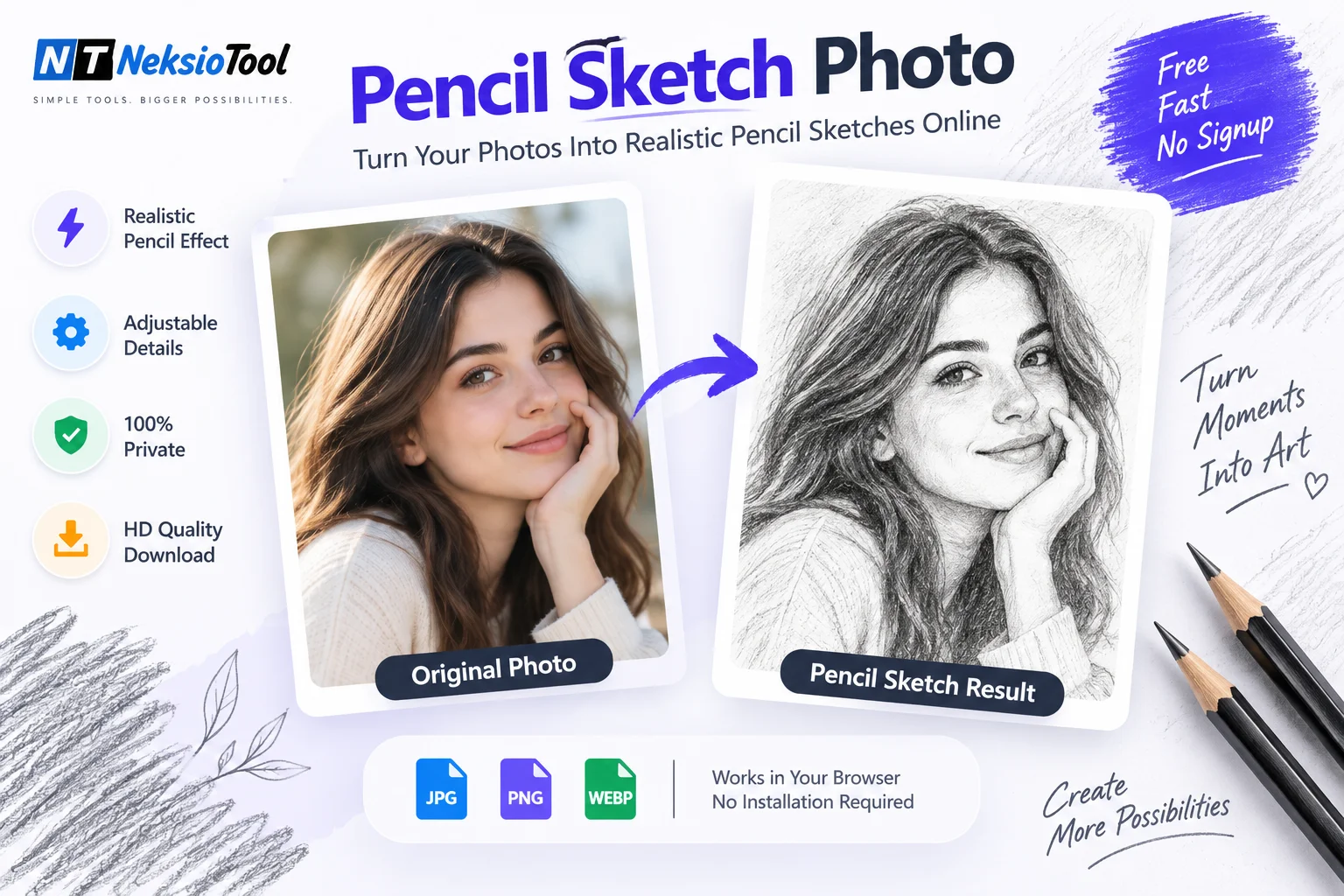
Original Photo
Pencil Sketch Result
How to Convert Photo to Pencil Sketch Online Free
Convert any photo into a realistic pencil sketch using client-side edge detection algorithms. Unlike basic grayscale filters, our algorithm isolates outlines, calculates contrast gradients, and simulates authentic graphite pencil strokes.
Professional Sketch Effect in 3 Simple Steps
- Upload Photo: Click or drop any JPG, PNG, or WEBP photo into the canvas upload zone.
- Adjust Darkness & Detail: Fine-tune stroke intensity and outline contrast using real-time controls.
- Download HD Sketch: Save your watermark-free graphite sketch instantly to your device.
Why Choose Our Pencil Sketch Photo Converter?
Simulates authentic graphite strokes and paper shading using edge-contrast calculations.
Advanced edge mapping isolates fine lines, facial contours, and shadow gradients.
Executes 100% in your browser using HTML5 Canvas for instant results without server queues.
Control sketch darkness and edge sharpness for subtle outlines or bold portraits.
Your photo never leaves your device; processing occurs entirely inside browser memory.
Download clean, high-definition PNG images ready for personal or commercial use.
Popular Use Cases
Our pencil sketch photo converter is designed for artists, designers, educators, and social media creators:
Portrait Sketching
Turn personal portraits and family photos into elegant graphite pencil drawings.
Architectural & Landscape Outlines
Convert urban buildings, house photos, and scenery into sharp line art drawings.
Social Media Avatars & Logos
Create artistic profile pictures, story visuals, and stylized creative avatars.
Educational & Coloring Templates
Generate clear line drawings for art class exercises, coloring sheets, and stencils.
Related Guide & Tutorial
How to Convert Photo to Pencil Sketch in 3 Easy Steps
📖 Estimated Reading Time: 7 minutes | 🔄 Last Updated: July 2026 How to Convert Photo to Pencil Sketch in 3 Easy Steps (Free Tool)...
Read Article →Frequently Asked Questions
Q: How is this different from basic grayscale filters?
A: Most basic tools simply invert colors or desaturate. Our pencil sketch photo tool uses Sobel edge detection and stroke synthesis for realistic graphite shading and contour isolation.
Q: Will my uploaded photo be saved on your server?
A: No. All conversion algorithms execute locally in your web browser via HTML5 Canvas. Your image is never uploaded to Neksio servers.
Q: Can I convert photos to sketch on mobile devices?
A: Yes! The pencil sketch photo tool is fully responsive and works on iPhone, Android, iPad, and desktop web browsers.
Q: What is the maximum file size supported?
A: You can convert images up to 20MB. For best results, choose photos with clear subject lighting and good contrast.
Q: Do you add watermarks to downloaded sketches?
A: Never! Your pencil sketch photo download is 100% clean with no watermarks, logos, or restrictions.
Q: Can I adjust sketch darkness and detail levels?
A: Yes! Use the darkness and detail sliders above to fine-tune your sketch from soft outlines to dark, dramatic drawings.
Ready to Create Your Pencil Sketch?
Upload your photo above and experience professional pencil sketch conversion in seconds.
✨ 100% Free • No Signup • No Watermark • HD Quality ✨