Working with tables on websites can be time-consuming when you need to collect information for research, reporting, analysis, or everyday business tasks. Copying rows individually, switching between browser tabs, and repeatedly pasting information into spreadsheets can slow down your workflow significantly.
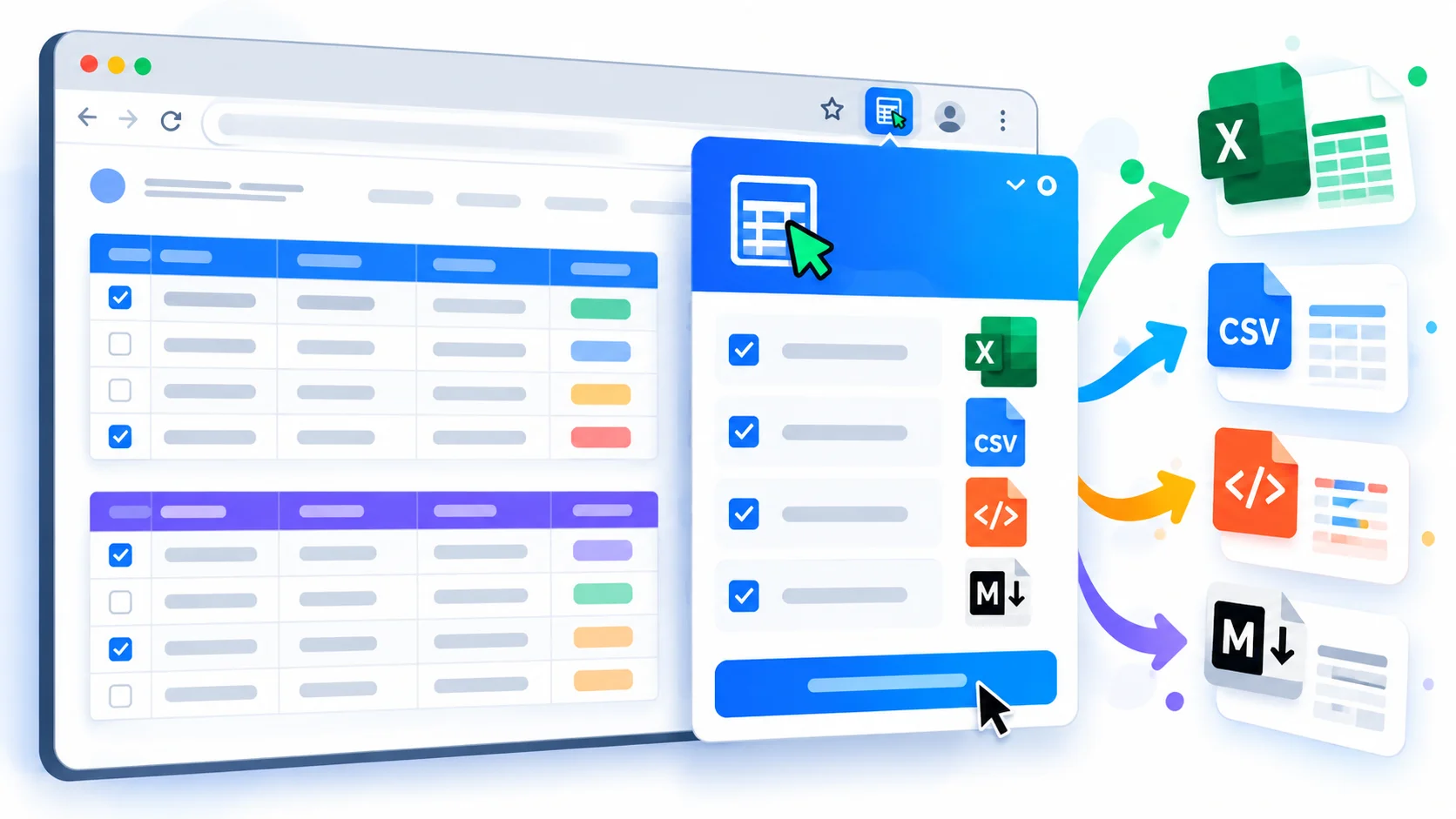
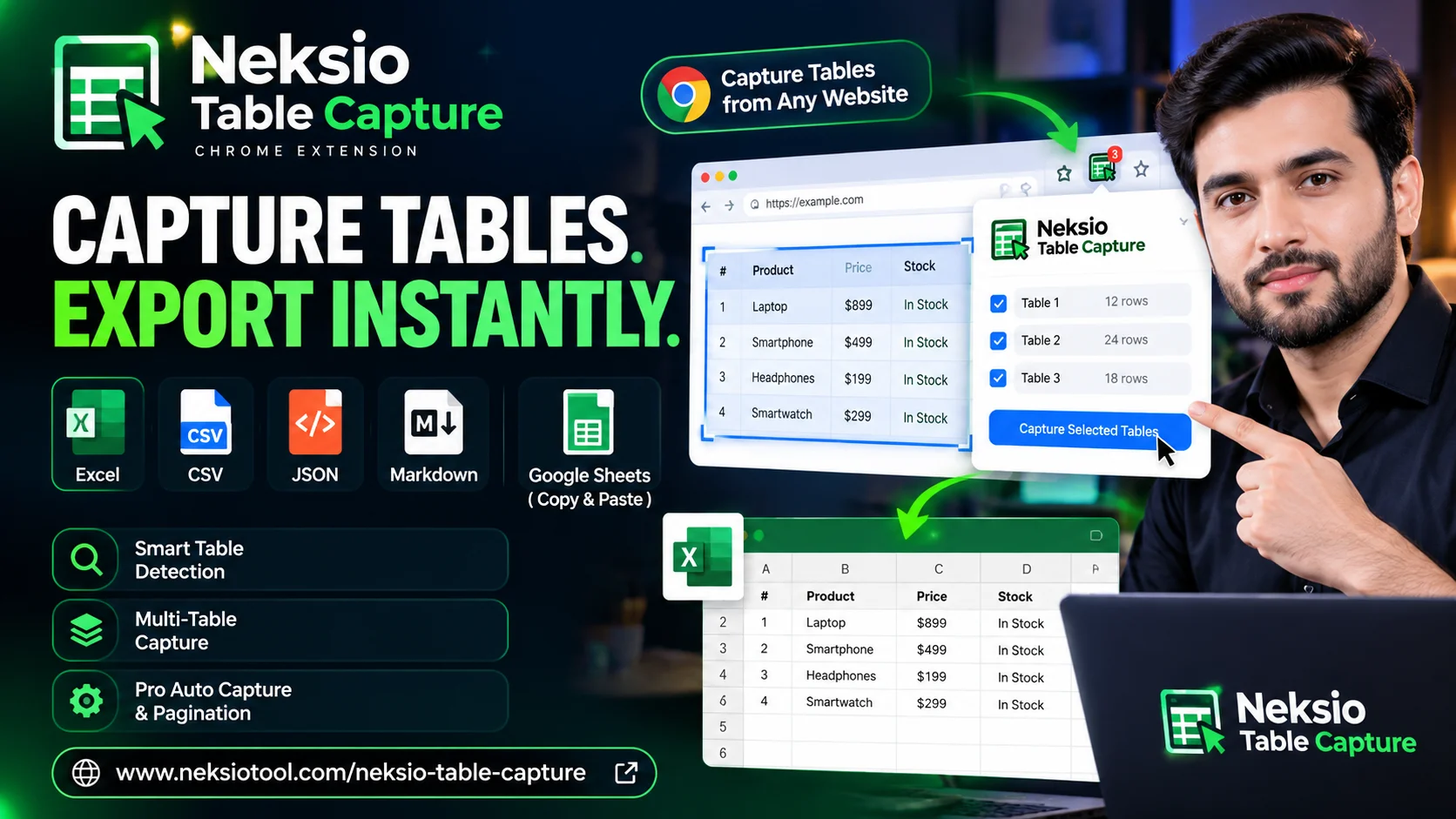
Neksio Table Capture is a Chrome extension designed to simplify this process. It helps you detect HTML tables on webpages, capture individual or multiple tables, and export structured data into formats such as Excel, CSV, JSON, and Markdown. Whether you are a researcher, developer, student, analyst, or business professional, this extension reduces repetitive data collection and makes website table extraction more convenient.
Visit the official Neksio Table Capture product page to learn more about the extension and its available features.
📌 Quick Summary
- Smart Detection: Automatically finds HTML tables on any webpage
- Multi-Format Export: Save data as Excel, CSV, JSON, or Markdown
- Free Version: Up to 6,000 rows & 200 tables per capture
- Pro Automation: Auto-capture, multi-page pagination & session recovery
Table of Contents
What Is Neksio Table Capture?
Neksio Table Capture is a Chrome extension for capturing HTML tables from websites and exporting their contents into useful data formats. Instead of manually selecting and copying every row, you can use the extension to detect available tables and organize captured information for further use.
The extension supports workflows involving single tables, multiple tables, structured exports, and copying data for use in spreadsheet applications. Its goal is straightforward: make web table extraction easier without requiring users to manually copy every cell.
Neksio Table Capture Free Features
The Free version provides a practical starting point for users who need to capture website tables and export their data without purchasing a Pro plan.
1. Smart Table Detection & Multi-Table Capture
The extension helps detect HTML tables on webpages so that you can identify available tabular data before capturing it. You can select individual tables or use the “Select All” feature. The Free version supports up to 200 tables per capture session.
2. Capture Up to 6,000 Rows
The Free version supports capturing up to 6,000 rows per capture. This provides ample room for many everyday research, reporting, and spreadsheet workflows.
3. Multiple Export Formats
Export your data in the format that suits your workflow:
- Excel (.xlsx): Saved in multi-sheet workbook format.
- CSV / JSON / Markdown: Universal formats for databases, developers, and documentation.
- Clipboard: Direct copy/paste workflow for Google Sheets.
4. Multilingual & RTL Support
Both Free and Pro plans include built-in preservation for Multilingual and Right-to-Left (RTL) languages such as Urdu, Arabic, and Hindi, ensuring your data maintains its original formatting.
Neksio Table Capture Pro Features
The Pro feature set is intended for power users who need high-capacity automation when collecting tables from websites, particularly when the information is spread across multiple pages.
1. Unlimited Rows & Auto Capture
Pro removes the row limit (with a 100k safety cap) and introduces the Autonomous Multi-Page Engine. This allows the extension to automatically navigate through pagination controls and capture data across multiple pages without manual intervention.
2. Advanced Pagination Controls
Pro users get access to configurable delays and custom pagination selectors. This ensures accurate data collection even on complex websites with dynamic loading or specific navigation structures.
3. IndexedDB Session Persistence & Recovery
Never lose your progress. Pro includes session checkpoints and recovery, allowing you to resume long-running multi-page captures exactly where you left off, even if the browser is closed unexpectedly.
4. Cryptographically Signed Entitlement
Pro licenses are secured with a cryptographically signed ECDSA P-256 entitlement via Neksio Central, ensuring authoritative and secure access to premium features.
Detailed Free vs Pro Comparison Table
| Feature / Capability | Free Plan | Pro Plan |
|---|---|---|
| Row Limits per Capture | Up to 6,000 rows | Unlimited rows (100k safety cap) |
| Tables per Capture Session | Up to 200 tables | Up to 200 tables |
| Single-Table & Multi-Table Capture | Included | Included |
| Multi-table Selection + Select All | Included | Included |
| Excel (.xlsx) Workbook Export (Multi-sheet) | Included | Included |
| Smart Detection & Auto Column Width | Included | Included |
| CSV / JSON / Markdown / Clipboard Export | Included | Included |
| Google Sheets Copy/Paste Workflow | Included | Included |
| Multilingual & RTL Preservation (Urdu, Arabic, etc.) | Included | Included |
| Auto Capture across Multi-Page Pagination | — | Autonomous Multi-Page Engine |
| Custom Pagination Selectors & Delays | — | Configurable Delays & Page Limits |
| IndexedDB Session Persistence & Recovery | — | Session Checkpoints & Recovery |
| Cryptographically Signed Entitlement (ECDSA P-256) | — | Authoritative Neksio Central License |
How to Capture Website Tables
- Open a Webpage: Navigate to a site containing the HTML tables you want to capture.
- Launch Extension: Click the Neksio Table Capture icon in your Chrome toolbar.
- Select Tables: Choose specific tables or select all detected tables.
- Choose Format: Select Excel, CSV, JSON, or Markdown based on your needs.
- Export/Copy: Download the file or copy to clipboard for Google Sheets.
- Verify: Always check exported data for accuracy, especially on dynamic sites.
Get Pro Access & Buy Now
If your workflow requires automated collection across multiple pages, unlimited rows, or session recovery, upgrading to Pro is essential. The Pro version unlocks the Autonomous Multi-Page Engine and advanced controls that save hours of manual work.
Ready to Automate Your Data Extraction?
Unlock Auto Capture, unlimited rows, and multi-page scraping today.
Buy Now – Get Pro Access →Secure checkout via Neksio API Platform
Frequently Asked Questions
Neksio Table Capture is a Chrome extension that detects HTML tables on webpages and helps users capture and export their data into formats such as Excel, CSV, JSON, and Markdown.
Yes. The Free version provides table detection, single-table and multi-table capture, and supported export features within its configured limits, including up to 6,000 rows and 200 tables per capture.
Free focuses on manual table detection, capture, and export. Pro adds automation capabilities such as Auto Capture, advanced pagination workflows, session persistence, and multilingual support.
Yes. Both Free and Pro versions support Excel (.xlsx) multi-sheet workbook export with auto-column width adjustment.
Yes. Neksio Table Capture includes built-in Multilingual & RTL Preservation support for languages like Urdu, Arabic, and Hindi in both Free and Pro plans.
You can purchase and activate the Pro license directly from the official Neksio Table Capture product page on the Neksio API platform.
Key Takeaways
- Neksio Table Capture simplifies web data extraction with smart detection and multi-format exports
- Free version handles up to 6,000 rows and 200 tables—perfect for most users
- Pro version unlocks Auto Capture, pagination automation, and session recovery for heavy-duty scraping
- Multilingual Support: Built-in RTL preservation for Urdu, Arabic, and Hindi in all plans
- Privacy-first: All processing happens locally in your browser
Final Thoughts
If you regularly work with tables on websites, Neksio Table Capture can help make the process of detecting, capturing, and exporting structured information more convenient. Start with the Free feature set to explore table detection and supported export formats. If your workflow requires automated collection across multiple pages, explore the Pro capabilities available through the product’s licensing system.
Ready to simplify your table workflow? Visit the Neksio Table Capture Product Page to get started or upgrade to Pro today.
Stop copying tables manually! Capture, export, and automate web data in seconds. Try Free or go Pro today.
Buy Now / Get Started →