
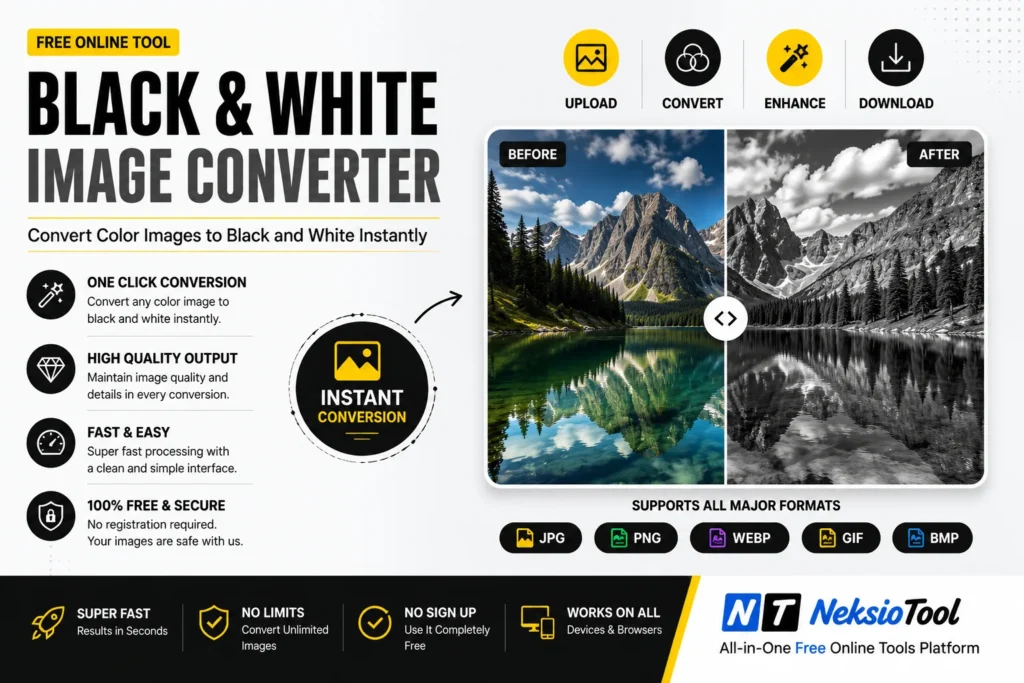
Black and White Image – Convert Photos Online Free
In a digital world saturated with vibrant, hyper-saturated colors, there is a timeless elegance that only a classic Black and White Image can provide. Whether you are a professional photographer looking to evoke deep emotion, a marketer trying to create a vintage aesthetic, or simply someone who wants to remove distractions from a busy photo, converting your pictures to monochrome is a powerful technique.
Fortunately, you no longer need expensive software or advanced design skills to achieve this look. With a free online Black and White Photo Converter, you can transform your color photos into stunning grayscale masterpieces in seconds. In this comprehensive guide, we will explore the art of monochrome photography, how to use our tool, and the best practices for creating breathtaking Black and White Image files.
📑 Table of Contents
What Is a Black and White Image?
A Black and White Image is a photograph or digital graphic that has been stripped of all color information (hue and saturation), leaving only the luminance (brightness) data. Instead of seeing the red of an apple or the blue of the sky, the viewer sees varying shades of light and dark.
When you use a Grayscale Image Converter or a Monochrome Image Tool, the software analyzes the color pixels in your original photo and calculates their relative brightness. It then assigns a specific shade of gray to each pixel based on that calculation. This process forces the viewer to focus on the fundamental elements of photography: composition, texture, lighting, and subject matter, rather than being distracted by vibrant colors.
Why Convert Images to Black and White?
You might wonder why anyone would want to remove color from a photo, especially when modern smartphone cameras capture millions of colors. The answer lies in visual storytelling. Color can sometimes be a distraction. A brightly colored background might draw the eye away from the main subject.
By converting an image to black and white, you eliminate this visual noise. According to design experts at Adobe, monochrome photography is an excellent way to salvage photos taken in poor lighting conditions or with mismatched color balances. If you have a great shot but the white balance is completely off, turning it into a Black and White Image instantly fixes the problem and gives the photo a moody, artistic vibe.
Benefits of Monochrome Photography
Embracing the monochrome aesthetic offers numerous advantages for both amateur and professional creators. Here is why you should consider adding a Black and White Photo Converter to your regular workflow:
- Enhanced Emotion: Without color to set the mood, the subject’s facial expressions and body language become the primary emotional drivers of the image.
- Focus on Composition: The rules of photography—like the rule of thirds, leading lines, and framing—become much more obvious and impactful.
- Timeless Appeal: Color trends change every decade, but black and white photography never goes out of style. It looks as modern today as it did a century ago.
- Hides Imperfections: Skin blemishes, distracting background objects, and poor color grading are easily masked by the smooth tones of grayscale.
- High Contrast Impact: The stark difference between deep blacks and bright whites creates a dramatic visual punch that grabs attention instantly.
While professional software like GIMP offers complex channel mixers for advanced grayscale editing, our online tool provides a fast, one-click solution that yields professional results without the steep learning curve.
How Our Black and White Image Tool Works
Using our Monochrome Image Tool is incredibly straightforward. We designed it to be fast, privacy-focused, and accessible from any device. Here is the step-by-step process:
Step 1: Upload Your Photo
Simply click the upload button and select your color image from your computer or phone. We support all major formats, including JPG, PNG, and WEBP. If you need to convert the file format itself before or after this step, you can always use our image converter.
Step 2: Instant Processing
Once uploaded, our algorithm instantly maps the luminance values of your image. Because the processing happens directly in your browser, your photo is never uploaded to our servers, ensuring 100% privacy.
Step 3: Download Your Masterpiece
Preview your new Black and White Image to ensure you are happy with the contrast and tones. Once satisfied, click download to save the high-quality file to your device.
Best Uses for Black and White Photos
Not every photo looks good in black and white, but certain subjects absolutely thrive in monochrome. Here are the best scenarios for using your Grayscale Image Converter.
Portrait Photography
Portraits are arguably the most popular use case for monochrome. When you remove color from a face, the viewer is forced to look directly into the subject’s eyes. Wrinkles, freckles, and facial structures become beautiful textures rather than flaws. If you are preparing a black and white portrait for a specific print size, make sure to use an image resizer to get the exact dimensions you need before printing.
Artistic and Fine Art Photography
Many fine art photographers rely exclusively on black and white to create abstract or surreal compositions. Shadows and light become shapes and forms. If you are designing a gallery layout or an art book, platforms like Canva are great for laying out your monochrome art, and our tool ensures your images are perfectly prepped for the design process.
Social Media Images
Scrolling through Instagram or LinkedIn, your eyes are bombarded with bright, neon, and highly saturated colors. A stark, high-contrast Black and White Image acts as a visual palate cleanser. It stops the scroll. To make your social media posts even more dynamic, you can use an image flipper to change the orientation or direction of your subject before converting it to grayscale.
Vintage and Historical Effects
Black and white is synonymous with nostalgia. Whether you are editing photos from a family reunion to make them look like they belong in the 1950s, or you are working on a historical documentary, monochrome sets the time period instantly. If you plan to print these vintage photos for a physical album, always check the resolution with an image DPI checker and converter to ensure they won’t look pixelated on paper.
Tips for Better Black and White Photos
Converting a photo is easy, but creating a great black and white photo requires a shift in how you see the world. Here are some expert tips to improve your monochrome game:
- Seek Out Textures: Without color, texture becomes king. Rough brick walls, tree bark, fabric, and skin pores look incredible in grayscale.
- Focus on Tonal Contrast: You want elements in your photo to stand out from one another based on brightness, not color. A red apple on a green leaf will blend together in black and white because they have the same brightness. A red apple on a blue sky will stand out beautifully.
- Use Shapes and Silhouettes: Backlighting your subject to create a pure black silhouette against a bright background is a classic monochrome technique.
- Optimize for the Web: High-resolution grayscale files can still be large. Always run your final images through an image compressor to ensure your website or portfolio loads lightning-fast without sacrificing visual quality.
Black and White vs Grayscale: What’s the Difference?
In casual conversation, people use “black and white” and “grayscale” interchangeably. However, in digital imaging, they are technically very different. Understanding this will help you use a Grayscale Image Converter more effectively.
| Feature | Pure Black and White (1-Bit) | Grayscale (8-Bit / Monochrome) |
|---|---|---|
| Color Depth | 1-Bit (Line Art) | 8-Bit (256 Shades) |
| Available Colors | Only Pure Black and Pure White | Black, White, and 254 shades of Gray |
| Visual Style | High contrast, comic book, stencil, fax machine | Smooth gradients, photographic, realistic |
| Best Use Case | Logos, QR codes, simple icons, printing text | Photography, portraits, artistic web design |
| File Size | Extremely small | Moderate (similar to color JPEGs) |
When you use the Neksio Tool Black and White Photo Converter, we generate high-quality grayscale images. This ensures your photographs retain their smooth transitions, deep shadows, and subtle highlights, rather than looking like a pixelated, 1-bit fax machine output. If you are preparing images for a website and need placeholder graphics while you finalize your grayscale edits, you can easily generate a dummy image to keep your layout intact.
Furthermore, if you are working with animated content and want to extract a single frame to turn into a monochrome masterpiece, you can use an GIF image extractor to pull the perfect frame before running it through our converter. And once your stunning Black and White Image is ready for your website or blog, use an image HTML link generator to quickly create the perfect, SEO-friendly <img> tag with the correct alt text.
For freelance photographers and digital marketers who need to build a contact list to sell their new monochrome portrait packages, an email extractor can be a handy tool to gather leads from local business directories and wedding planning websites.
Frequently Asked Questions
You can easily convert an image to black and white by using a free online tool like the Neksio Tool Black and White Photo Converter. Simply upload your color photo, and the tool will instantly process it, removing the color data and leaving you with a stunning monochrome image that you can download in seconds.
Technically, no. Pure black and white (often called 1-bit or line art) consists only of pure black pixels and pure white pixels with no shades in between. Grayscale, on the other hand, contains 256 shades of gray, allowing for smooth transitions, deep shadows, and subtle highlights, which is what most people mean when they say they want a black and white photo.
Yes, you can convert photos without losing quality if you use a high-quality, browser-based tool that processes the image locally. Tools like NeksioTool do not compress or degrade your original file during the conversion process. However, always ensure you download the final result in a lossless format like PNG if you plan to edit it further.
Yes, the Neksio Tool Black and White Image converter is 100% free to use. There are no hidden fees, no watermarks added to your photos, and no limit on how many images you can convert. It is designed to be a quick, accessible resource for photographers and designers alike.
Absolutely! In fact, black and white images are highly effective on social media platforms like Instagram, Pinterest, and LinkedIn. Because most social media feeds are flooded with bright, saturated colors, a high-contrast black and white photo stands out dramatically, grabs the viewer’s attention, and often receives higher engagement rates.
Final Thoughts
In conclusion, the art of the Black and White Image is far from dead. In fact, in our overly colorful digital world, monochrome photography offers a refreshing, emotional, and timeless perspective that color simply cannot replicate. Whether you are looking to hide a bad white balance, create a vintage aesthetic, or draw intense focus to a subject’s eyes, converting your photos to grayscale is an essential skill for any modern creator.
By understanding the difference between pure black and white and grayscale, and by applying the composition tips mentioned above, you can elevate your visual storytelling to the next level. You don’t need to spend hundreds of dollars on premium software to achieve these results. With the right eye for light and shadow, and a fast, free Monochrome Image Tool at your fingertips, you are ready to create stunning art.
Stop letting distracting colors ruin your perfect compositions. Embrace the drama, the emotion, and the timeless beauty of monochrome photography today.
🎨 Ready to create your masterpiece? Transform your color photos into stunning monochrome art in just one click. Fast, free, and completely private!
Convert to Black & White Now →📚 Explore more powerful free tools, guides, and tutorials at NeksioTool.com — Your ultimate destination for image editing, optimization, and digital marketing tools in 2026.