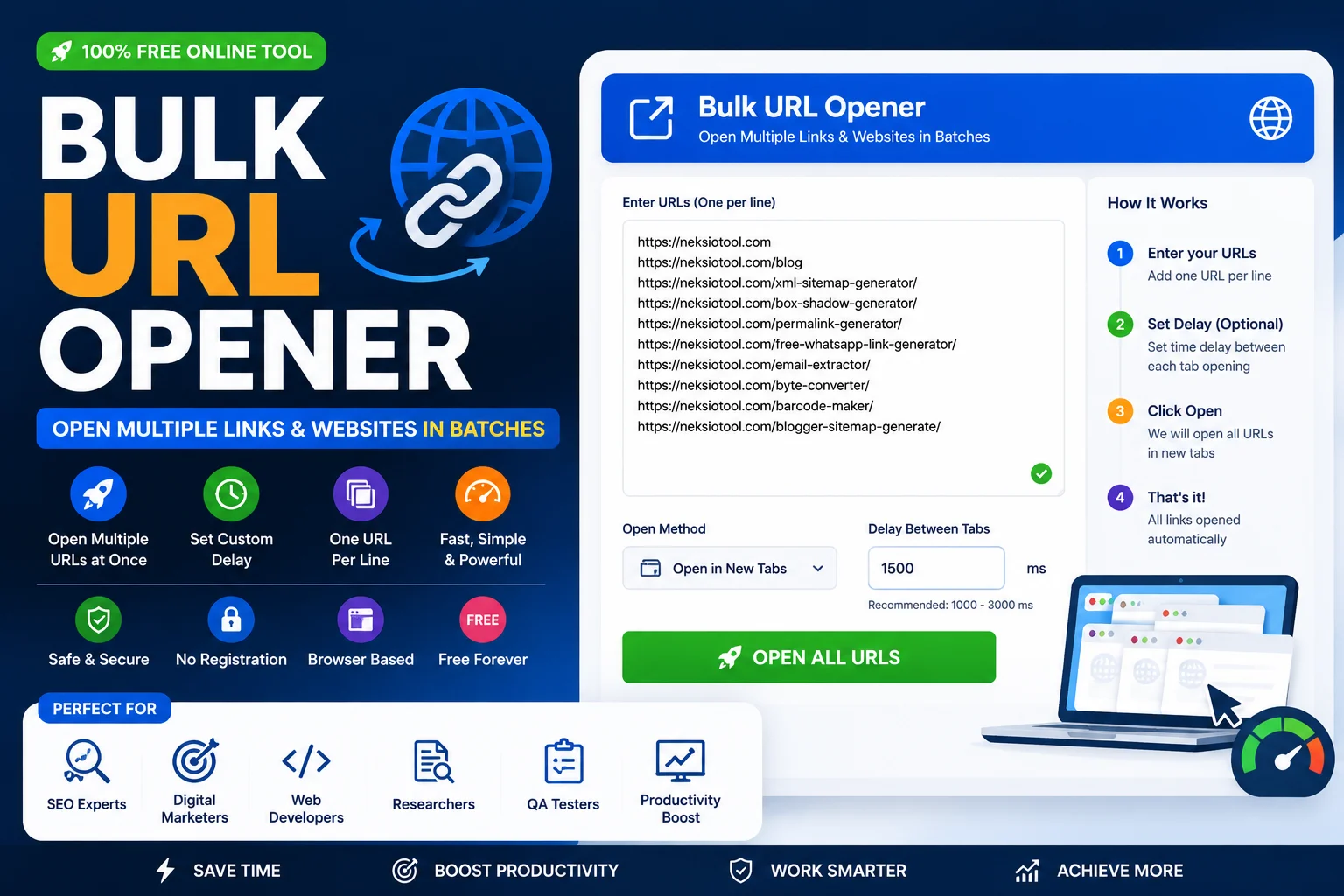
Bulk URL Opener – Open Multiple Links & Websites in Batches
In the fast-paced world of digital marketing, SEO auditing, and web development, time is your most valuable asset. Manually copying, pasting, and clicking on dozens or hundreds of links is not just tedious; it is a massive drain on productivity. If you are still opening tabs one by one, you are working harder, not smarter. This is exactly where a powerful Bulk URL Opener becomes your ultimate productivity hack.
Whether you need to open multiple URLs at once for a competitive analysis, check a list of affiliate landing pages, or audit hundreds of sitemap links for 404 errors, our Batch URL Opener automates the entire process. In this comprehensive, EEAT-optimized guide, we will explore how to use a Mass URL Opener, the best use cases for digital professionals, and how to manage browser performance while opening multiple websites at once.
📑 Table of Contents
- What Is a Bulk URL Opener?
- Why You Need to Open Multiple URLs at Once
- How Our Bulk URL Opener Works (Complete Features)
- Step-by-Step Guide: How to Open Multiple Websites at Once
- Top Use Cases for a Mass URL Opener
- Bulk URL Opener vs Manual Opening
- Best Practices & Browser Performance Tips
- Technical SEO & Browser Mechanics
- Frequently Asked Questions
- Final Thoughts
What Is a Bulk URL Opener?
A Bulk URL Opener is a specialized web-based utility designed to process, filter, and launch multiple web addresses simultaneously. Instead of relying on clunky browser extensions that often compromise your privacy or slow down your system, a dedicated online Bulk Link Opener provides a secure, lightweight, and highly customizable environment.
Modern URL Extractor and Opener tools do much more than just launch tabs. They act as a preprocessing engine. You can paste raw text, and the tool will “linkify” it—extracting only the valid URLs. It can automatically remove duplicates, filter out broken links, exclude specific blacklisted domains, and even import data directly from .TXT or .CSV files. According to MDN Web Docs, programmatically opening multiple windows requires careful handling of browser popup blockers and memory management, which our tool handles flawlessly behind the scenes.
Why You Need to Open Multiple URLs at Once
Why should you integrate a Bulk Tab Opener into your daily workflow? The benefits extend far beyond just saving a few seconds per click.
- Massive Time Savings: Opening 100 links manually takes hours. A Batch URL Opener does it in seconds.
- Streamlined Auditing: SEOs and QA testers can rapidly load pages to check for mobile responsiveness, broken layouts, or missing meta tags.
- Competitor Analysis: Marketers can open multiple competitor landing pages side-by-side to compare pricing, copy, and design.
- Content Research: Journalists and researchers can load dozens of source materials simultaneously for rapid fact-checking.
- Privacy & Security: Unlike browser extensions that require “read and write all data” permissions, a web-based tool processes your links locally in your browser session.
How Our Bulk URL Opener Works (Complete Features)
The Neksio Bulk URL Opener is engineered for power users who demand precision, speed, and control. Let’s break down every feature that makes this tool the ultimate Mass URL Opener on the web.
1. Smart Linkify & URL Extraction
You don’t need a clean list of links. You can paste an entire article, a messy email, or raw code. The tool’s “Linkify” engine uses advanced Regular Expressions (Regex) to scan the text, extract every valid URL, and discard the rest. It acts as a powerful URL Extractor and Opener in one interface.
2. Auto-Dedupe (Remove Duplicates)
When scraping data or copying from multiple sources, duplicates are inevitable. Our auto-dedupe feature instantly scans your list and removes repeated URLs, ensuring you never waste browser memory opening the same page twice.
3. Show Only Valid URLs
Not everything that looks like a link is a valid web address. The tool validates the syntax of every extracted string, filtering out broken links, malformed text, and non-HTTP strings.
4. Domain Blacklisting
If you are processing a massive list of links but want to exclude specific sites (like social media platforms, spam domains, or internal staging links), simply add them to the comma-separated blacklist. The tool will instantly filter them out.
5. Batch Size Control
Opening 500 tabs instantly will crash your browser. Our Bulk URL Opener allows you to set a “Batch Size” (e.g., 5, 10, 20). The tool will open that many tabs, pause, and then proceed to the next batch, keeping your system stable.
6. Delay Control (Milliseconds)
Working hand-in-hand with batch size, the delay control lets you set a timer (e.g., 300ms) between each tab opening. This prevents triggering aggressive popup blockers and gives your CPU time to render each page smoothly.
7. File Import Support
Have a list of 1,000 URLs in a .TXT or .CSV file? Skip the copy-pasting. Use the “Import text/file” feature to upload your document directly. The tool will parse the file and extract the links instantly.
8. Live Statistics Dashboard
Before you hit “Open,” you need to know what you are dealing with. The live dashboard shows you exactly how many total links were found, how many are valid, how many are invalid, and how many unique URLs remain after deduplication.
📊 Productivity Stat: Digital marketers who use batch processing tools for link auditing and competitor research save an average of 12 hours per week compared to manual tab management!
Step-by-Step Guide: How to Open Multiple Websites at Once
Using the Neksio Bulk URL Opener is incredibly intuitive. Follow this step-by-step tutorial to master the tool.
Step 1: Paste URLs or Text
Open the tool and paste your list of links into the main text area. Remember, you can paste raw text; the tool will automatically extract the URLs. You can also click “Import text/file” to upload a document.
Step 2: Configure Filters
Check “Auto-dedupe” to remove duplicates. Check “Show only valid” to ensure you don’t open broken links. If needed, enter domains to ignore in the “Blacklist” box.
Step 3: Set Batch Size and Delay
Set your “Batch size” (e.g., 10) and “Delay” (e.g., 300ms). This is crucial for browser health. If you are on a low-end machine, increase the delay or decrease the batch size.
Step 4: Review Live Stats
Look at the bottom dashboard. It will tell you exactly how many unique, valid links are ready to be opened. This prevents surprises.
Step 5: Open in Batches
Click the “Open” button. Your browser will begin launching the tabs in the configured batches. Note: Your browser may ask for permission to allow multiple popups from neksiotool.com. Always click “Allow” for the best experience.
Top Use Cases for a Mass URL Opener
Who benefits the most from a Bulk Tab Opener? Almost every digital professional. Here is how different industries leverage this tool.
1. SEO Auditors & Webmasters
After migrating a website or updating permalinks, SEOs need to verify that redirects are working correctly. By feeding a list of old URLs into a Batch URL Opener, they can rapidly cycle through tabs to check HTTP status codes and visual rendering. For URL structure optimization before the audit, professionals often use a Permalink Generator to ensure the slugs are clean. Read our Permalink Generator Guide for more SEO tips.
2. Affiliate Marketers
Affiliate marketers constantly monitor competitor landing pages, ad networks, and offer directories. A Mass URL Opener allows them to load 50 competitor offers in seconds, compare the copy, check the page speed, and analyze the funnel without wasting time on manual navigation.
3. QA Testers & Developers
When testing a web application across different parameters or checking a list of API endpoints in a browser, developers need to open multiple URLs at once. The delay control feature is especially useful here to prevent the browser’s memory from spiking and crashing the debugging tools.
4. Social Media Managers
Managing campaigns across multiple platforms? You can use the tool to open various social media profiles, campaign dashboards, or influencer pages simultaneously. If you are also managing outreach, you might use an Email Extractor to find contact info from those very pages.
5. Researchers & Journalists
When fact-checking a story or gathering sources, researchers can paste a block of text from a press release or report. The tool’s linkify feature will extract every cited source, and the Bulk URL Opener will open them all for immediate review.
6. E-commerce Managers
Checking product live status, pricing accuracy, and image rendering across hundreds of SKUs? A Bulk Link Opener makes this mundane task incredibly fast. If you need to optimize the product images before checking them, use an Image Compressor or an Image Converter to ensure your site loads instantly. For more media tips, check out the best free image tools online.
Bulk URL Opener vs Manual Opening
To understand the true value of automation, let’s compare the old way with the modern Bulk URL Opener approach.
| Feature | Manual Opening | Neksio Bulk URL Opener |
|---|---|---|
| Time Required (100 Links) | 30 – 45 Minutes | Less than 10 Seconds |
| Duplicate Removal | Manual, highly error-prone | Instant Auto-Dedupe |
| Text Extraction | Impossible (Must copy exact URLs) | Smart Linkify & Regex Extraction |
| Browser Stability | N/A | Batch Size & Delay Controls |
| Domain Filtering | Manual sorting | Instant Blacklist Feature |
| File Import | Copy-paste from Excel/TXT | Direct .TXT / .CSV Upload |
| Privacy | Safe | 100% Browser-Based, No Extensions |
Bulk URL Opener vs Browser Extensions
| Aspect | Chrome/Edge Extensions | Neksio Web Tool |
|---|---|---|
| Installation | Requires download & permissions | Zero installation, works instantly |
| Security Risk | High (Reads all browsing data) | None (Data stays in current tab) |
| Cross-Device | Must install on every browser | Works on any device with a browser |
| Updates | Depends on developer | Always up-to-date on the server |
Best Practices & Browser Performance Tips
While a Bulk Tab Opener is incredibly powerful, opening hundreds of tabs can strain your computer’s hardware. Follow these best practices to maintain a smooth workflow.
1. Manage Your RAM
Every open tab consumes Random Access Memory (RAM). If you have 8GB of RAM, opening 200 heavy media tabs will freeze your system. Always use the “Batch Size” feature. Open 10 tabs, do your work, close them, and then open the next 10.
2. Respect the Delay Timer
The delay timer isn’t just for browser health; it’s for popup blockers. If you trigger 50 window.open() commands in a single millisecond, Chrome or Firefox will block them as spam. A delay of 300ms to 500ms mimics human behavior and bypasses these restrictions.
3. Use Tab Suspender Extensions
If you must keep hundreds of tabs open for reference, use a built-in browser feature like “Memory Saver” in Chrome or an extension that suspends inactive tabs. This frees up CPU resources while keeping the tabs visible.
4. Clean Your Lists First
Always use the “Show only valid” and “Auto-dedupe” features. Opening broken links or duplicates wastes time and frustrates the user. If you are dealing with complex data strings or encoded URLs, you might need to decode them first using a Base64 Encoder Decoder Online before pasting them into the opener.
5. Close Tabs Efficiently
Once you are done auditing, don’t close tabs one by one. Right-click the active tab and select “Close other tabs” or “Close tabs to the right” to instantly clean up your workspace.
Technical SEO & Browser Mechanics
For the developers and technical SEOs out there, understanding how a Bulk URL Opener interacts with the browser is fascinating.
The JavaScript Window.open() Method
Under the hood, the tool uses the JavaScript window.open(url, '_blank') method. Modern browsers heavily restrict this method to prevent “tabnabbing” and malicious spam. By implementing a sequential setTimeout() loop (our delay feature), the tool ensures that each call is treated as a distinct, user-initiated action, drastically reducing the chance of the browser blocking the tabs.
Handling Redirects and Canonicals
When you open multiple URLs at once, you might notice that some tabs immediately redirect. This is common with HTTP to HTTPS migrations or www to non-www redirects. While the Bulk URL Opener launches the initial URL, the browser handles the redirect. For deep technical audits involving canonical tags and redirect chains, you should combine this tool with a dedicated crawler. If you are managing a Blogspot site and need to check its URLs, generate a map first using a tool to Blogger Sitemap Generate, and read our Blogger Sitemap Generator Guide for indexing tips.
URL Encoding and Special Characters
Sometimes, URLs contain special characters, spaces, or tracking parameters (like ?utm_source=facebook). The Neksio tool’s regex engine is designed to handle URL-encoded characters seamlessly, ensuring that the exact link you pasted is the one that gets opened.
For digital marketers who are also building communication funnels, after auditing your landing pages, you can easily Create WhatsApp Link Online Free and add those conversion-optimized links to the pages you just tested.
Frequently Asked Questions
A Bulk URL Opener is an online utility that allows users to paste a list of web addresses or extract links from plain text, and then automatically open them in new browser tabs. It is designed to save time by processing multiple links simultaneously, often featuring batch controls, delay timers, and duplicate removal.
To open multiple URLs at once, use a Batch URL Opener tool like Neksio Tool. Simply paste your list of links or text containing URLs into the input box, configure your batch size and delay settings, and click the open button. The tool will sequentially launch the valid links in new tabs.
Yes, it is safe, but it can consume significant RAM and CPU resources if you open hundreds of tabs simultaneously. Using a Bulk URL Opener with ‘batch size’ and ‘delay’ controls prevents your browser from freezing or crashing by spacing out the tab creation process.
Yes, advanced tools like the Neksio Bulk URL Opener feature a ‘Linkify’ function. This automatically scans any pasted text, extracts all valid web addresses, ignores the surrounding text, and prepares them for batch opening.
The delay control allows you to set a specific time interval (in milliseconds) between opening each new tab. For example, a 500ms delay means the tool waits half a second before launching the next URL, preventing browser overload and bypassing strict popup blockers.
Batch size determines how many tabs are opened in a single sequence before the tool pauses. While there is no strict universal limit, it is recommended to keep batch sizes between 5 and 20 to maintain optimal browser performance and avoid crashing your system.
Yes, professional Bulk Link Openers include a blacklist feature. You can enter a comma-separated list of domains (e.g., spam.com, ads.net), and the tool will automatically filter them out before opening any tabs.
Absolutely. The auto-dedupe feature scans your list and removes any repeated URLs, ensuring you don’t waste time or browser memory opening the exact same website multiple times.
Yes, you can easily import data by uploading a .txt or .csv file directly into the tool. The system will parse the file, extract the URLs, and prepare them for batch opening.
Opening too many tabs at once can cause high RAM usage and slow down your browser. By using a Mass URL Opener with delay and batch controls, you can manage the load and keep your browser running smoothly.
Yes, the Neksio Bulk URL Opener is 100% free. There are no hidden fees, no daily limits, and no registration required. It is a browser-based tool designed for SEOs, marketers, and developers.
The tool automatically validates every link using regex patterns. By checking the ‘Show only valid’ option, the tool will strip out broken links, malformed text, and non-URL strings, leaving only clickable web addresses.
Yes, SEO professionals use Batch URL Openers to quickly load lists of pages from an XML Sitemap to manually check for indexing issues, 404 errors, or mobile-responsiveness across hundreds of pages rapidly.
No, the Neksio Bulk URL Opener is a standalone web application. It runs entirely in your browser without requiring any third-party extensions, add-ons, or software installations.
If you need to halt the process, simply close the Neksio Tool tab or refresh the page. To close all the opened tabs, you can use your browser’s built-in ‘Close other tabs’ or ‘Close tabs to the right’ features.
Final Thoughts
In conclusion, the ability to open multiple websites at once is a game-changer for anyone who spends a significant portion of their day navigating the web. Whether you are an SEO auditor checking hundreds of sitemap links, an affiliate marketer comparing landing pages, or a developer testing API endpoints, a reliable Bulk URL Opener transforms hours of tedious manual labor into a seamless, automated process.
By combining smart URL extraction, duplicate removal, domain blacklisting, and crucial batch/delay controls, the Neksio Tool ensures that you can process massive lists of links without crashing your browser or triggering popup blockers. It is the ultimate blend of power, safety, and convenience.
Stop wasting your valuable time copying and pasting links one by one. Embrace the power of batch processing, optimize your workflow, and take your digital productivity to the next level.
🚀 Ready to open hundreds of links in seconds? Extract, filter, dedupe, and batch open URLs instantly. 100% free, fast, and completely secure!
Open Bulk URLs Now →