Estimated Reading Time: 10 minutes | Last Updated: July 2026
How IP Geolocation Works: Can Your IP Address Reveal Your Location?
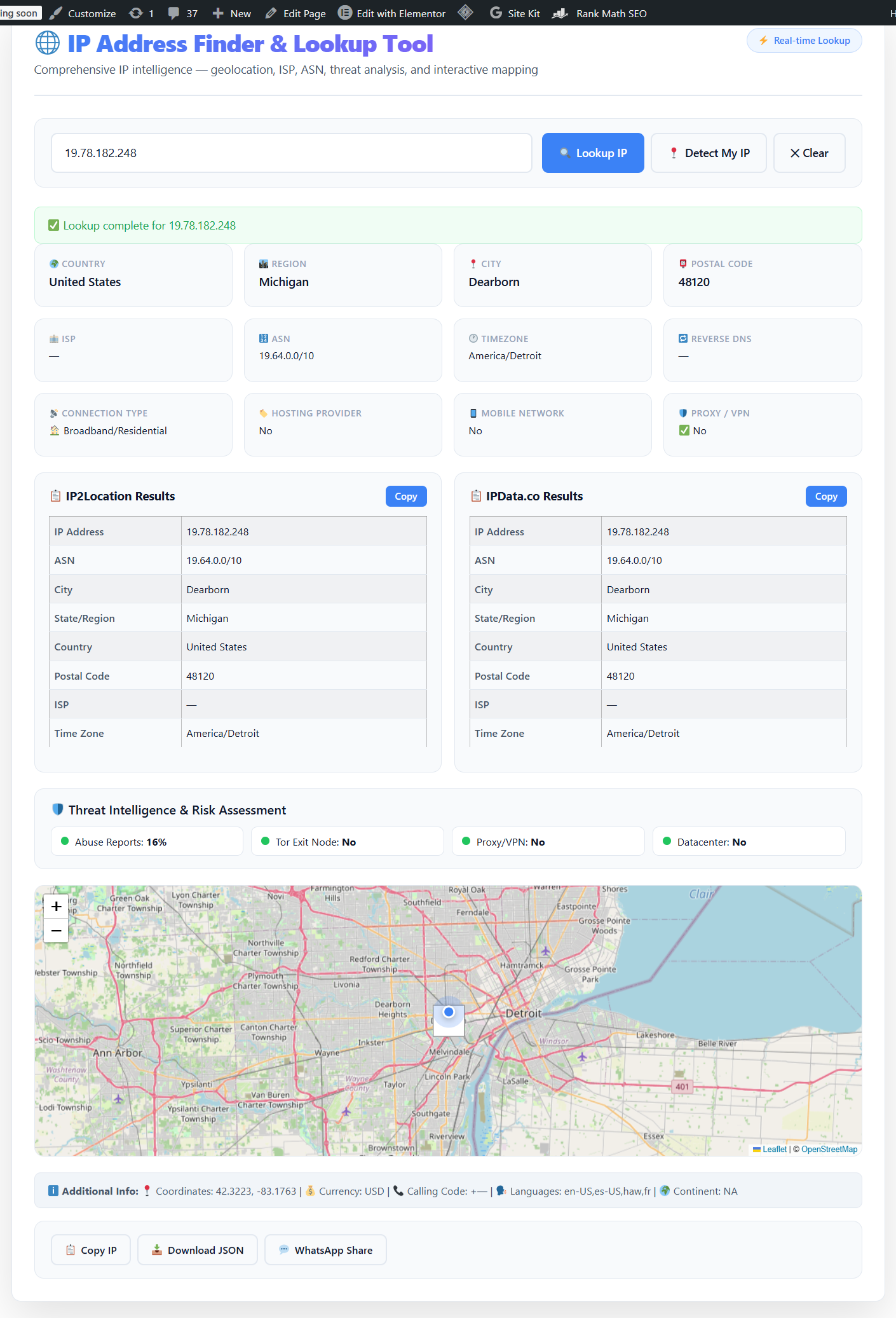
Have you ever wondered how websites seem to know where you are? When you visit an online store and see prices in your local currency, or when streaming services restrict content based on your region, they’re using IP geolocation technology. But how IP geolocation works is far more complex—and fascinating—than most people realize.
In this comprehensive guide, we’ll explore the intricate mechanisms behind IP-based location tracking, examine its accuracy limitations, and reveal what information your IP address actually reveals about you. Whether you’re a privacy-conscious user, a developer building location-based features, or simply curious about internet infrastructure, understanding how IP geolocation works is essential in today’s connected world.
📌 Quick Summary
- IP geolocation maps IP addresses to physical locations using databases compiled from multiple sources.
- Accuracy varies: Country-level (95-99%), Region-level (80-90%), City-level (50-80%).
- Sources include: Regional Internet Registries (RIRs), ISP data, GPS-enabled devices, and user submissions.
- Privacy concerns: While useful, IP geolocation raises important questions about digital privacy and tracking.
📑 Table of Contents
What Is IP Geolocation?
IP geolocation is the process of mapping an Internet Protocol (IP) address to a real-world geographic location. This technology allows websites, applications, and network administrators to determine the approximate physical location of a device connected to the internet—typically identifying the country, region, city, and sometimes even the postal code and coordinates (latitude and longitude).
When you connect to the internet, your device is assigned an IP address by your Internet Service Provider (ISP). This address serves as your digital identifier, much like a home address for postal mail. However, unlike a physical address that points to an exact location, an IP address typically reveals a general area where your internet connection originates. To understand more about your specific IP address and what it reveals, you can use an IP address finder tool to instantly see your current location data.
The technology behind how IP geolocation works is fundamental to many modern internet services, from content delivery networks (CDNs) optimizing website load times to fraud detection systems protecting online transactions.
How IP Geolocation Works: The Technical Process
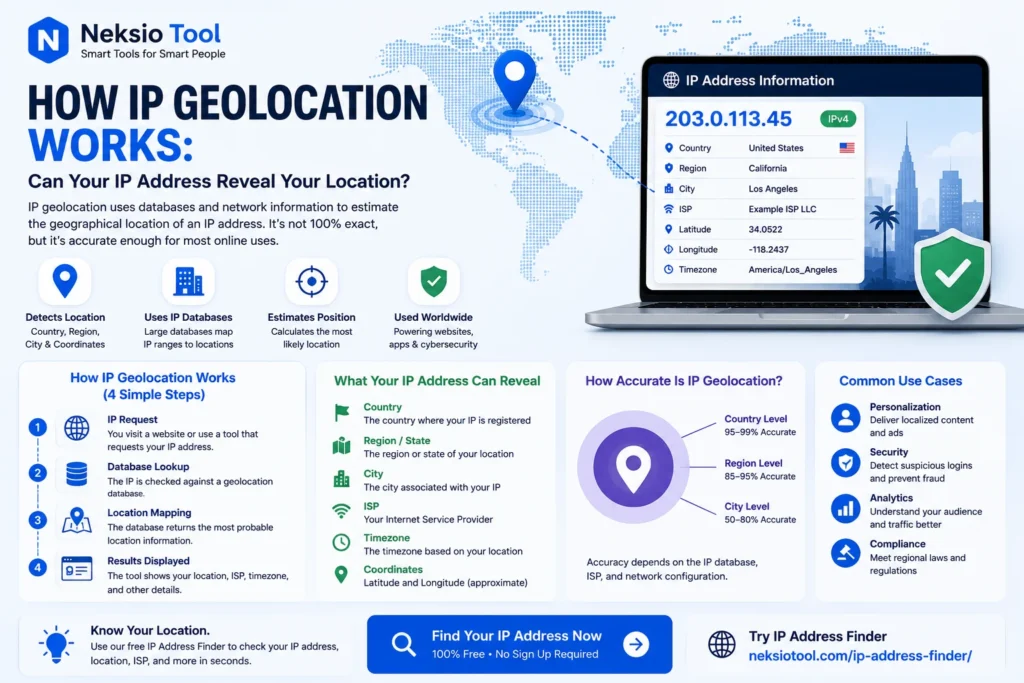
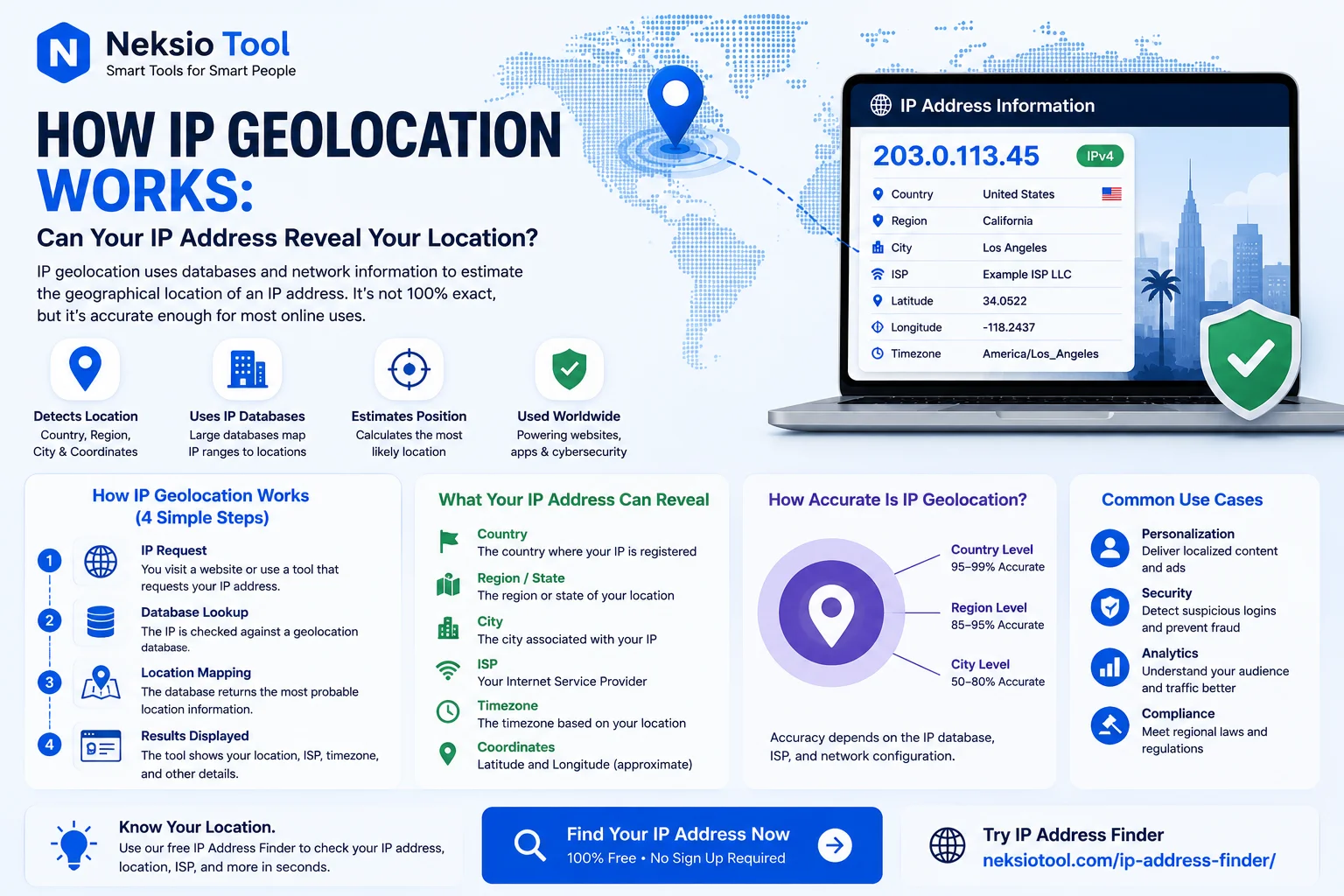
Understanding how IP geolocation works requires examining the multi-step process that occurs every time your location is determined from your IP address:
Step 1: IP Address Assignment
When you connect to the internet, your ISP assigns your device an IP address from a block of addresses allocated to them by Regional Internet Registries (RIRs) like ARIN (American Registry for Internet Numbers), RIPE NCC (Europe/Middle East), or APNIC (Asia-Pacific). These organizations maintain detailed records of which IP address ranges belong to which ISPs and in which geographic regions.
Step 2: Database Compilation
IP geolocation companies like MaxMind, IP2Location, and DB-IP aggregate data from multiple sources to create comprehensive geolocation databases. These databases map IP address ranges to geographic locations using a combination of:
- Registry data: Official records from RIRs showing ISP allocations
- ISP information: Direct data provided by internet service providers
- Network measurements: Traceroute data and network latency measurements
- User-submitted data: Location information from devices with GPS or Wi-Fi positioning
- Third-party sources: Data from mobile apps, websites, and other services
Step 3: Real-Time Lookup
When a website or service needs to determine your location, it performs a database lookup. Your IP address is compared against the geolocation database, which returns the associated geographic information. This entire process happens in milliseconds, which is why websites can display localized content almost instantly.
Step 4: Data Interpretation
The returned data typically includes:
- Country code and name
- Region/state/province
- City name
- Postal/ZIP code (sometimes)
- Latitude and longitude coordinates
- Time zone
- ISP and organization name
- Connection type (broadband, mobile, satellite)
For a deeper understanding of the different types of IP addresses and how they affect geolocation, you should read our guide on IPv4 vs IPv6, which explains how the newer IPv6 protocol impacts location tracking accuracy.
Data Sources Behind IP Geolocation
The accuracy of how IP geolocation works depends entirely on the quality and freshness of the underlying data. Here are the primary sources:
1. Regional Internet Registries (RIRs)
Five RIRs worldwide manage IP address allocation:
- ARIN: North America
- RIPE NCC: Europe, Middle East, parts of Central Asia
- APNIC: Asia-Pacific region
- LACNIC: Latin America and Caribbean
- AfriNIC: Africa
These organizations maintain WHOIS databases that show which ISP owns which IP blocks and their registered business locations.
2. ISP-Provided Data
Many internet service providers directly supply geolocation companies with information about their network infrastructure, including the physical locations of their routers, data centers, and network hubs.
3. Active Network Probing
Geolocation services use network measurement techniques like:
- Traceroute analysis: Mapping the path data takes across the internet
- Ping latency: Measuring response times to estimate distances
- BGP routing tables: Analyzing Border Gateway Protocol announcements
4. Crowdsourced Data
Modern smartphones and devices with GPS capabilities contribute anonymized location data. When apps request location permissions, they can correlate the device’s GPS coordinates with its current IP address, creating highly accurate IP-to-location mappings.
5. User Corrections
Some geolocation providers allow users to submit corrections when their IP address shows an incorrect location, helping improve database accuracy over time.
Accuracy and Limitations of IP Geolocation
While how IP geolocation works is impressive, it’s crucial to understand its limitations and accuracy levels:
| Location Level | Typical Accuracy | Use Cases |
|---|---|---|
| Country | 95-99% | Content licensing, legal compliance, language selection |
| Region/State | 80-90% | Tax calculations, regional marketing, service availability |
| City | 50-80% | Local advertising, weather services, store locators |
| Postal Code | 30-60% | Hyperlocal services, delivery estimates |
| Exact Address | < 1% | Not reliably possible with IP alone |
Why IP Geolocation Isn’t Perfect
Several factors affect accuracy:
- Dynamic IP addresses: Most residential ISPs assign IP addresses dynamically, meaning they change periodically. A database might have outdated information about which location a specific IP serves.
- Mobile networks: Mobile IP addresses often show the location of the carrier’s gateway rather than the user’s actual location, which can be hundreds of miles away.
- VPNs and proxies: These services deliberately mask your real location by routing traffic through different geographic regions.
- Corporate networks: Large companies may have all employees appear to connect from a single headquarters location, regardless of where they actually work.
- ISP infrastructure: Your IP might be registered to your ISP’s nearest data center or network hub, not your actual home or office.
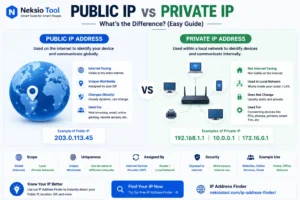
This is why understanding the difference between public and private IP addresses is important—private IPs are never geolocated, while public IPs are what determine your apparent location.
Real-World Applications of IP Geolocation
Now that you understand how IP geolocation works, let’s explore its practical applications:
1. Content Localization
Websites automatically display content in your local language, show prices in your currency, and present region-specific products or services. E-commerce giants like Amazon use this to optimize your shopping experience.
2. Digital Rights Management
Streaming services like Netflix, Hulu, and BBC iPlayer use IP geolocation to enforce content licensing agreements, restricting access to shows and movies based on your geographic location.
3. Fraud Detection and Security
Financial institutions and e-commerce platforms analyze IP location data to detect suspicious activity. If your credit card is used for a purchase from an IP address in a different country than your usual location, it may trigger a fraud alert.
4. Targeted Advertising
Marketers deliver location-specific ads, promoting local businesses, events, or region-specific offers based on your inferred location.
5. Network Security
Website administrators use IP geolocation to block traffic from high-risk regions, prevent DDoS attacks, and enforce access controls. For website owners, implementing proper robots.txt rules alongside geolocation can help manage bot traffic from different regions.
6. Compliance and Legal Requirements
Companies must comply with regional regulations like GDPR (Europe), CCPA (California), or other data protection laws. IP geolocation helps determine which legal framework applies to each user.
7. Analytics and Business Intelligence
Website owners analyze visitor geography to understand their audience, plan expansion strategies, and optimize server locations. Creating an XML sitemap with hreflang tags can further optimize content delivery to different geographic regions.
Privacy Implications and Concerns
While how IP geolocation works enables many useful services, it raises important privacy considerations:
What Your IP Address Reveals
Your IP address can reveal:
- Your approximate geographic location (city/region level)
- Your Internet Service Provider
- Your connection type (residential, business, mobile)
- Your organization (if using a corporate network)
- Your browsing patterns when combined with cookies and tracking scripts
Privacy Protection Methods
If you’re concerned about IP-based tracking, consider these options:
1. Virtual Private Networks (VPNs)
VPNs encrypt your internet traffic and route it through servers in different locations, masking your real IP address. This is the most effective way to prevent IP geolocation from revealing your actual location.
2. Proxy Servers
Proxies act as intermediaries between your device and the internet, hiding your real IP address. However, they typically don’t encrypt traffic like VPNs do.
3. Tor Network
The Tor (The Onion Router) network routes your traffic through multiple volunteer-operated servers, providing strong anonymity but at the cost of slower connection speeds.
4. Public Wi-Fi
Using public Wi-Fi networks masks your home IP address, though the Wi-Fi location itself can still be geolocated.
The Privacy Trade-off
It’s important to note that while these methods protect your privacy, they can also prevent you from accessing location-specific services, trigger security alerts on banking websites, or violate terms of service for certain platforms.
How to Check Your IP Location
If you’re curious about what information your IP address reveals, checking your geolocation is simple:
Method 1: Online IP Lookup Tools
The easiest way is to use a free IP address finder tool. These services instantly display:
- Your public IP address
- Country, region, and city
- ISP name
- Time zone
- Coordinates (latitude/longitude)
Method 2: Command Line Tools
For technical users, command-line tools like curl can query IP geolocation APIs:
curl ipinfo.ioMethod 3: Browser-Based Detection
Many websites automatically detect and display your location using IP geolocation. Simply search “what is my location” on Google, and it will show your approximate location based on your IP.
For comprehensive information about your network identity, our guide on what is my IP address provides detailed explanations of what your IP reveals and how to interpret the data.
How to Improve Geolocation Accuracy
If you’re a developer or business owner implementing IP geolocation, here are best practices to maximize accuracy:
1. Use Multiple Data Sources
Don’t rely on a single geolocation database. Combine data from multiple providers (MaxMind, IP2Location, Google Geolocation API) to cross-reference and improve accuracy.
2. Implement Fallback Methods
When IP geolocation is uncertain, use additional signals:
- HTML5 Geolocation API (with user permission)
- Wi-Fi positioning systems
- GPS data from mobile devices
- User profile information
3. Regular Database Updates
IP address allocations change frequently. Ensure your geolocation database is updated weekly or even daily for maximum accuracy.
4. Account for Edge Cases
Handle special scenarios:
- Mobile networks (often show carrier hub location)
- Satellite internet (may show ground station location)
- Corporate VPNs (show headquarters location)
- Data centers and cloud services
5. Provide User Correction Options
Allow users to manually override detected location. This improves user experience and provides valuable data to refine your geolocation accuracy.
Frequently Asked Questions
IP geolocation accuracy varies by location type. Country-level accuracy is typically 95-99%, region/state level is 80-90%, and city-level accuracy ranges from 50-80%. It rarely provides exact street addresses, usually identifying the ISP’s data center or routing hub location instead.
Websites use IP geolocation databases that map IP address ranges to geographic locations. These databases are compiled from regional internet registries, ISP data, GPS-enabled devices, and user-submitted information. When you connect, your IP is cross-referenced against these databases to estimate your location.
Yes, you can use a Virtual Private Network (VPN) or proxy server to mask your real IP address. These services route your traffic through their servers, making it appear as if you’re connecting from their location rather than your actual physical location.
From your IP address, services can determine your approximate geographic location (country, region, city), your Internet Service Provider (ISP), the type of connection (broadband, mobile, corporate), and sometimes your timezone and coordinates. However, it cannot reveal your exact home address or personal identity directly.
IP geolocation may show the wrong city because it often identifies the location of your ISP’s data center or network hub rather than your exact location. Dynamic IP addresses, mobile networks, and outdated geolocation databases can also contribute to inaccurate city-level results.
Yes, IP geolocation is legal and widely used for legitimate purposes like fraud prevention, content localization, and network security. However, how the data is collected, stored, and used must comply with privacy regulations like GDPR, CCPA, and other regional data protection laws.
No, IP geolocation cannot determine your exact home address. It typically identifies the location of your ISP’s infrastructure (data center, network hub, or cell tower), which could be several miles away from your actual location. Exact address determination requires GPS, Wi-Fi positioning, or user-submitted data.
Key Takeaways
- How IP geolocation works by mapping IP addresses to physical locations using databases compiled from RIRs, ISPs, network measurements, and crowdsourced data.
- Accuracy varies significantly: Country-level (95-99%), Region-level (80-90%), City-level (50-80%).
- Multiple applications: Content localization, fraud detection, targeted advertising, compliance, and network security.
- Privacy concerns are valid: Your IP reveals approximate location, ISP, and connection type, but not your exact address.
- Protection is available: VPNs, proxies, and Tor can mask your real location from IP geolocation services.
- Limitations exist: Dynamic IPs, mobile networks, and ISP infrastructure affect accuracy.
Final Thoughts
Understanding how IP geolocation works is essential in today’s digital landscape. While this technology enables convenient features like localized content, fraud protection, and region-specific services, it also raises important privacy considerations.
Your IP address reveals more than you might think—your approximate location, ISP, and connection type—but it’s not as precise as many people believe. The technology is powerful but imperfect, with accuracy varying dramatically based on location granularity and network infrastructure.
Whether you’re a developer implementing geolocation features, a business owner optimizing user experience, or a privacy-conscious individual, knowing how IP geolocation works empowers you to make informed decisions about your online presence.
Ready to see what your IP address reveals about you? Use our free IP Address Finder to instantly discover your current location data, ISP information, and geolocation details.
🔍 Discover your digital footprint! Check your IP location, ISP details, and geolocation data in seconds. 100% free and private.
Check My IP Location Now →