Email Extractor Online – Extract Emails from Text, Files & URLs
In the fast-paced world of digital marketing, B2B sales, and SEO outreach, building a targeted contact list is often the most time-consuming part of the job. If you are still manually copying and pasting addresses from websites, documents, or directories, you are wasting countless hours. This is exactly where a powerful Email Extractor Online becomes your ultimate productivity hack.
Whether you need to scrape contact info from a competitor’s website, mine leads from a massive PDF directory, or simply clean up a messy text file, an Email Extractor Online automates the entire process in seconds. In this comprehensive guide, we will explore how these tools work, their practical applications, and how to use them ethically to skyrocket your lead generation efforts.
📑 Table of Contents
- What Is an Email Extractor?
- How Does an Email Extractor Work?
- Benefits of Email Extraction
- Extract Emails From Text
- Extract Emails From URLs
- Extract Emails From Files
- Remove Duplicate Emails
- Validate Email Addresses
- Business Uses of Email Extraction
- Lead Generation Applications
- SEO and Research Applications
- Privacy and Ethical Use
- Frequently Asked Questions
- Conclusion
What Is an Email Extractor?
An Email Extractor Online is a specialized software utility designed to scan through large volumes of unstructured data and automatically identify, isolate, and compile email addresses. Instead of relying on human eyes to spot an “@” symbol in a sea of text, this tool uses advanced pattern recognition to do the heavy lifting.
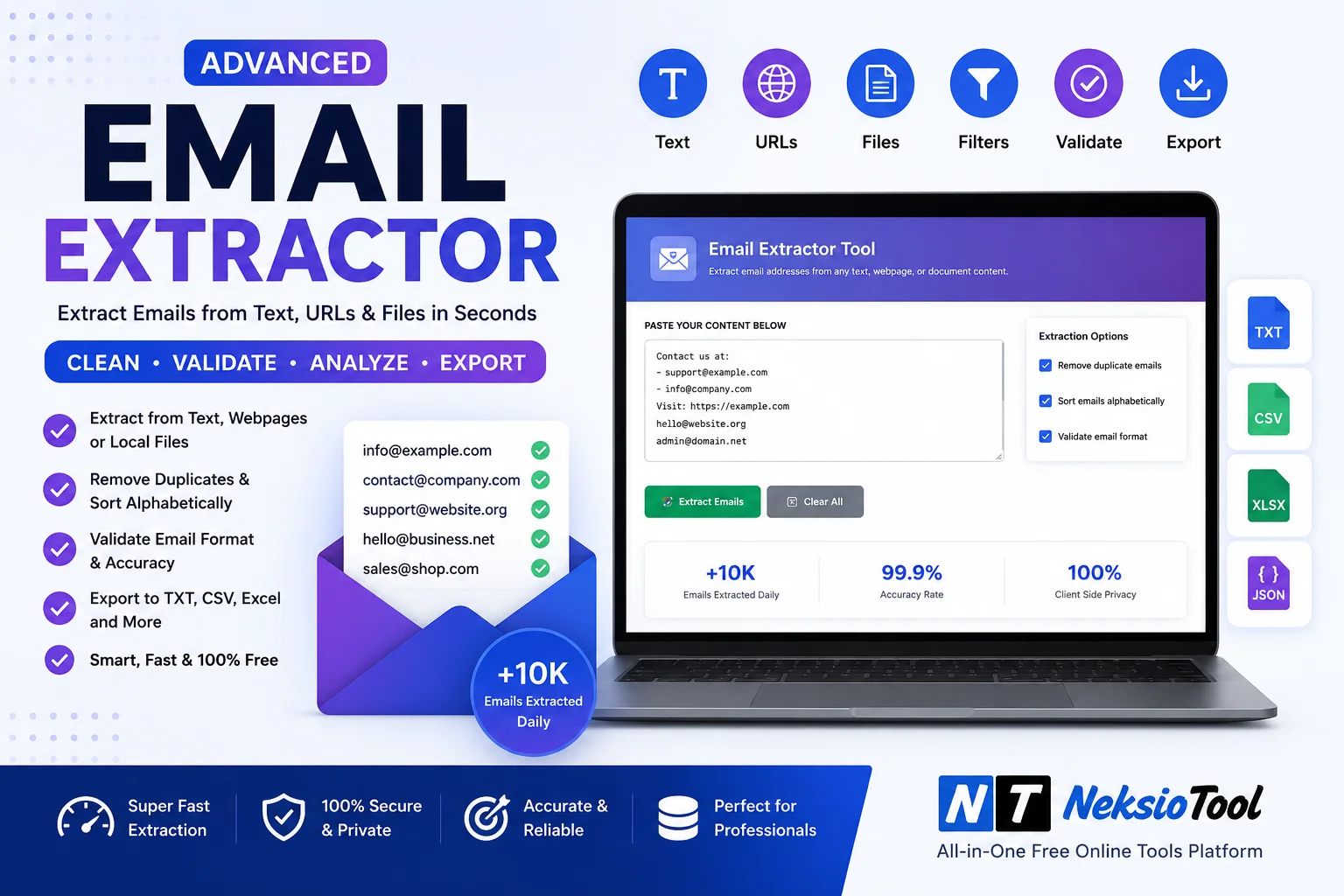
Modern extractors are incredibly versatile. They don’t just look at plain text; they can parse HTML from web pages, read metadata from documents, and even handle complex formatting. Tools like the Neksio Tool Email Extractor are built to handle everything from a simple clipboard paste to crawling entire website domains for contact information.
How Does an Email Extractor Work?
Under the hood, every reliable Email Extractor Online relies on a programming concept called Regular Expressions (Regex). Regex is a sequence of characters that defines a search pattern.
When you input your text, URL, or file, the tool runs a Regex algorithm that looks for the specific structure of an email address: a combination of alphanumeric characters, followed by the “@” symbol, followed by a domain name and a top-level domain (like .com, .org, or .net). Once a match is found, the tool extracts it, verifies its basic syntax, and adds it to your final list. This happens in milliseconds, regardless of whether your source data is ten words or ten million words.
Benefits of Email Extraction
Why should you integrate an automated extractor into your daily workflow? The advantages go far beyond just saving a few minutes.
- Massive Time Savings: What used to take hours of manual copying is now completed in seconds.
- High Accuracy: Algorithms don’t get tired or make typos. They capture every valid address perfectly.
- Cost-Effective: Online tools eliminate the need to hire virtual assistants for manual data entry.
- Scalability: Whether you need 10 emails or 10,000, the effort required remains exactly the same.
- Data Organization: Instantly formats raw data into clean, exportable lists (CSV, TXT).
Extract Emails From Text
The most basic and common use case for an Email Extractor Online is pulling addresses from raw text. Imagine you have a massive block of text copied from a forum thread, a research paper, or a long email chain. Scanning it manually is a nightmare.
By simply pasting this text into the extractor, the tool instantly highlights and pulls out every email address. This is particularly useful for journalists, researchers, and recruiters who often deal with unstructured text dumps and need to quickly identify contact points without altering the original source material.
Extract Emails From URLs
Web scraping is where an Email Extractor Online truly shines. By inputting a specific URL or a list of URLs, the tool will crawl the web page’s HTML, strip away the visual elements, and scan the underlying code for email addresses.
This is incredibly powerful for finding contact information on “About Us” or “Contact” pages. Advanced tools can even follow internal links up to a certain depth, allowing you to extract emails from an entire website directory in a single click. It transforms the internet into your personal, searchable database.
Extract Emails From Files
Businesses often have valuable contact data trapped in legacy files. You might have an old client list stored in a Word document, a scanned PDF directory, or a messy CSV export from an old CRM.
A robust Email Extractor Online supports multiple file formats. You can upload .TXT, .CSV, .DOCX, and .PDF files directly. The tool reads the document’s content, ignores the formatting, and extracts the emails. This breathes new life into old databases that you thought were useless.
Remove Duplicate Emails
When you extract data from multiple sources—like scraping five different websites or combining three old CSV files—you are guaranteed to end up with duplicates. Sending multiple emails to the same person is a fast track to getting marked as spam.
Premium extraction tools include an automatic deduplication feature. As the Email Extractor Online pulls the addresses, it cross-references them against a temporary internal database. If “john.doe@example.com” appears five times in your source data, the tool only adds it to your final list once. This keeps your list clean and protects your sender reputation.
Validate Email Addresses
Extraction and validation are two different steps, but they go hand-in-hand. An extractor finds the address, but validation ensures it actually exists.
While a basic Email Extractor Online checks for syntactical validity (ensuring there is an “@” and a “.com”), advanced workflows pair extraction with SMTP verification. This process pings the mail server of the extracted domain to ask, “Does this user exist?” without actually sending an email. Filtering out invalid, catch-all, or role-based addresses (like info@ or admin@) before you start your campaign drastically improves your deliverability and open rates.
Business Uses of Email Extraction
The applications for automated email extraction span across almost every department in a modern company.
- Sales & B2B Outreach: Quickly build lists of decision-makers from industry directories or competitor client lists.
- Public Relations: Extract media contact emails from press release distribution sites and online newsrooms.
- Human Resources: Mine university job boards or career fair PDFs for potential candidate contact info.
- Customer Support: Aggregate feedback emails from various forums and review sites to address common complaints.
Lead Generation Applications
According to HubSpot’s marketing research, lead generation is the lifeblood of any B2B company. An Email Extractor Online acts as the engine for cold outreach campaigns.
Agencies and SaaS companies use these tools to build hyper-targeted prospect lists. For example, if you sell software to dentists, you can use an extractor to pull contact emails from a national dental association’s online member directory. By combining extracted emails with personalized cold email sequences, businesses can fill their sales pipelines predictably and at a fraction of the cost of traditional advertising.
SEO and Research Applications
Digital marketers and SEO professionals rely heavily on email extraction for link-building campaigns. Strategies like guest posting, broken link building, and podcast outreach require finding the specific webmaster or editor’s email address.
Instead of manually visiting 100 blogs to find their “Write for Us” contact info, an SEO specialist can use an Email Extractor Online to scrape a list of 100 niche blogs and instantly generate a spreadsheet of outreach contacts. Furthermore, academic researchers use these tools to gather contact information for peer-review requests or survey distribution.
Privacy and Ethical Use
With great power comes great responsibility. The ability to scrape thousands of emails in seconds raises significant privacy and legal questions. It is crucial to understand the legal landscape before hitting “Extract.”
In Europe, the General Data Protection Regulation (GDPR) strictly regulates how you can collect and use personal data, including email addresses. In the United States, the FTC enforces the CAN-SPAM Act.
Best Practices for Ethical Extraction:
- Only Extract Public Data: Never hack or bypass paywalls/logins to get emails.
- Relevance is Key: Only contact people whose business or public profile suggests they would be interested in your offer.
- Provide an Opt-Out: Every email you send must have a clear, easy way to unsubscribe.
- Respect Robots.txt: Ethical scraping tools respect website rules that forbid automated crawling.
Manual Extraction vs. Using an Email Extractor Online
To clearly understand the value of automation, let’s compare the old way with the modern approach:
| Feature | Manual Copy-Pasting | Email Extractor Online (Neksio Tool) |
|---|---|---|
| Time Required | Hours to Days | Seconds to Minutes |
| Accuracy | Prone to human typos and errors | 100% Accurate Regex matching |
| Volume Capacity | Low (100-500 per day) | Unlimited (Millions of lines) |
| Duplicate Removal | Manual, tedious filtering | Automated instant deduplication |
| Cost | High (Hourly labor costs) | Free or Low-Cost Subscription |
| Source Formats | Limited to what you can copy | Text, URLs, PDF, CSV, DOCX |
Frequently Asked Questions
An Email Extractor Online is a web-based tool that uses Regular Expressions (Regex) to scan text, web pages, or files and automatically identify and pull out valid email addresses. It saves hours of manual copy-pasting by instantly compiling a clean list of contacts.
Extracting publicly available emails for research or B2B outreach is generally legal, but how you use them is strictly regulated. You must comply with privacy laws like GDPR in Europe or the CAN-SPAM Act in the US. Always provide an opt-out mechanism and avoid sending unsolicited bulk spam.
Yes, premium and well-designed tools like the Neksio Tool Email Extractor automatically filter out duplicate entries. This ensures your final mailing list is clean, which protects your sender reputation and improves email deliverability rates.
Most advanced online extractors support a wide variety of formats. You can extract emails from plain text files (TXT), comma-separated values (CSV), Word documents (DOCX), and even PDF files, making it easy to mine data from legacy documents.
Absolutely. While an extractor finds the email addresses, it doesn’t guarantee they are active. You should always validate your list to check for correct syntax and active domains. Sending emails to invalid addresses can hurt your domain reputation and land you in the spam folder.
Conclusion: Work Smarter, Not Harder
In conclusion, data is the new oil, and email addresses are the refined fuel that powers digital communication, sales, and marketing. Trying to manage contact lists manually in 2026 is not just inefficient; it’s a competitive disadvantage. An Email Extractor Online empowers you to turn chaotic, unstructured data into organized, actionable lead lists in a matter of seconds.
From extracting contacts from complex PDF files to scraping entire websites for B2B outreach, the versatility of these tools is unmatched. However, always remember to pair the power of automation with ethical responsibility. Respect privacy laws, validate your lists, and ensure your outreach provides genuine value to the recipient.
By integrating a reliable extractor into your workflow, you free up your time to focus on what truly matters: building relationships and closing deals. Stop wasting hours on manual data entry and let automation do the heavy lifting.
🚀 Ready to build your ultimate contact list? Extract thousands of emails from text, files, and URLs in seconds. Fast, accurate, and completely free to try!
Start Extracting Emails Now →