⏱️ Estimated Reading Time: 9 minutes
How to Create a 1K Subscribe Link for YouTube (Step-by-Step Guide)
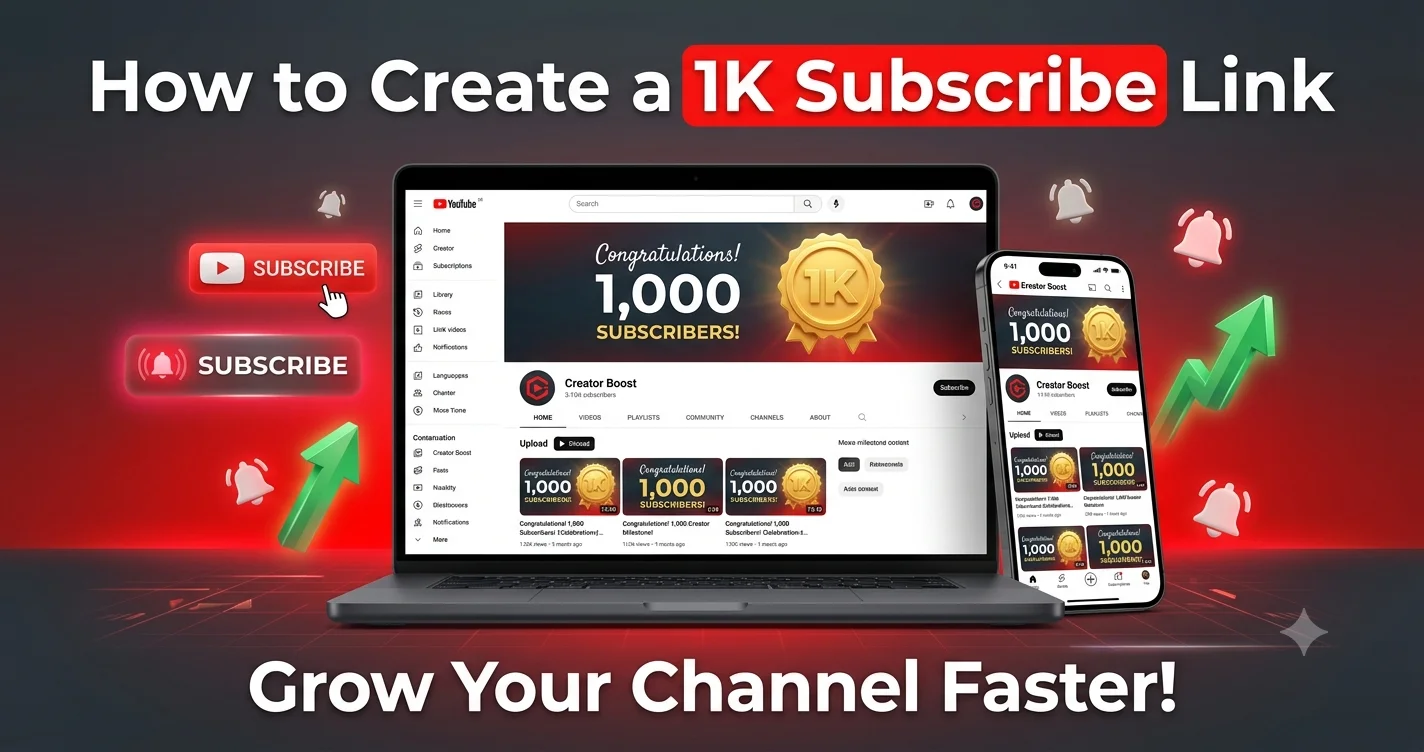
Reaching the 1,000 subscriber milestone is the most critical step for any YouTube creator. It is the gateway to YouTube Partner Program (YPP) monetization, brand deals, and serious channel growth. However, getting those first 1,000 subscribers requires more than just great videos; it requires removing every possible barrier between your content and the “Subscribe” button. This is exactly where a dedicated 1K subscribe link becomes your most powerful growth asset.
Unlike a standard channel URL that forces viewers to navigate your page and manually find the subscribe button, a 1K subscribe link is a specialized, direct URL. When clicked, it instantly triggers a subscription confirmation pop-up, reducing the action to a single, frictionless click. In this comprehensive, step-by-step guide, we will show you exactly how to generate, optimize, and strategically share your 1K subscribe link to accelerate your journey to monetization—safely, organically, and completely free.
📌 Quick Summary: The 1K Subscribe Link Strategy
- What it is: A direct, one-click URL that prompts viewers to subscribe to your channel instantly.
- Why it works: Reduces friction, increasing conversion rates from casual viewer to subscriber by up to 300%.
- Best Tool: Neksio 1K Subscribe Link Generator (Free & Instant).
- Key Rule: Always pair your link with a strong Call-to-Action (CTA) in videos, descriptions, and social media.
📑 Table of Contents
- What is a 1K Subscribe Link?
- Regular Channel Link vs. 1K Subscribe Link
- Step-by-Step: How to Create Your 1K Subscribe Link
- How to Find Your YouTube Channel ID or Custom URL
- Best Places to Share Your 1K Subscribe Link (Without Spamming)
- 5 Proven Strategies to Reach 1,000 Subscribers Faster
- Common Mistakes to Avoid
- Related Tools & Resources
- Frequently Asked Questions
- Conclusion
What is a 1K Subscribe Link?
A 1K subscribe link is a customized, direct subscription URL designed specifically to help YouTube creators accelerate their journey to the 1,000-subscriber milestone. Technically, it is a variation of the standard YouTube subscribe link, but it is marketed and utilized with a specific psychological and strategic goal: reaching the YPP threshold.
When a user clicks this link, YouTube’s algorithm recognizes the intent and immediately displays a clean, prominent “Confirm Subscription” dialog box. This eliminates the need for the user to:
- Search for your channel name.
- Navigate to your channel homepage.
- Scroll to find the red subscribe button.
By removing these three steps, you drastically reduce “drop-off” rates, making it significantly easier for your audience to support your YouTube channel growth.
Regular Channel Link vs. 1K Subscribe Link
Many new creators mistakenly believe that sharing their standard channel URL is enough. However, the data shows a massive difference in conversion rates.
| Feature | Regular Channel URL | 1K Subscribe Link |
|---|---|---|
| User Actions Required | 3-4 clicks (Search → Channel → Find Button → Click) | 1 click (Instant confirmation pop-up) |
| Conversion Rate | Low (High friction) | High (Frictionless) |
| Mobile Experience | Cumbersome (Requires app switching) | Seamless (Opens directly in YouTube app) |
| Best Use Case | General channel discovery | Direct calls-to-action (CTAs) and promotions |
Step-by-Step: How to Create Your 1K Subscribe Link
Generating your direct subscription link is incredibly simple and takes less than 30 seconds. Follow this exact workflow using the Neksio 1K Subscribe Link Generator:
Step 1: Gather Your Channel Information
You will need either your YouTube Channel ID (starts with “UC”) or your custom channel handle (e.g., @YourChannelName). (See the next section if you don’t know how to find this).
Step 2: Access the Generator Tool
Open your web browser and navigate to the Neksio 1K Subscribe Link Generator. This tool is 100% free, requires no registration, and processes everything securely.
Step 3: Input Your Details
Paste your Channel ID or custom handle into the designated input field. The tool is designed to automatically validate the format to ensure the link will work perfectly.
Step 4: Generate and Copy
Click the “Generate Link” button. The tool will instantly create your unique, direct subscription URL. Click the “Copy” button to save it to your clipboard.
Step 5: Test the Link
Before sharing it with your audience, open an incognito/private browsing window and paste the link. Verify that it correctly opens your channel and prompts the subscription dialog.
How to Find Your YouTube Channel ID or Custom URL
To use the 1K subscribe link generator effectively, you need the correct identifier. Here are the two easiest ways to find it:
Method 1: Finding Your Channel ID (Most Reliable)
- Sign in to YouTube Studio.
- Click on “Settings” (the gear icon at the bottom left of the screen).
- Select “Channel” from the left-hand menu, then click on “Advanced settings”.
- Your Channel ID will be displayed at the very top. It is a 24-character string starting with “UC” (e.g.,
UCxxxxxxxxxxxxxxxxxxxxxx). - Copy this ID and paste it into the generator.
Method 2: Using Your Custom Handle
- Go to your YouTube channel homepage.
- Look at the URL in your browser’s address bar.
- If it looks like
youtube.com/@YourChannelName, your custom handle is@YourChannelName. - Most modern subscribe link generators, including Neksio’s, can process this handle directly.
Best Places to Share Your 1K Subscribe Link (Without Spamming)
Having a great 1K subscribe link is only half the battle; where and how you share it determines its success. Here are the most effective, non-spammy ways to promote your link:
1. YouTube Video Descriptions (The #1 Spot)
Place your link in the first two lines of every video description. Pair it with a compelling CTA.
Example: “🔔 Enjoying the video? Click here to subscribe and join our community: [Your 1K Subscribe Link]”
2. Pinned Comments
YouTube’s algorithm favors engagement. Write a comment on your own video with your subscribe link and pin it to the top. This is often more visible than the description.
3. Social Media Bios
Update your bio links on all platforms to point directly to your subscription link:
- Instagram/TikTok: Use a link-in-bio tool (like Linktree) and make the YouTube link the top button.
- Twitter/X: Put the link directly in your bio or as a pinned tweet.
- Facebook: Add it to your Page’s “About” section and featured links.
4. Email Signature
If you communicate with brands, collaborators, or an email list, add a professional line to your signature: “Subscribe to my YouTube channel for weekly tips: [Link]”.
5. Community Tab Posts
Use YouTube’s Community tab to post engaging polls or behind-the-scenes images, and include your 1K subscribe link in the post text.
5 Proven Strategies to Reach 1,000 Subscribers Faster
While your 1K subscribe link removes friction, you still need to give people a reason to click it. Combine your link with these organic growth strategies:
1. Master the “Hook” and the “CTA”
Don’t just ask people to subscribe at the end of the video when they might have already clicked away. Mention it early: “If you want to learn more about [Topic], make sure to hit that subscribe link in the description.” Then, visually point to it on screen.
2. Leverage YouTube Shorts
Shorts are currently the fastest way to gain subscribers. Create engaging, 15-60 second clips related to your niche. In the pinned comment of every Short, place your 1K subscribe link.
3. Solve Specific Problems (Searchable Content)
Create “How-to” videos that answer specific questions people are typing into the YouTube search bar. Use tools like Google Trends or YouTube’s auto-suggest to find these topics. High search volume = high potential for new subscribers.
4. Collaborate with Peers
Find other creators in your niche with a similar or slightly larger audience. Do a collaboration video or a “shoutout for shoutout.” Share your 1K subscribe link in their community tab, and vice versa.
5. Engage Relentlessly
Reply to every single comment in the first 24 hours after uploading a video. Heart comments, ask follow-up questions, and build a community. People subscribe to creators they feel connected to.
Common Mistakes to Avoid
When promoting your channel to reach 1,000 subscribers, avoid these critical errors that can harm your channel’s reputation or violate YouTube’s policies:
| Mistake | Why It’s Bad | The Right Way |
|---|---|---|
| Spamming links in unrelated comments | YouTube flags this as spam; your comments will be hidden, and your channel could be penalized. | Only share your link in relevant communities or your own content. |
| Buying subscribers | Violates YouTube’s Terms of Service. These are bot accounts that will not watch your videos, destroying your engagement rate. | Use your 1K subscribe link to gain real, organic, engaged viewers. |
| Making misleading claims | Saying “Click here for free subscribers” is a policy violation and destroys trust. | Use honest CTAs like “Click here to join our growing community!” |
| Not testing the link | Sharing a broken link frustrates users and wastes a potential subscription. | Always test your link in an incognito window before publishing. |
Related Tools & Resources
To maximize your YouTube channel’s potential, explore these complementary free tools from Neksio:
- 1K Subscribe Link Generator – The ultimate tool for creating direct, one-click subscription links.
- Standard YouTube Subscribe Link Generator – Perfect for general channel promotion and everyday sharing.
- Image Resizer – Optimize your YouTube thumbnails and channel art for perfect display.
- CNIC Photocopy Tool – Essential for Pakistani creators needing to verify their identity for AdSense and YPP.
For more in-depth guides, check out our related articles:
Frequently Asked Questions
Yes, absolutely. Tools like the Neksio 1K Subscribe Link Generator simply format your existing Channel ID into a direct URL. It does not interact with your account, require passwords, or violate any YouTube Terms of Service.
No tool can guarantee subscribers, as that depends on your content quality and promotion. However, a 1K subscribe link removes friction, significantly increasing the *conversion rate* of the viewers you already have, making it much easier to reach that milestone organically.
Yes. When clicked on a mobile device, the link is designed to seamlessly open the YouTube app (if installed) or the mobile website, displaying the subscription prompt immediately.
Yes. Whether you have a custom handle (e.g., @YourName) or a raw Channel ID (starting with UC), the generator will create a working direct subscription link for you.
No. “Sub4sub” is a policy violation that results in dead, unengaged subscribers. A 1K subscribe link is simply a marketing tool to make it easier for genuine viewers who enjoy your content to subscribe with one click.
Conclusion
Reaching the 1,000 subscriber milestone is a defining moment for any YouTube creator. While creating exceptional content is the foundation of your success, optimizing the user experience is what accelerates your growth. A 1K subscribe link is a simple, free, and highly effective tool that removes the friction between a viewer’s interest and their action.
By generating your direct link today and strategically placing it in your video descriptions, pinned comments, and social media bios, you are taking a proactive step toward YouTube monetization. Remember to pair your link with authentic engagement, consistent uploads, and a clear call-to-action.
Don’t leave your channel growth to chance. Take control of your subscriber journey today.
🚀 Ready to Reach 1,000 Subscribers?
Generate your direct, one-click YouTube subscribe link in seconds. Free, safe, and optimized for growth.
Create Your 1K Subscribe Link Now →