⏱️ Estimated Reading Time: 8 minutes
CNIC Photocopy Online: Create Perfect A4 Copy Free (Complete 2026 Guide)
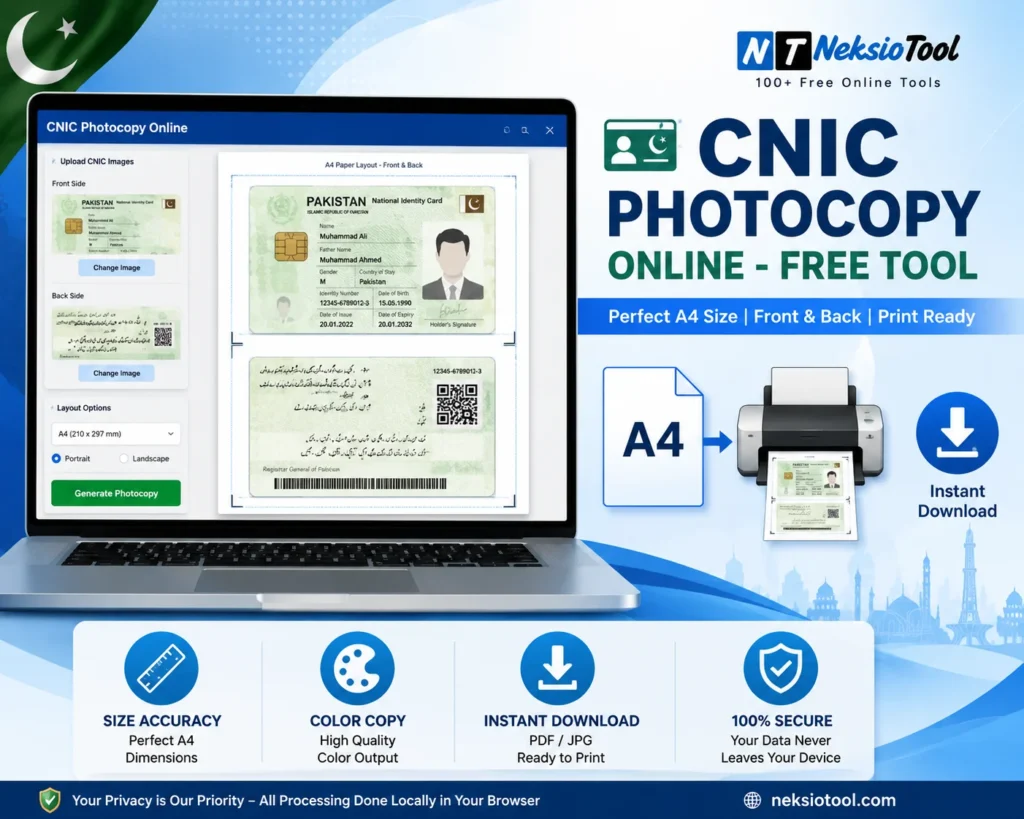
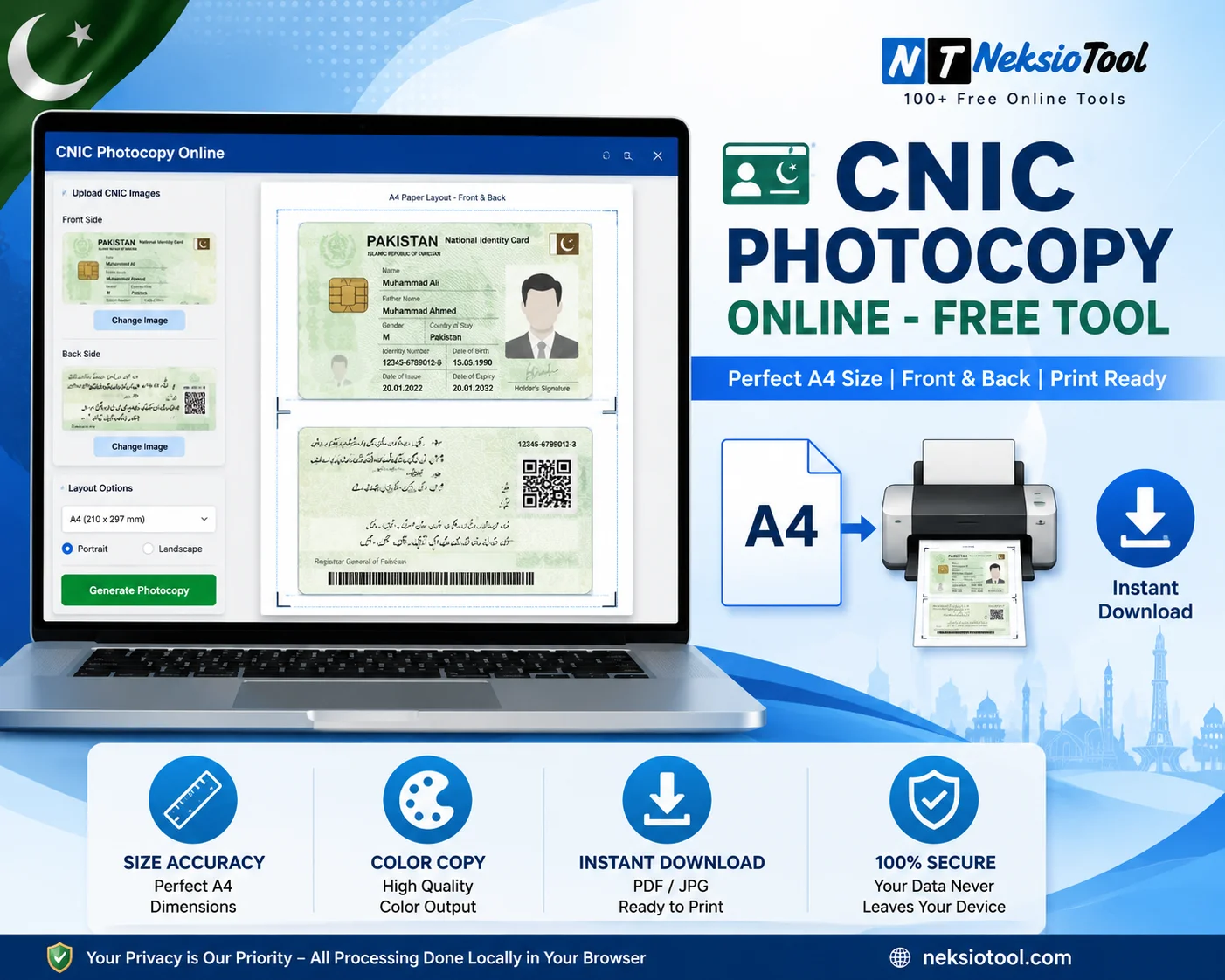
Creating a professional CNIC photocopy online has become essential in 2026. Whether you need to open a bank account, apply for a passport, submit university admission forms, or complete NADRA procedures, having a correctly formatted CNIC copy is crucial. Gone are the days when you had to visit expensive photocopy shops and wait in long queues.
Today, you can generate a perfect CNIC photocopy online from your mobile or laptop in under 60 seconds – completely free. However, many people struggle with incorrect sizing, poor quality, or formats that get rejected by banks and government offices. This comprehensive guide will show you exactly how to create a professional CNIC photocopy online with the correct dimensions, proper layout, and quality that institutions actually accept.
In this guide, you will learn the exact CNIC photocopy size requirements, understand why banks prefer CNIC color copy formats, discover common mistakes that lead to rejection, and use our free tool to generate print-ready CNIC copies instantly.
Quick Summary: CNIC Photocopy Requirements
- CNIC Size: 85.6mm × 54mm (ISO ID-1 Standard)
- Paper Size: A4 (210mm × 297mm)
- Layout: Front and back on single A4 page
- Resolution: Minimum 300 DPI
- Color: Full color preferred by banks
- Free Tool: Neksio CNIC Photocopy Tool
📑 Table of Contents
- What Is CNIC Photocopy Online?
- Correct CNIC Photocopy Size in mm and Pixels
- Why Banks Require a CNIC Color Copy Online
- Step-by-Step: Create CNIC Photocopy Online
- Perfect A4 Layout Guide
- Common Mistakes That Get Rejected
- Requirements by Institution
- Mobile vs Desktop: Best Method
- Related Tools & Resources
- Frequently Asked Questions
- Conclusion
What Is CNIC Photocopy Online?
A CNIC photocopy online is a digital reproduction of your Computerised National Identity Card (issued by NADRA) that can be created, formatted, and printed without visiting a physical photocopy shop. In Pakistan, CNIC copies are required for almost every official procedure – from banking and education to telecommunications and government services.
When you create a CNIC photocopy online using the right tools, you get several advantages:
- Cost-Free: No need to pay Rs. 20-50 per page at photocopy shops
- Time-Saving: Generate in 60 seconds from anywhere
- Privacy: Your CNIC never leaves your device when using browser-based tools
- Perfect Accuracy: Automatic sizing to exact 85.6mm × 54mm specifications
- Professional Quality: 300 DPI resolution for clear text and holograms
According to State Bank of Pakistan’s KYC guidelines and NADRA’s documentation standards, a proper CNIC photocopy must meet specific technical requirements that most people are unaware of. This is where online tools become invaluable.
Correct CNIC Photocopy Size in mm and Pixels
Understanding the exact CNIC photocopy size is crucial for creating an acceptable copy. The Pakistani CNIC follows the international ISO/IEC 7810 ID-1 standard – the same size as credit cards and ATM cards worldwide.
Exact CNIC Dimensions:
| Measurement Type | Millimeters | Inches | Pixels @ 300 DPI |
|---|---|---|---|
| Width | 85.6 mm | 3.370 inches | 1011 pixels |
| Height | 54 mm | 2.125 inches | 638 pixels |
| Corner Radius | 3.18 mm | 0.125 inches | ~37 pixels |
| A4 Paper Size | 210 × 297 mm | 8.27 × 11.69 inches | 2480 × 3508 pixels |
Why Exact Size Matters:
When banks or government offices receive a CNIC copy that is not exactly 85.6mm × 54mm, they cannot verify the document’s authenticity. Common sizing errors include:
- Too Large: Some photocopy shops print at 100mm × 70mm, which distorts the document
- Too Small: Printing at 80mm × 50mm makes text difficult to read
- Stretched: Incorrect aspect ratio makes the CNIC look distorted
The Neksio CNIC photocopy online tool automatically locks to the correct ID-1 dimensions, ensuring your copy is always the right size.
Why Banks Require a CNIC Color Copy Online
Most Pakistani banks now mandate a CNIC color copy for account opening and KYC (Know Your Customer) procedures. Here’s why:
Security Features Visible Only in Color:
- Hologram: The NADRA hologram on CNIC contains color-shifting elements that verify authenticity
- Watermark: Color copies show the subtle watermark patterns
- Signature: The cardholder’s signature is clearer in color
- Background Pattern: CNIC has intricate background designs visible only in color
- UV Features: Some security features are color-dependent
Regulatory Requirements:
According to State Bank of Pakistan’s KYC/AML (Anti-Money Laundering) guidelines, banks must verify:
- Physical appearance matches the photo
- Security features are genuine
- Document has not been tampered with
These verifications are impossible with grayscale copies. This is why banks like HBL, UBL, MCB, Bank Alfalah, and Meezan Bank explicitly require CNIC color copy for:
- Savings and current account opening
- Roshan Digital Accounts (for overseas Pakistanis)
- Asaan Accounts
- Loan applications
- Credit card applications
Step-by-Step: Create CNIC Photocopy Online
Follow this exact workflow used by thousands of Pakistanis to create perfect CNIC photocopy online documents:
Step 1: Capture High-Quality Images
- Place your CNIC on a dark, non-reflective surface (black paper works best)
- Use natural daylight or bright indoor lighting
- Avoid direct flash – it creates glare on the hologram
- Hold your phone camera perfectly parallel to the card (90-degree angle)
- Capture the front side first, ensuring all four corners are visible
- Flip the CNIC and capture the back side similarly
- Check that CNIC number, name, and father’s name are clearly readable
Step 2: Access the CNIC Photocopy Tool
Open your web browser (Chrome, Firefox, Safari, or Edge) and navigate to the Neksio CNIC Photocopy Tool. The tool is:
- 100% free – no registration required
- No watermarks on your copies
- Browser-based – works on mobile and desktop
- Privacy-secure – processes images locally
Step 3: Upload Your CNIC Images
- Click “Upload CNIC Front” button
- Select or drag your front image file
- Click “Upload CNIC Back” button
- Select or drag your back image file
- The tool automatically detects card edges and crops to 85.6mm × 54mm
- Preview both sides to ensure clarity and correct cropping
Step 4: Configure Settings
- Color Selection: Choose “Color” for banks, NADRA, passport offices
- Watermark (Optional): Add security text like “For Bank Account Only”
- Quality Check: Verify CNIC number, hologram, and signature are visible
- Adjustments: Use brightness/contrast tools if needed
Step 5: Generate and Download
- Click “Download PDF” for print-ready A4 format
- Or download as high-quality JPG if required
- The PDF contains both front and back perfectly aligned on one A4 page
- File is ready to print, email, or upload to portals
Step 6: Print Your CNIC Photocopy
- Open the downloaded PDF file
- Select “Print” from your browser or PDF viewer
- CRITICAL: Set scaling to “Actual Size” or “100%” (NOT “Fit to Page”)
- Select A4 paper size (210mm × 297mm)
- Choose color printing mode
- Set print quality to “High” or “Best”
- Print and verify the dimensions with a ruler
Perfect A4 Layout Guide
When you create a CNIC photocopy online, the layout must follow specific positioning guidelines mandated by Pakistani institutions:
Standard A4 Layout Specifications:
- CNIC Front Position: Upper half of A4 page, centered horizontally
- CNIC Back Position: Lower half, directly below front, centered
- Vertical Gap: 10-15mm space between front and back
- Top Margin: 25mm from top edge of A4 paper
- Side Margins: Equal left and right margins (approximately 62mm each)
- Orientation: Portrait mode (vertical)
This layout is required by:
- State Bank of Pakistan (SBP) – for banking KYC
- NADRA – for official documentation
- DGIP (Passport Office) – for passport applications
- HEC – for university admissions
The single-page layout prevents document tampering and makes verification easier for officials.
Common Mistakes That Get Rejected
Based on feedback from major Pakistani banks and government offices, here are the top reasons why CNIC photocopy online documents get rejected:
1. Incorrect CNIC Size
Printing at wrong dimensions (not 85.6mm × 54mm) is the #1 rejection reason. Always use “Actual Size” printing.
2. Front and Back on Separate Pages
This is a major security concern. Both sides MUST be on the same A4 sheet.
3. Grayscale Instead of Color
Banks reject black and white copies because holograms and security features are not visible.
4. Blurry or Low Resolution
Images below 200 DPI make CNIC numbers and text unreadable. Always use 300 DPI minimum.
5. Cropped Edges
Cutting off CNIC number, father’s name, or validity date results in immediate rejection.
6. Hologram Glare
Direct flash photography creates white spots on the hologram, making verification impossible.
7. Tilted or Angled Photos
Even a 5-degree tilt looks unprofessional and may be rejected.
8. Wrong Paper Size
Using Letter size (8.5″ × 11″) instead of A4 (210mm × 297mm) can cause formatting issues.
Requirements by Institution
Different institutions have slightly different requirements for CNIC photocopy online documents:
Banks (SBP Regulated)
| Format | A4, front & back on one page |
| Color | Mandatory (hologram verification) |
| Size | Exactly 85.6mm × 54mm |
| Resolution | Minimum 300 DPI |
NADRA Offices
- A4 single page with both sides
- Color preferred (grayscale sometimes acceptable)
- ISO ID-1 standard size
- Clear and legible text
Passport Offices (DGIP)
- A4 with both sides visible
- Color strongly preferred
- 85.6mm × 54mm dimensions
- Must be recent (within 6 months)
Universities (HEC Recognized)
- A4 single page
- Color preferred for admissions
- Standard ID-1 size
- Clear CNIC number and name
Telecom Operators (PTA)
- A4 or letter size
- Color required for biometric verification
- 85.6mm × 54mm size
- Must match biometric data
Mobile vs Desktop: Best Method
You can create CNIC photocopy online using either mobile or desktop. Here’s the comparison:
Mobile Method (Recommended for Most Users)
Advantages:
- Capture and create in one device
- No need to transfer files
- Works anywhere, anytime
- Perfect for overseas Pakistanis
Best For: Quick copies, emergency submissions, remote locations
Desktop/Laptop Method
Advantages:
- Larger screen for preview
- Easier file management
- Better for batch processing
- Direct printing capability
Best For: Multiple copies, professional use, office environments
Related Tools & Resources
For complete document management, explore these complementary tools from Neksio:
- CNIC Photocopy Tool – Generate perfect CNIC copies online
- Image Resizer – Adjust image dimensions for specific requirements
- JPG to PDF Converter – Combine multiple images into one PDF
- Image Compressor – Reduce file size for online uploads
- CNIC Color Copy Generator – Specialized tool for color copies
For more detailed guides, read our related articles:
- CNIC Photocopy Generator – Complete Guide
- CNIC Photocopy Online – Step-by-Step Tutorial
- NADRA CNIC Tracking Online – Full Method
- CNIC Copy Print Online – Perfect A4 Layout
Frequently Asked Questions
The standard CNIC photocopy size is 85.6mm × 54mm (ISO/IEC 7810 ID-1 standard), which is the same as a credit card. On A4 paper, both front and back should appear on a single page with the front on top and back below, maintaining these exact dimensions.
Yes! The Neksio CNIC Photocopy Tool is 100% free with no registration, no watermarks, and unlimited downloads. You can create as many CNIC photocopies online as you need without any cost.
Yes, most Pakistani banks now require CNIC color copy for account opening and KYC compliance. Color copies show holograms, watermarks, and security features that grayscale copies cannot display.
In your print dialog, always select “Actual Size” or “100%” scaling. Never select “Fit to Page” or “Shrink to Fit.” The Neksio tool generates CNIC at exactly 85.6mm × 54mm, which your printer will maintain at 100% scale.
Absolutely! The Neksio tool is fully mobile-responsive. You can capture CNIC images with your phone camera, upload them directly, and generate a perfect CNIC photocopy online – all from your mobile device.
Yes, when using browser-based tools like Neksio. Your CNIC images are processed entirely in your browser using client-side JavaScript. Images are never uploaded to servers, ensuring complete privacy and security.
Always use 300 DPI minimum for CNIC photocopy online. This ensures that small text, CNIC numbers, and security features like holograms are clearly visible and meet institutional requirements.
Yes, the Neksio tool allows you to add custom watermarks like “For Bank Account Only” or “For Passport Application” across your CNIC photocopy for added security and to prevent misuse.
Conclusion
Creating a professional CNIC photocopy online is no longer a challenge. With the correct CNIC photocopy size (85.6mm × 54mm), proper A4 layout, and CNIC color copy format, you can generate bank-ready, NADRA-compliant documents in under 60 seconds – completely free.
Key Takeaways:
- Exact Size Matters: Always maintain 85.6mm × 54mm dimensions
- Color is Essential: Use color copies for banks and government offices
- Single Page Layout: Front and back must be on one A4 sheet
- 300 DPI Minimum: Ensures clarity and professional quality
- Free Tools Available: No need to pay photocopy shops anymore
- Privacy First: Use browser-based tools that don’t upload your data
Whether you are opening a bank account, applying for a passport, submitting university forms, or completing any official procedure in Pakistan, the Neksio CNIC Photocopy Tool ensures your documents are accepted on the first try.
Ready to Create Your CNIC Photocopy? Generate a perfect, print-ready CNIC copy in under 60 seconds. Free, secure, and accepted by all Pakistani institutions.
Create CNIC Photocopy Now →