CNIC Photocopy Online: Create Perfect A4 CNIC Copies Free (2026)
CNIC Photocopy Online has revolutionized the way people create identity document copies in Pakistan and beyond. Whether you need CNIC copies for bank verification, passport applications, or office documentation, this free online tool eliminates the hassle of visiting photocopy shops.
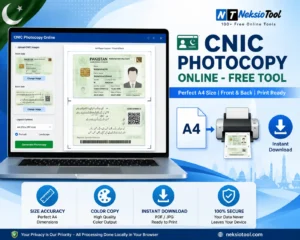
With the CNIC Photocopy Sheet Generator, you can upload your CNIC front and back images, and within seconds, get perfectly aligned A4 sheets ready for printing or digital sharing. No registration, no watermarks, and most importantly, 100% privacy-safe processing right in your browser.
📑 Table of Contents
- What Is CNIC Photocopy Online?
- Why People Need CNIC Photocopies
- How CNIC Photocopy Online Works
- Complete Feature Breakdown
- Benefits of Using CNIC Photocopy Tool
- Common Use Cases
- Manual vs Online Photocopy
- Best Practices for Perfect Copies
- Common Mistakes to Avoid
- Privacy & Security Features
- Printing Guide & Tips
- Mobile vs Desktop Usage
- Image Quality Optimization
- Pros & Cons
- Frequently Asked Questions
- Conclusion
What Is CNIC Photocopy Online?
CNIC Photocopy Online is a revolutionary web-based tool designed to create professional-quality photocopies of Computerized National Identity Cards (CNIC), driving licenses, and other identity documents. This CNIC Photocopy Online Free service eliminates the need for physical photocopy machines and saves both time and money.
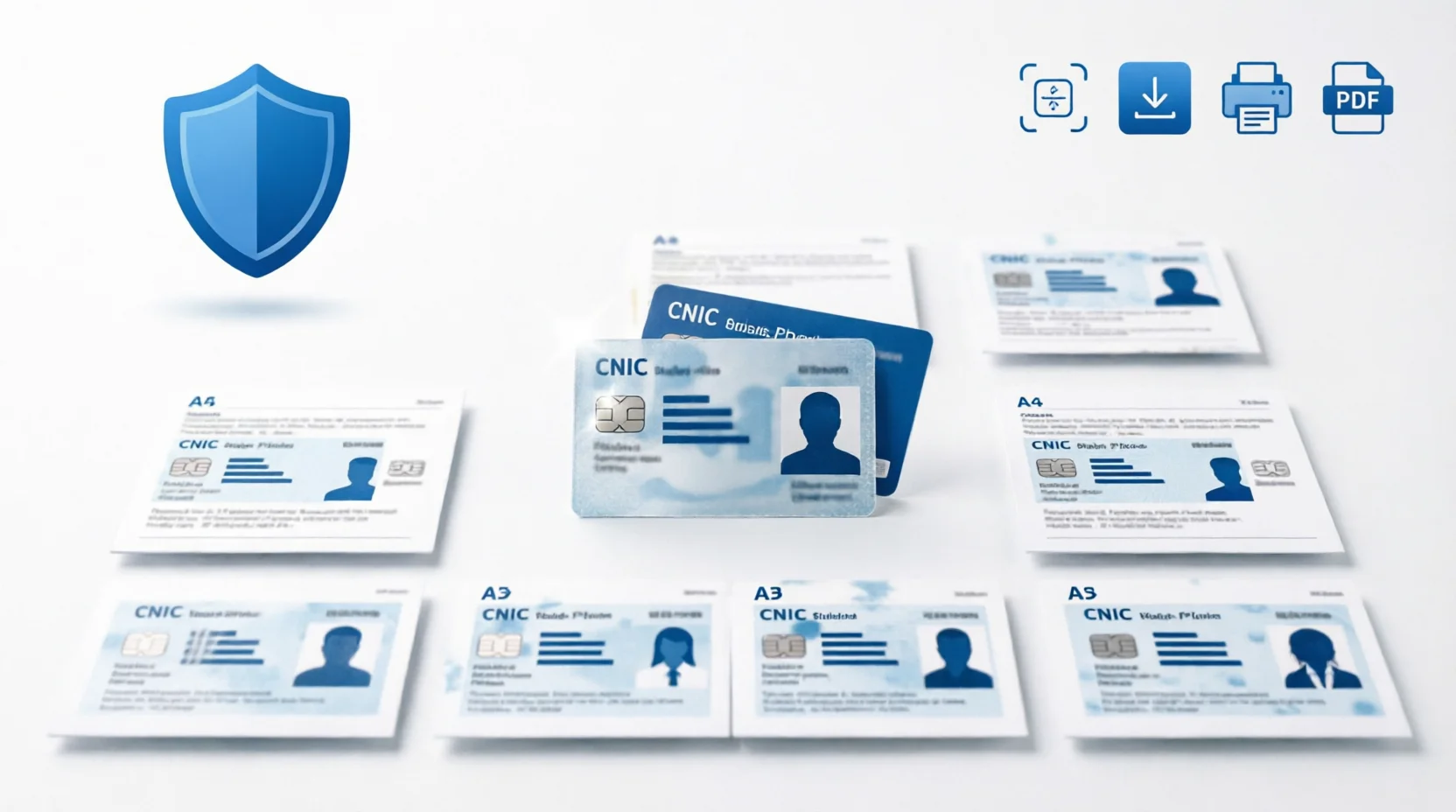
The tool automatically generates 8 copies of the front side and 8 copies of the back side on a standard A4 sheet, creating the perfect CNIC Print Template used by banks, government offices, and businesses across Pakistan. According to NADRA guidelines, proper CNIC copies are required for countless official procedures.
Unlike traditional methods, this CNIC Photocopy Sheet Generator works entirely in your browser. You don’t need to install software, create an account, or worry about your sensitive data being stored on remote servers. The entire process is instant, secure, and completely free.
Why People Need CNIC Photocopies
In Pakistan and many other countries, identity document verification is a fundamental requirement for almost every official and financial transaction. Here are the most common scenarios where you need CNIC Front and Back Copy:
Bank Verification & Account Opening
Every bank in Pakistan requires attested CNIC copies for opening new accounts, applying for loans, or updating customer information. Banks typically need multiple copies filed with different departments.
Passport Applications
When applying for a new passport or renewal, the Directorate General of Immigration & Passports requires verified CNIC copies along with other documentation.
Visa Documents
Embassies and consulates worldwide demand CNIC copies as proof of identity when processing visa applications for travel, work, or study purposes.
SIM Registration
Pakistan Telecommunication Authority (PTA) regulations mandate CNIC verification for all mobile SIM card registrations and biometric verification processes.
Government Documents
From property registration to marriage certificates (Nikah Nama), government departments require CNIC copies for identity verification and record-keeping.
Driving License Copies
Whether applying for a new Driving License Photocopy or renewing an existing one, traffic police and licensing authorities require clear copies of your identity documents.
Office Documentation
Employers need CNIC copies for employee records, payroll processing, provident fund registration, and social security enrollment.
📊 Did You Know? Over 200 million CNIC verification requests are processed annually in Pakistan alone. Having quick access to professional photocopies saves countless hours of waiting at photocopy shops!
How CNIC Photocopy Online Works
Using the CNIC Photocopy Online tool is incredibly simple and takes less than 2 minutes from start to finish. Here’s the step-by-step process:
Step 1: Upload CNIC Front Image
Click the “Upload CNIC Front” button or simply drag and drop your CNIC front image into the designated area. The tool accepts JPG, PNG, and other common image formats.
Step 2: Upload CNIC Back Image
Similarly, upload the back side of your CNIC. You can use the same method—click to browse or drag and drop the file directly.
Step 3: Adjust & Crop (Optional)
If needed, use the manual crop feature to remove unwanted borders or background. You can also adjust brightness, contrast, or apply sharpening filters for better clarity.
Step 4: Add Watermark (Optional)
For security purposes, add a custom watermark like “For Bank Verification Only” or “Official Copy.” You can control the color, opacity, and font size.
Step 5: Generate & Download
Click “Generate A4 CNIC Photocopy Sheet” and instantly get your perfectly formatted document. Download as CNIC Copy PDF or high-quality JPG, print directly, or share via WhatsApp.
Complete Feature Breakdown
The Neksio CNIC Photocopy Tool comes packed with professional features that make it superior to any other online solution. Let’s explore each feature in detail:
Upload CNIC Front Image
The intuitive upload interface accepts images from your device, camera, or cloud storage. The system automatically detects image orientation and suggests optimal cropping.
Upload CNIC Back Image
Upload the reverse side of your CNIC with the same ease. The tool maintains consistent quality and alignment between front and back copies.
Drag & Drop Upload
Skip the file browser entirely. Simply drag your CNIC images from your desktop or file manager and drop them into the upload zones for instant processing.
Manual Image Crop
Precise cropping tools allow you to remove unnecessary background, white borders, or shadows. This ensures your CNIC copies look professional and meet official requirements.
Generate A4 CNIC Photocopy Sheet
With one click, create perfectly formatted A4 CNIC Print sheets. The tool automatically arranges 8 front copies and 8 back copies in the standard layout used by Pakistani institutions.
Create Multiple Copies on One Page
The 8×8 layout (8 front + 8 back) maximizes paper usage and meets the requirements of banks and government offices that need multiple copies.
PDF Download
Download your CNIC Copy PDF in high resolution, perfect for printing or official submission. The PDF maintains exact A4 dimensions and print quality.
JPG Download
Get high-quality JPG images for digital sharing, email attachments, or uploading to online portals that require image formats.
Print A4
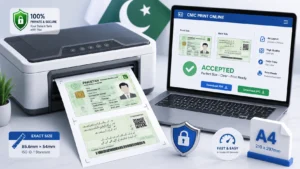
Print directly from your browser without downloading. The tool is optimized for standard A4 printers and supports both single-sided and duplex printing.
WhatsApp Share
Share your generated CNIC photocopy instantly via WhatsApp. This is perfect for sending documents to agents, offices, or family members who need to make copies.
Watermark Support
Add security watermarks to prevent misuse. Common watermarks include “For Verification Only,” “Not Valid for Travel,” or custom text specific to your needs.
Watermark Color
Choose from any color for your watermark. Red is commonly used for “Cancelled” or “Void,” while light gray works well for subtle security marks.
Watermark Opacity
Control how transparent or visible your watermark appears. Lower opacity keeps the CNIC readable while higher opacity provides stronger security.
Watermark Font Size
Adjust the text size from small (24px) to large, ensuring your watermark is appropriately sized for your specific use case.
Brightness Adjustment
Enhance dark CNIC images or tone down overly bright scans. Proper brightness ensures all text and details are clearly visible.
Darken Image
If your CNIC scan is too light or faded, use the darken filter to improve contrast and readability.
Sharpen Image
Enhance edge definition and text clarity with the sharpen filter. This is especially useful for older or slightly blurry CNIC images.
Reset Image
Made too many adjustments? The reset button instantly restores your image to its original uploaded state.
Front Preview
See exactly how your CNIC front will appear on the final A4 sheet. The preview updates in real-time as you make adjustments.
Back Preview
Similarly, preview the back side to ensure proper alignment, cropping, and image quality before generating the final sheet.
Browser-Based Processing
All image processing happens locally in your browser using JavaScript. No server uploads mean faster processing and complete privacy.
Privacy First
Your CNIC images never leave your device. This browser-based approach ensures your sensitive identity documents remain completely private.
No Data Stored
The tool doesn’t store, log, or transmit any of your data. Once you close the browser, all uploaded images are permanently deleted.
Supports Driving License Copies
Beyond CNIC, the tool works perfectly for Driving License Photocopy, vehicle registration books, and other standard-sized identity documents.
Benefits of Using CNIC Photocopy Tool
Why should you choose CNIC Photocopy Online over traditional photocopy shops or other methods? Here are the compelling advantages:
- 100% Free Forever: No hidden charges, no subscription fees, no premium tiers. Completely free for unlimited use.
- Available 24/7: Access the tool anytime, anywhere. No need to wait for photocopy shops to open.
- Perfect Alignment: Automatic formatting ensures your copies meet official standards every single time.
- Time-Saving: Create professional photocopies in under 2 minutes without leaving your home or office.
- Privacy Guaranteed: Your CNIC data stays on your device. No third-party access or data storage.
- Multiple Format Options: Download as PDF for printing or JPG for digital sharing.
- No Installation Required: Works in any modern web browser on any device.
- Professional Quality: High-resolution output suitable for official government and banking purposes.
Common Use Cases
The CNIC Photocopy Online tool serves various professional and personal needs. Here are the most common scenarios:
For Photocopy Shop Owners
Shop owners can use this tool to serve customers faster. Simply have customers send CNIC images via WhatsApp, generate perfect copies instantly, and print on demand. This reduces errors and increases customer satisfaction.
For Bank Employees
Bank staff can help customers create properly formatted CNIC copies for account opening, loan applications, and KYC verification without relying on external photocopy services.
For Government Offices
Government departments can provide this tool as a self-service option for citizens, reducing queues and ensuring standardized document formatting.
For Students
Students applying for scholarships, admissions, or educational loans need multiple CNIC copies. This tool lets them create perfect copies from their hostel or home.
For Job Seekers
When applying for jobs, candidates often need to submit CNIC copies with applications. The tool ensures professional presentation of documents.
For Visa Applicants
Visa applications require numerous document copies. This tool helps applicants create consistent, high-quality copies for embassy submissions.
Manual Photocopy vs Neksio CNIC Photocopy Tool
Let’s compare traditional photocopy methods with the modern CNIC Photocopy Online approach:
| Feature | Manual Photocopy Shop | Neksio CNIC Photocopy Tool |
|---|---|---|
| Cost | Rs. 5-10 per copy | 100% Free |
| Time Required | 15-30 minutes (travel + waiting) | 2 minutes |
| Availability | Shop hours only (9 AM – 9 PM) | 24/7, 365 days |
| Privacy | Shop owner sees your CNIC | 100% private (browser-based) |
| Quality Control | Depends on machine condition | Consistent high quality |
| Alignment | Manual (may be crooked) | Perfect automatic alignment |
| Multiple Copies | One at a time | 8 copies instantly |
| Watermark | Not possible | Custom watermark support |
| Digital Copy | Physical paper only | PDF + JPG download |
| Editing Options | None | Crop, brighten, sharpen |
| Sharing | Physical delivery only | WhatsApp/Email instant |
| Weather Dependent | Yes (must travel) | No (work from anywhere) |
Best Practices for Perfect Copies
To get the best results from CNIC Photocopy Online, follow these professional tips:
Capturing High-Quality CNIC Images
- Use good natural lighting or bright indoor lighting
- Place CNIC on a plain, contrasting background (white or light blue works best)
- Hold the camera directly above the CNIC (not at an angle)
- Ensure all four corners of the CNIC are visible
- Avoid shadows cast by your hand or phone
- Make sure all text is sharp and readable
- Clean the CNIC surface before photographing
Using Image Enhancement Tools
- Use the crop tool to remove excess background
- Adjust brightness if the image appears too dark or too light
- Apply sharpen filter for slightly blurry images
- Use the darken feature for faded or old CNIC cards
- Preview both sides before generating the final sheet
Optimizing for Different Uses
- For Banks: Add watermark “For Bank Verification Only”
- For Passport: Ensure maximum clarity and no watermarks
- For Digital Use: Download as JPG for smaller file size
- For Printing: Download as PDF for best print quality
Common Mistakes to Avoid
Even with the best CNIC Photocopy Online tool, certain mistakes can ruin your output. Here’s what to avoid:
Poor Image Quality
Uploading blurry, dark, or angled CNIC images will result in unprofessional copies. Always ensure your source image is clear and well-lit.
Incorrect Cropping
Cutting off CNIC edges or important details like CNIC number, name, or photo. Use the preview feature to verify before generating.
Ignoring Watermark Needs
Not adding watermarks when sharing CNIC copies digitally. Always add “For [Specific Purpose] Only” watermarks to prevent misuse.
Wrong Print Settings
Printing at “Fit to Page” instead of “Actual Size” can distort dimensions. Always select “100%” or “Actual Size” in print settings.
Not Checking Both Sides
Focusing only on the front and neglecting the back. Both sides must be equally clear and properly aligned.
Using Compressed Images
Uploading heavily compressed or low-resolution images. For best results, use original camera photos or high-quality scans.
Privacy & Security Features
Your CNIC contains highly sensitive personal information. The CNIC Photocopy Online tool prioritizes your privacy with multiple security measures:
Browser-Based Processing
All image processing occurs locally in your web browser using JavaScript. Your CNIC images are never uploaded to any server, ensuring complete data sovereignty.
No Data Storage
The tool doesn’t store, log, or retain any of your uploaded images or generated documents. Once you close the browser tab, all data is permanently deleted from memory.
No Third-Party Access
Unlike cloud-based services, no third party ever sees your CNIC. There’s no data transmission over the internet after the initial page load.
HTTPS Encryption
The entire website uses HTTPS encryption, protecting you from man-in-the-middle attacks and ensuring the tool hasn’t been tampered with.
No Registration Required
You don’t need to create an account, provide an email, or share any personal information to use the tool.
Printing Guide & Tips
Getting perfect A4 CNIC Print results requires proper printer settings. Follow this guide:
Desktop Printing
- Download the PDF version for best print quality
- Use A4 size paper (210mm x 297mm)
- Select “Actual Size” or “100%” in print scaling options
- Choose “High Quality” or “Best” print setting
- Use white paper for official purposes
- For duplex printing, select “Flip on Short Edge”
- Print a test copy first to verify alignment
Mobile Printing
- Use wireless printing (AirPrint for iOS, Google Cloud Print for Android)
- Ensure your printer supports A4 paper
- Check that margins are set to “Default” or “Normal”
- Verify print preview shows full page without cropping
Photocopy Shop Printing
- Send the PDF file via WhatsApp or email to the shop
- Specify “A4 size, actual size, no scaling”
- Request white paper for official documents
- Ask for a test print before making multiple copies
Mobile vs Desktop Usage
The CNIC Photocopy Online tool works seamlessly on both mobile and desktop devices. Here’s how to optimize your experience:
Mobile Usage Guide
Advantages:
- Capture CNIC photos instantly with your phone camera
- Upload directly without transferring files
- Share generated copies via WhatsApp immediately
- Use anywhere, anytime without a computer
Best Practices:
- Use landscape mode for better preview visibility
- Ensure stable internet connection for smooth uploading
- Use camera in good lighting conditions
- Pinch to zoom for precise cropping on small screens
Desktop Usage Guide
Advantages:
- Larger screen for detailed preview and adjustments
- Easier file management and organization
- Faster processing for multiple CNIC copies
- Better control over fine-tuning settings
Best Practices:
- Use a scanner for highest quality CNIC images
- Keep browser window maximized for full preview
- Use keyboard shortcuts (Ctrl+V to paste images)
- Save PDFs in organized folders for easy access
Image Quality Optimization
Achieving professional-quality CNIC Copy PDF output requires attention to image quality. Here’s how to optimize:
Resolution Requirements
- Minimum recommended: 600 DPI (dots per inch)
- Optimal resolution: 1200 DPI for crystal-clear text
- Avoid images smaller than 800×600 pixels
- Use image DPI checker to verify resolution
File Format Considerations
- PNG format preserves quality better than JPG
- If using JPG, set quality to maximum (100%)
- Avoid heavily compressed images from messaging apps
- Use image converter to convert formats if needed
Enhancement Techniques
- Use brightness adjustment for underexposed images
- Apply sharpen filter for slightly soft focus
- Use darken feature for overexposed or faded cards
- Crop precisely to remove distracting backgrounds
- Consider converting to black and white for better contrast
Compression Management
- Avoid excessive compression before uploading
- Use image compressor only after generating final copy
- Maintain original quality for official submissions
- Compress only for WhatsApp/email sharing
Pros & Cons of CNIC Photocopy Online
Like any tool, CNIC Photocopy Online has strengths and limitations. Here’s an honest assessment:
Advantages (Pros)
- ✅ Completely free with no hidden charges
- ✅ 100% privacy-safe (browser-based processing)
- ✅ No registration or account required
- ✅ Available 24/7 from anywhere
- ✅ Perfect automatic alignment every time
- ✅ Multiple copies (8×8) on single A4 sheet
- ✅ Professional watermark support
- ✅ Image enhancement tools (crop, brighten, sharpen)
- ✅ Multiple download formats (PDF + JPG)
- ✅ Instant WhatsApp sharing capability
- ✅ No software installation needed
- ✅ Works on all devices (mobile, tablet, desktop)
- ✅ Supports CNIC, driving license, and other IDs
- ✅ High-quality output suitable for official use
- ✅ Time-saving (2 minutes vs 30 minutes)
Limitations (Cons)
- ❌ Requires internet connection to access tool
- ❌ Depends on quality of uploaded CNIC images
- ❌ Cannot physically scan documents (needs pre-scanned images)
- ❌ Limited to standard CNIC/ID card sizes
- ❌ No batch processing for multiple different CNICs simultaneously
Frequently Asked Questions
CNIC Photocopy Online is a free web-based tool that allows you to create professional-quality photocopies of your CNIC, ID card, or driving license. Simply upload front and back images, and the tool automatically generates perfectly aligned A4 sheets with 8 copies of each side, ready for printing or downloading as PDF/JPG.
Yes, CNIC Photocopy Online is completely free to use. There are no hidden charges, no registration requirements, and no limitations on how many photocopies you can generate. The tool is available 24/7 for all users.
Absolutely! All processing happens entirely in your browser. Your CNIC images are never uploaded to any server, and no data is stored anywhere. This ensures 100% privacy and security for your sensitive identity documents.
Yes, you can use this tool for driving license photocopy, vehicle registration documents, or any other identity card that requires front and back copies on A4 paper. The tool works with any standard ID card format.
You can download your CNIC photocopy in two formats: high-quality JPG image or perfectly aligned A4 PDF. The PDF format is ideal for printing, while JPG is perfect for digital sharing via WhatsApp or email.
Yes, the tool includes advanced watermark features. You can add custom watermark text, choose the color, adjust opacity, and control font size. This is useful for adding security marks like ‘For Verification Only’ or ‘Official Copy’.
The tool automatically generates 8 copies of the front side and 8 copies of the back side on a single A4 sheet. This 8×8 layout is perfect for photocopy shops, offices, and bulk documentation needs.
Yes, you can print your CNIC photocopy directly from the browser using the Print A4 button. The tool is optimized for standard A4 printers and supports duplex (double-sided) printing for professional results.
Conclusion: The Future of CNIC Photocopy is Here
CNIC Photocopy Online has transformed the way Pakistanis and people worldwide handle identity document copying. What once required a trip to the photocopy shop, waiting in line, and paying per copy can now be accomplished in under 2 minutes from the comfort of your home or office.
The combination of professional-quality output, 100% privacy protection, and zero cost makes this tool indispensable for students, professionals, business owners, and anyone who needs official document copies. Whether you’re applying for a bank loan, passport, visa, or job, having instant access to perfectly formatted CNIC Front and Back Copy gives you a significant advantage.
The browser-based processing ensures your sensitive CNIC data never leaves your device, addressing the growing concerns about digital privacy and identity theft. With features like custom watermarks, image enhancement tools, and multiple download formats, this tool meets the diverse needs of modern document management.
Don’t waste time and money on traditional photocopy methods anymore. Experience the convenience, security, and professionalism of CNIC Photocopy Online today. Your next CNIC copy is just two clicks away!
🚀 Ready to create perfect CNIC copies? Generate professional A4 CNIC photocopy sheets in seconds. 100% free, secure, and instant!
Create CNIC Photocopy Now →