⏱️ Estimated Reading Time: 7 minutes
CNIC Print Online: Print Your NADRA CNIC on A4 Paper Easily (Free Guide)
Learning how to CNIC print online is a game-changer for anyone living in Pakistan or abroad. Whether you need to submit documents for a bank account, passport renewal, university admission, or a new SIM card, having a perfectly printed CNIC copy is mandatory. Instead of wasting time and money at local photocopy shops, you can now handle this task digitally from the comfort of your home.
However, simply printing a photo of your ID card is not enough. Institutions have strict requirements regarding size, layout, and print quality. This guide will walk you through the exact process of how to CNIC print online correctly, ensuring your document is accepted on the first try without any rejections.
By the end of this guide, you will know exactly how to capture, format, and CNIC print online with 100% accuracy, using our free, secure, and instant web-based tool.
📌 Quick Summary: CNIC Print Online Checklist
- Tool: Use a dedicated CNIC Photocopy Tool
- Paper: Standard A4 size (210mm × 297mm)
- Dimensions: Card must be exactly 85.6mm × 54mm
- Layout: Front and back on a single page
- Printer Setting: “Actual Size” or “100%” scale (Crucial!)
📑 Table of Contents
Why Choose to CNIC Print Online?
Opting to CNIC print online offers several distinct advantages over traditional methods:
- Cost-Effective: Save Rs. 20–50 per visit to a photocopy shop. Over time, this adds up, especially if you need multiple copies.
- Ultimate Privacy: Your CNIC contains highly sensitive personal data. When you use a browser-based tool like Neksio, your images are processed locally on your device and never uploaded to any external server.
- Guaranteed Accuracy: Manual cropping in Word or Paint often leads to stretched or shrunk images. Online tools auto-lock to the official 85.6mm × 54mm dimensions.
- Convenience: Generate and print your CNIC copy at 2 AM or on a Sunday when all local shops are closed.
Step-by-Step: How to CNIC Print Online
Follow this simple, proven workflow to CNIC print online perfectly every time:
Step 1: Capture Clear Images
Place your CNIC on a dark, flat surface. Use natural light and avoid direct flash to prevent hologram glare. Take one photo of the front and one of the back, ensuring all four corners are visible.
Step 2: Use the Neksio CNIC Tool
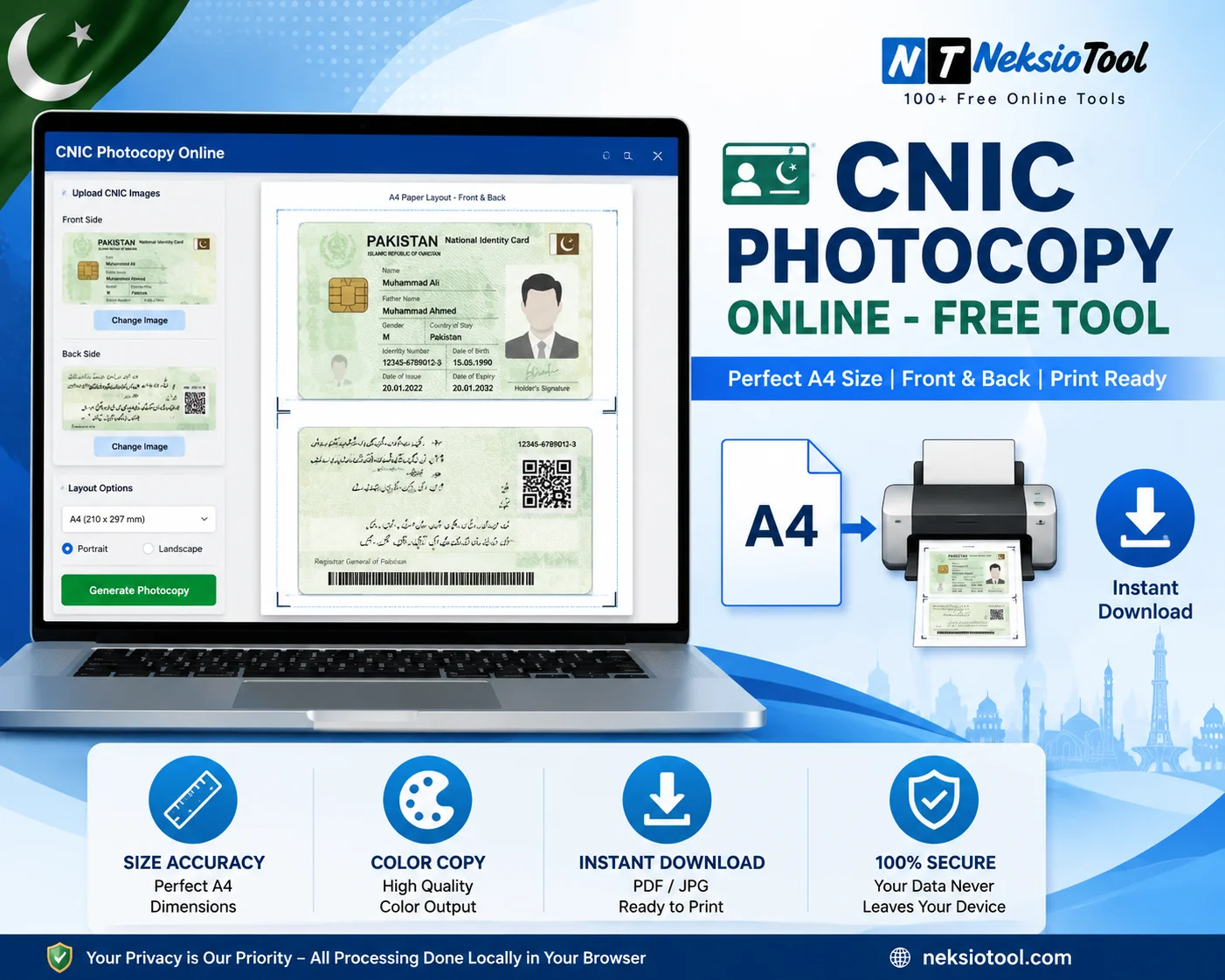
Navigate to the Neksio CNIC Photocopy Tool. It is free, requires no registration, and works on both mobile and desktop.
Step 3: Upload and Auto-Format
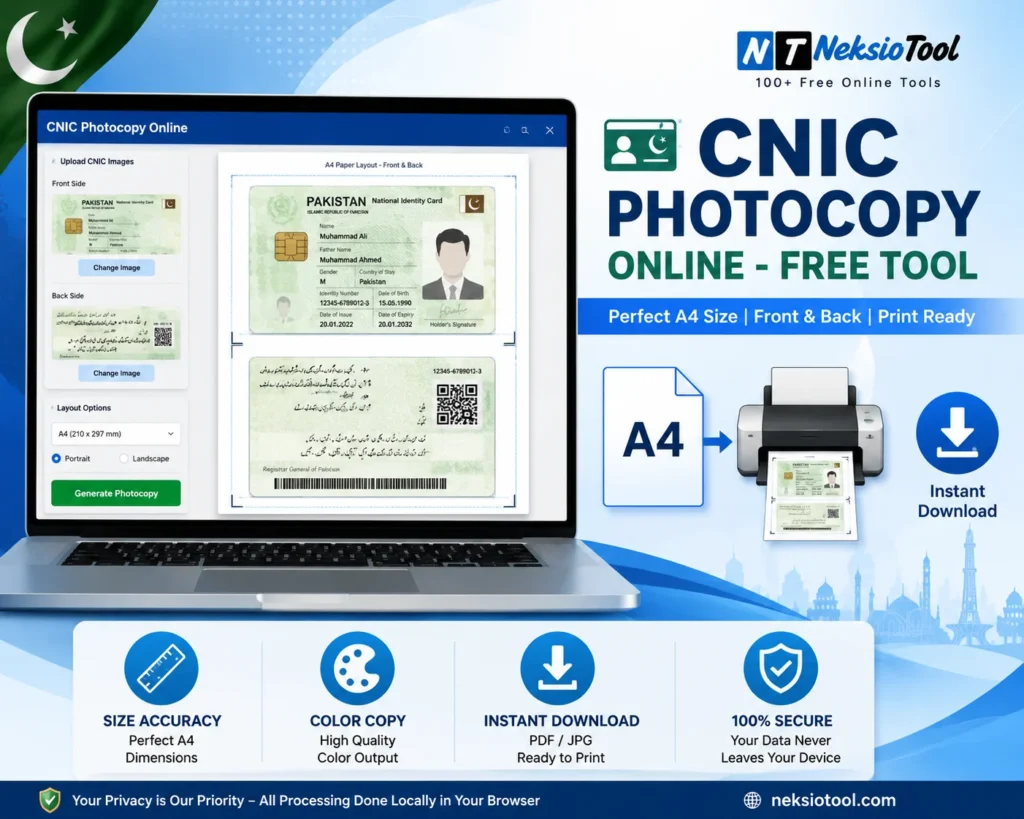
Upload your front and back images. The tool will automatically detect the card edges, crop them to the exact 85.6mm × 54mm size, and place them on a standard A4 layout.
Step 4: Download the Print-Ready File
Click “Download PDF”. This generates a high-resolution, print-ready document with both sides of your CNIC perfectly aligned on a single A4 page.
Step 5: Print the Document
Open the downloaded PDF and send it to your printer. (See the crucial printer settings below to ensure the size remains accurate).
Home Printing vs. Local Photocopy Shop
| Factor | CNIC Print Online (Home) | Local Photocopy Shop |
|---|---|---|
| Cost | Just the cost of ink/paper | Rs. 20 – 50 per page |
| Privacy | 100% Private (Done at home) | Shop owner sees your data |
| Accuracy | Perfect (Auto-locked dimensions) | Varies (Often stretched/cropped) |
| Availability | 24/7, anywhere in the world | Limited to shop hours |
Crucial Printer Settings for CNIC Print Online
The most common reason a CNIC print online fails is incorrect printer settings. Even if you download a perfectly formatted PDF, your printer can ruin the dimensions if not configured correctly.
Always check these 3 settings before hitting “Print”:
- Paper Size: Ensure “A4” is selected (not Letter or Legal).
- Scaling: Select “Actual Size” or “100%”. Never select “Fit to Page”, “Shrink to Fit”, or “Scale to Fit”, as this will shrink your CNIC below the mandatory 85.6mm width.
- Quality: Set to “High” or “Best” to ensure the CNIC number and hologram are sharp and legible.
Troubleshooting Common Printing Issues
- Issue: The CNIC looks too small.
Solution: You likely selected “Fit to Page”. Change the scaling to “100%” or “Actual Size”. - Issue: The colors look faded.
Solution: Check your printer’s ink levels. For official submissions, always use a color printer, not grayscale. - Issue: The edges of the CNIC are cut off.
Solution: Your printer may have non-printable borders. Try enabling “Borderless Printing” in your printer properties, or use a different printer.
Institutional Rules for CNIC Printing
Different organizations have slight variations in what they accept when you CNIC print online:
- Banks (SBP Regulated): Strictly require color copies, exact 85.6mm × 54mm size, and both sides on a single A4 sheet for KYC compliance.
- NADRA: Prefers clear, high-contrast prints. Grayscale is sometimes accepted for basic inquiries, but color is always safer.
- Passport Office (DGIP): Requires recent, clear color copies. Blurry or stretched prints will delay your application.
- Universities: Generally accept both color and high-quality grayscale, but the single-page layout is mandatory.
Related Tools & Resources
Enhance your document management with these free Neksio utilities:
- CNIC Photocopy Tool – The core tool for generating your print-ready layout.
- Image Resizer – Perfect for resizing other documents for online portals.
- JPG to PDF Converter – Merge multiple documents into a single, professional PDF.
For more guidance, explore our related articles: CNIC Photocopy Online Guide, CNIC Copy Print Online, and CNIC Print Template.
Frequently Asked Questions
Yes! You can capture the images, generate the PDF, and even send it to a wireless printer directly from your mobile phone. The Neksio tool is fully mobile-responsive.
Absolutely. The Neksio tool processes everything locally in your browser. Your CNIC images are never uploaded to or stored on our servers, ensuring maximum privacy.
You can still print in grayscale, but be aware that banks and passport offices may reject it because security features (like holograms) are not visible. For official use, a color print is highly recommended.
Yes, as long as you have their permission and clear photos of their CNIC. The process remains exactly the same.
Conclusion
Knowing how to CNIC print online is an essential digital skill for every Pakistani citizen. It saves you time, money, and the hassle of dealing with inconsistent photocopy shops. By using a dedicated tool, ensuring the correct 85.6mm × 54mm dimensions, and applying the right printer settings (“Actual Size”), you can produce professional, institution-ready CNIC copies right from your home.
Take control of your document management today. Use the Neksio CNIC Print Online Tool to generate flawless, secure, and perfectly formatted ID copies in under 60 seconds.
🚀 Ready to Print Your CNIC? Generate a perfect, print-ready A4 layout in seconds. Free, secure, and accepted everywhere.
CNIC Print Online Now →