Extracting structured data from web pages has traditionally been a tedious, error-prone chore. Copying tables manually with a mouse invariably corrupts column alignments, strips cell formatting, breaks numerical formulas, and scrambles merged headers. Neksio Table Capture changes this paradigm by turning your browser into a high-speed data extraction studio, enabling you to detect, select, and export HTML tables directly into Microsoft Excel, CSV, JSON, Markdown, or Google Sheets in seconds.
Get Neksio Table Capture for Google Chrome
Capture up to 6,000 rows across 200 tables at once with multi-sheet Excel packaging.
Table of Contents
- 1. What is Neksio Table Extractor?
- 2. Why Neksio Table Capture Outperforms Existing Market Extensions
- 3. Core Features & Architecture Breakdown
- 4. Pro Capability: Autonomous Multi-Page Auto Capture (Pagination Engine)
- 5. this table capture tool Free vs Pro: In-Depth Comparison Table
- 6. 4 Easy Steps: How to Extract Tables from Any Website
- 7. High-Impact Use Cases Across Industries
- 8. Zero-Data-Storage Privacy & Local Sandbox Architecture
- 9. Frequently Asked Questions (FAQ) About Neksio Table Extractor
1. What is Neksio Table Capture?
this table capture tool is a modern Google Chrome browser extension engineered specifically for data analysts, digital marketers, financial researchers, students, and e-commerce operators. Operating directly inside your browser sandbox, it inspects the Document Object Model (DOM) of any active web page, identifies tabular datasets, and converts raw HTML elements into clean, structured, exportable spreadsheets.
Whether you are scraping multi-tiered pricing tables, financial balance sheets, sports tournament statistics, cryptocurrency coin listings, or academic directories, Neksio Table Extractor eliminates the hours spent reformatting broken data. Instead of copying broken text and manually fixing cell boundaries, you simply click once to package the entire web dataset into a structured file.
2. Why Neksio Table Extractor Outperforms Existing Market Extensions
While older browser tools like George Mike’s Table Capture, Instant Data Scraper, or Simplescraper have existed for years, they suffer from significant drawbacks that frustrate modern data professionals. Here is why Neksio Table Capture delivers a fundamentally superior user experience:
| Critical Dimension | Competitor Extensions | this table capture tool |
|---|---|---|
| Free Tier Row Limit | Restricted to 50–100 rows before triggering aggressive paywalls. | Up to 6,000 rows per session on the 100% Free plan. |
| Batch Multi-Table Packaging | Dumps multiple tables as scattered downloads or a confusing flat CSV. | Unified Excel (.xlsx) Workbook: Each table receives its own dedicated worksheet automatically. |
| Dynamic DOM & Layout Filtering | Mistakes navigation menus, flexbox grids, and layout divs for data tables. | Smart DOM Detection: Intelligently isolates tabular data while discarding invisible layout wrappers. |
| Privacy & Data Transmission | Sends scraped URLs and data to cloud servers for parsing and telemetry. | 100% Client-Side Sandbox: Zero external server uploads; all parsing runs locally in browser memory. |
| Multi-Format Flexibility | Often charges extra for Excel format or locks Markdown exports. | Free access to Excel (.xlsx), CSV, JSON, Markdown, and 1-Click Clipboard Buffer. |
| Pagination & Multi-Page Crawling | Requires complex custom CSS recipes or expensive monthly subscriptions ($12–$25/mo). | Autonomous Multi-Page Auto Capture with configurable delays and automatic next-button traversal. |
3. Core Features & Architecture Breakdown
Every component of Neksio Table Extractor has been architected to remove friction from data harvesting workflows:
Smart Table Detection & Layout Rejection
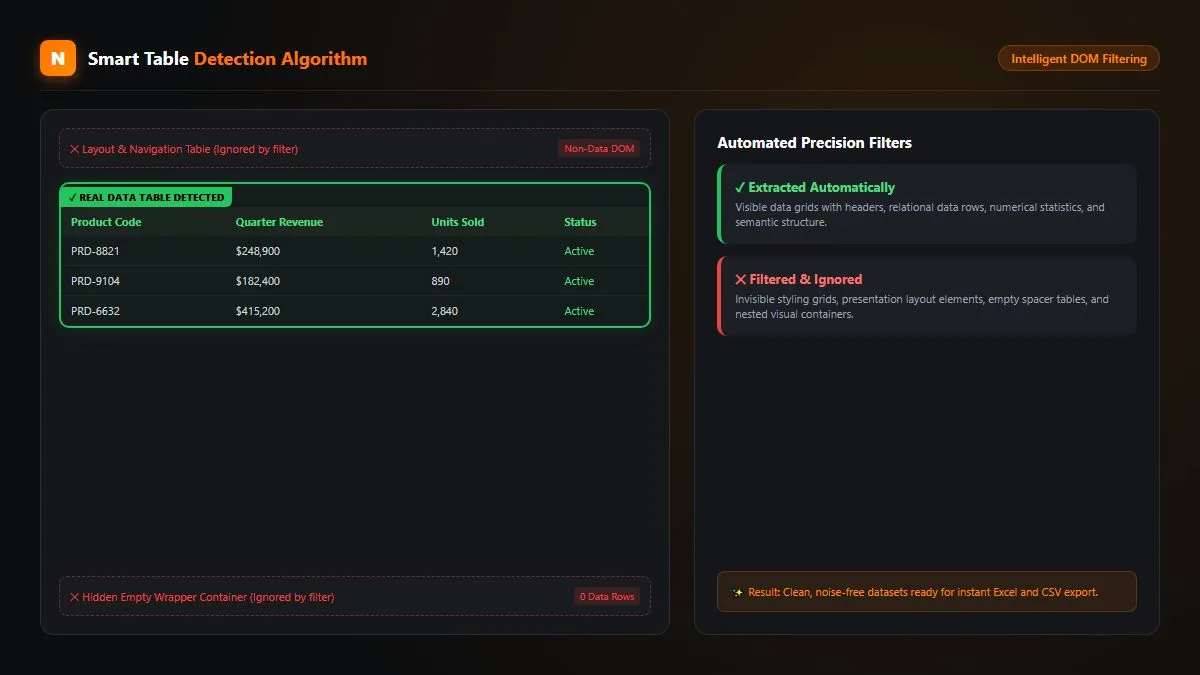
Web designers frequently use <table> and <div> grids for structural layouts rather than real tabular data. the extension utilizes an intelligent heuristic parser that inspects row-to-column ratios, header definitions (<th>), and data density. It ignores empty wrapper containers and navigation headers, presenting only clean, actionable data tables in the extraction list.
Multi-Table Batch Extraction (Up to 200 Tables)
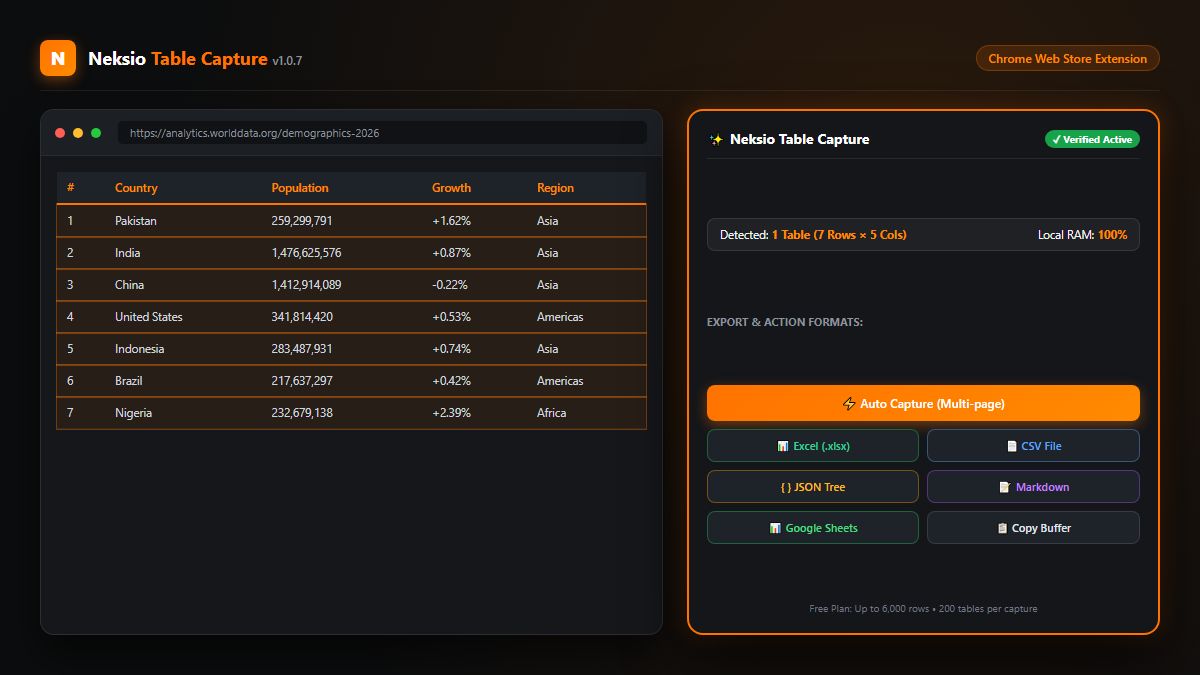
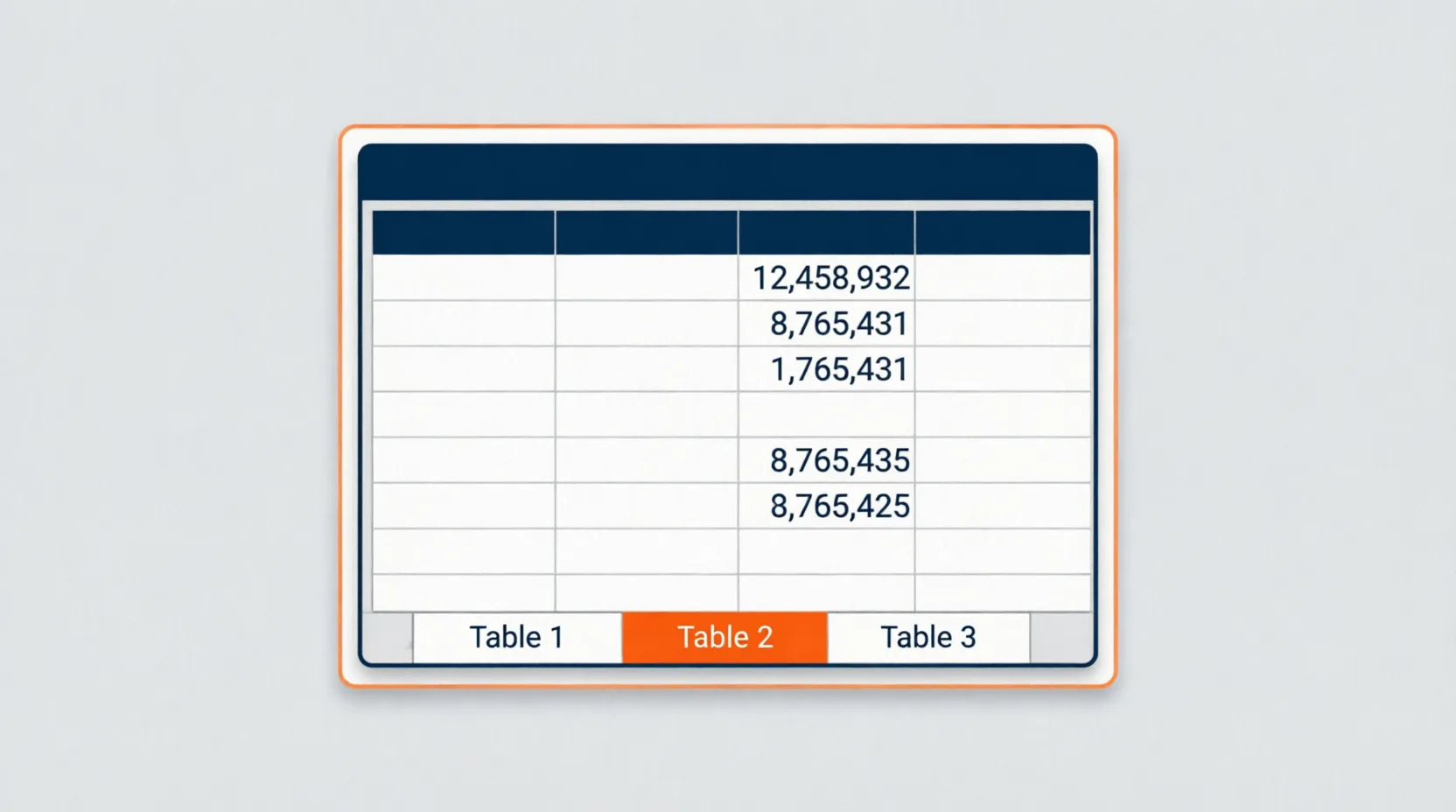
When analyzing comprehensive web pages—such as Wikipedia statistical compendiums, government gazettes, or financial reporting hubs—you often encounter dozens of distinct tables. Neksio Table Extractor allows you to select individual tables using intuitive checkboxes or hit “Select All Tables” to package up to 200 tables in a single session.
Multi-Worksheet Excel (.xlsx) Packaging
Instead of inundating your Downloads folder with twenty disconnected CSV files, the extension packages all selected tables into a single Microsoft Excel (.xlsx) workbook. The extension creates dedicated worksheets for each table, names them according to the on-page header context, and automatically calculates optimal column widths so your numbers and text are immediately readable.
Universal Export Formats: CSV, JSON, Markdown & Google Sheets
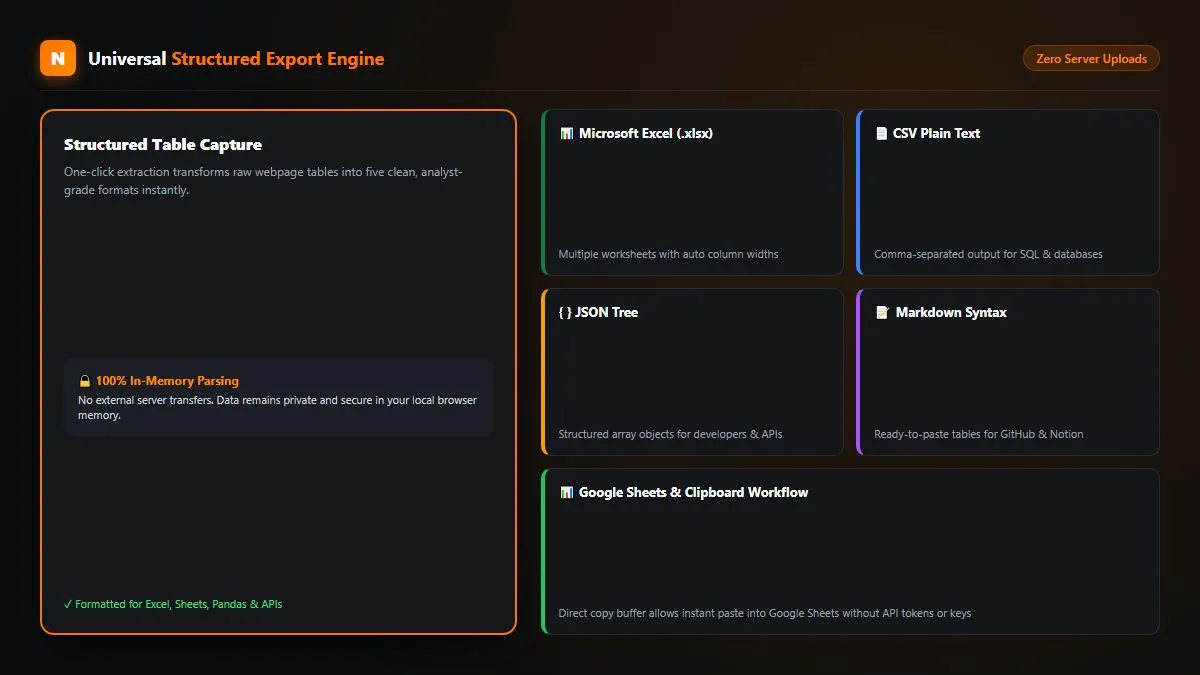
Depending on whether you are compiling reports, feeding APIs, or documenting findings in Notion, you require diverse file formats. Neksio Table Capture natively supports:
- Microsoft Excel (.xlsx): Preserves column formatting, dates, numerical values, and UTF-8 multi-language text.
- Clean CSV (.csv): RFC 4180 standard comma-separated values compatible with Python Pandas, R, SPSS, and SQL databases.
- Structured JSON: Clean array-of-objects trees ideal for software developers, API workflows, and data pipelines.
- Markdown (.md): GitHub-flavored markdown tables formatted perfectly for pasting into Notion, Obsidian, GitHub READMEs, and technical wikis.
- 1-Click Google Sheets Buffer: Copies tab-delimited text into your system clipboard. Simply switch to your Google Sheet and press
Ctrl + V(orCmd + V) to populate rows flawlessly.
International UTF-8 & Right-to-Left (RTL) Preservation
Legacy scrapers frequently corrupt non-Latin alphabets, turning Arabic, Urdu, Hebrew, Hindi, or Chinese characters into indecipherable mojibake (e.g., العربية). this table capture tool enforces strict UTF-8 character encoding and respects Right-to-Left (RTL) text directions, ensuring your international data maintains 100% typographic fidelity.
4. Pro Capability: Autonomous Multi-Page Auto Capture (Pagination Engine)
The most time-consuming aspect of web scraping is navigating pagination buttons. E-commerce search results, stock screeners, and real estate portals split data across 20, 50, or 200 distinct pages. Manually clicking “Next”, waiting for the page to load, and copying tables repeated dozens of times wastes hours of productive time.
Neksio Table Extractor Pro solves this with an autonomous Multi-Page Auto Capture Engine:
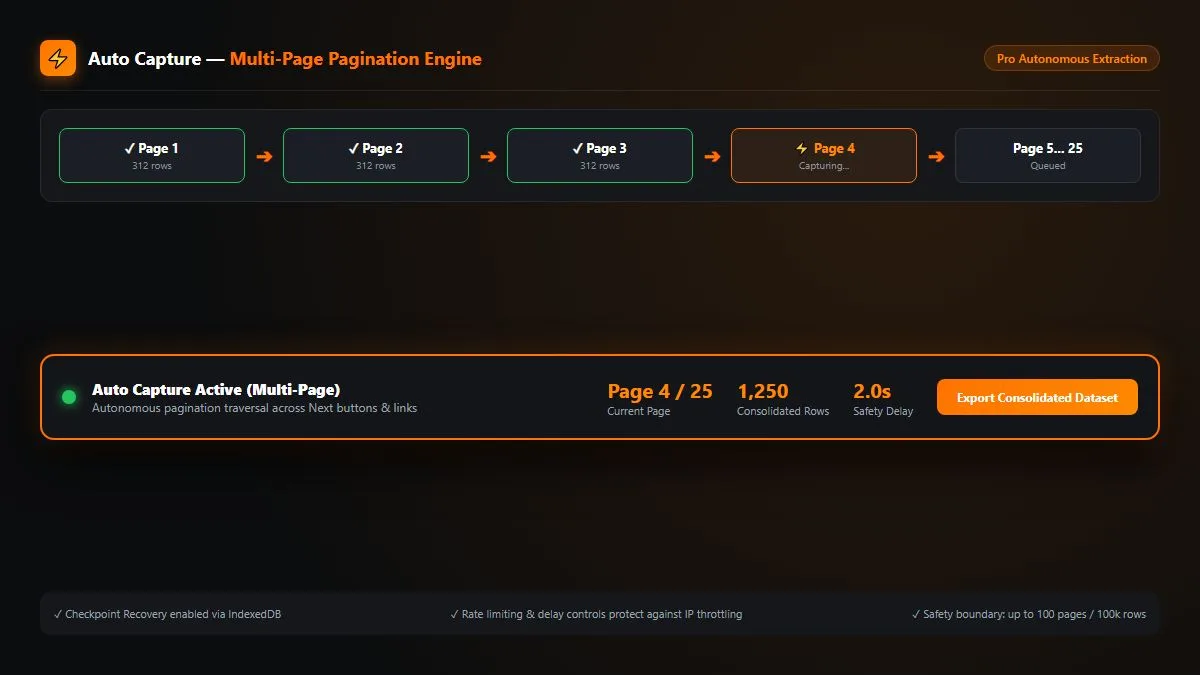
- Intelligent Next-Button Detection: Scans the DOM for standard pagination triggers (
.next,rel="next",>,Page 2). You can also specify custom CSS selectors for non-standard web frameworks. - Configurable Anti-Bot Safety Delays: Sets customizable request intervals (e.g., 1.5s to 3.0s) between page transitions to prevent triggering web rate limits or IP blocks.
- Automated Row Stitching: As each successive page loads, the engine harvests the rows, aligns them to the existing master schema, and appends them to your master dataset.
- IndexedDB Session Persistence: All harvested records are saved locally in real-time checkpoints. If your internet connection drops or a tab accidentally closes, you can recover your dataset instantly.
5. this table capture tool Free vs Pro: In-Depth Comparison Table
Neksio believes in providing immense value to free users while equipping power researchers and enterprises with industrial-grade automation tools. Here is how the two tiers compare:
| Feature & Capability | Free Plan | Pro Edition ⭐ |
|---|---|---|
| Row Limit per Session | Up to 6,000 rows | Unlimited rows (100,000 safety cap) |
| Tables per Capture Session | Up to 200 tables | Up to 200 tables |
| Multi-Table Selection & “Select All” | ✓ Included | ✓ Included |
| Multi-Worksheet Excel (.xlsx) Export | ✓ Included | ✓ Included |
| CSV, JSON, and Markdown (.md) Exports | ✓ Included | ✓ Included |
| 1-Click Google Sheets Clipboard Buffer | ✓ Included | ✓ Included |
| Smart DOM Detection & Auto Column Widths | ✓ Included | ✓ Included |
| UTF-8 & Multilingual RTL Preservation | ✓ Included | ✓ Included |
| Autonomous Multi-Page Auto Capture | — | ✓ Autonomous Pagination Engine |
| Custom Pagination Selectors & Safety Delays | — | ✓ Configurable Delays & Page Limits |
| IndexedDB Session Checkpoint Recovery | — | ✓ Real-Time Session Persistence |
| Cryptographically Signed License (ECDSA P-256) | — | ✓ Authoritative Neksio Central License |
| Priority Technical Support | Community Help | ✓ Dedicated Email Support |
Upgrade to Neksio Table Extractor Pro ➔
6. 4 Easy Steps: How to Extract Tables from Any Website
Getting started with the extension takes less than 60 seconds:
Install Extension from Chrome Web Store
Visit the Chrome Web Store and click “Add to Chrome”. Pin the Neksio icon to your browser toolbar for instant one-click access on any tab.
Navigate to Any Data-Rich Webpage
Open any website containing tabular data—such as financial market summaries, government databases, real estate listings, or Wikipedia articles.
Open Table Capture Scanner & Select Tables
Click the Neksio icon in your toolbar or use the dockable in-page panel. The extension immediately highlights all detected tables, showing row counts, column metrics, and preview thumbnails. Select the exact tables you wish to harvest.
Choose Export Format or Run Auto Capture
Choose your preferred export format: click “Export Excel (.xlsx)” for a formatted multi-sheet workbook, “Copy for Google Sheets” for instant pasting, or activate “Auto Capture” if your table spans multiple pages.
7. High-Impact Use Cases Across Industries
Professionals across diverse domains leverage Neksio Table Capture to accelerate their productivity:
📊 Financial Analysts & Stock Traders
Extract balance sheets, quarterly income statements, cryptocurrency order books, and historical market tickers directly from Bloomberg, Yahoo Finance, or SEC filings into Excel for DCF modeling.
🛒 E-Commerce Sellers & Price Trackers
Extract competitor product specifications, tier pricing, inventory quantities, and supplier directories across Amazon, eBay, Shopify, and wholesale B2B portals.
🎯 SEO Specialists & Digital Marketers
Harvest keyword volume lists, backlink audit matrices, Google Search Console tables, and directory links directly into Google Sheets or Markdown for client reporting. Combine with our Image to Word Converter for complete OCR and document extraction workflows.
🎓 Academic Researchers & Data Scientists
Collect clinical trial outcomes, census data, international economic metrics, and demographic archives into clean CSV or JSON format for data science pipelines in Python or R.
8. Zero-Data-Storage Privacy & Local Sandbox Architecture
In an era of rampant data harvesting and browser extension vulnerabilities, privacy is non-negotiable. Unlike cloud-based web scrapers that send your scraped confidential data to external servers, Neksio Table Extractor executes 100% of its parsing logic locally inside your browser sandbox:
- No External Server Uploads: Your harvested tables, financial metrics, and customer lists never leave your device.
- No Account Required for Core Functionality: You can download and extract tables immediately without signing up or creating an account.
- Cryptographic Local Entitlement: Pro licenses are verified via authoritative ECDSA P-256 cryptographic signatures directly from Neksio Central Platform without persistent spyware or browser activity trackers.
- Minimal Manifest Permissions: Complies with Google Chrome Manifest V3 guidelines, requesting only the specific active tab permissions necessary to identify on-page tables.
9. Frequently Asked Questions (FAQ) About the extension
How do I paste captured tables directly into Google Sheets?
Simply select your table in this table capture tool and click “Copy for Google Sheets”. The extension copies tab-delimited text to your clipboard. Open your Google Sheet, click on cell A1, and press Ctrl + V (Windows) or Cmd + V (Mac). All columns, rows, and headers align perfectly.
Can Neksio Table Capture extract tables generated by JavaScript or React?
Yes. Because the extension inspects the rendered live DOM inside the browser rather than fetching static raw HTML source code, it accurately extracts tables generated by modern frameworks like React, Vue, Angular, Next.js, and dynamic AJAX pagination.
What happens if a webpage has multiple tables?
The extension displays an extraction list showing every table detected on the page with its row and column count. You can select specific tables using checkboxes or click “Select All”. If you export to Excel (.xlsx), each table is placed on its own neatly named worksheet within a single workbook.
How does Multi-Page Auto Capture work in the Pro version?
Auto Capture automatically locates and triggers the “Next” button on paginated web tables. It advances through pages, extracts the rows, and appends them into a consolidated master dataset. You can configure page limits and safety delays to match the speed of the target website.
Is this table capture tool compatible with other browsers like Brave, Edge, or Opera?
Yes. Neksio Table Extractor is built on the universal Chromium extension standard and installs seamlessly on Microsoft Edge, Brave, Opera, Vivaldi, and any Chromium-based desktop browser.
Where can I learn more or upgrade to the Pro plan?
You can visit the official Neksio Table Capture Landing Page to explore detailed feature guides, read documentation, and upgrade directly to this table capture tool Pro for unlimited row harvesting and autonomous multi-page automation.
Supercharge Your Web Data Extraction Today
Stop wasting hours on manual table copying. Install Neksio Table Extractor for Chrome and export clean, structured datasets to Excel, CSV, or Google Sheets with a single click.