
How to Scrape a Table from a Website with Zero Programming
Extract complex data grids, multi-page catalogs, and HTML tables directly into clean Excel workbooks.
📋 Complete Tutorial Table of Contents
- 1. Why Traditional Copy-Pasting Fails on Modern Web Grids
- 2. The Coding Dilemma: Why Python and BeautifulSoup Are Overkill
- 3. The Browser-Native Solution: Autonomous No-Code Table Scraping
- 4. How to Scrape a Table from a Website in 4 Simple Steps
- 5. Automated Multi-Page Scraping: Traversing Pagination Sequences
- 6. Packaging Multiple Web Tables into Separate Excel Worksheets
- 7. In-Browser Data Sanitization: Cleaning Records Before Export
- 8. Comparison: Python Scripts vs Cloud Scraping vs Neksio
- 9. Practical Workflows: E-Commerce, Finance, Research & Marketing
- 10. Frequently Asked Questions (FAQ)
1. Why Traditional Copy-Pasting Fails on Modern Web Grids
In an era driven by data analytics, market intelligence, and competitive research, businesses constantly require access to public web data. Whether you are tracking supplier inventory, auditing competitor price lists, or harvesting government statistical tables, discovering how to scrape a table from a website into a structured spreadsheet is one of the most valuable digital skills you can acquire.
Unfortunately, most professionals still resort to highlighting text with their mouse and pressing Ctrl+C. When you copy an HTML table from a modern browser into Excel, the results are almost always disastrous:
Why Manual Clipboard Copying Fails Every Time:
- Colspan and Rowspan Shifts: Merged cells throw subsequent columns out of horizontal alignment, displacing currency values into description columns.
- Line Breaks Destroying Rows: Embedded
<br>tags split a single customer record across multiple vertical spreadsheet rows. - Automatic Number Corruption: Microsoft Excel automatically misinterprets product serial numbers and fractional ratios as calendar dates.
- Unwanted Clutter: Interactive buttons (like “View Details” or “Add to Cart”) and SVG icons pollute clean numerical datasets.
2. The Coding Dilemma: Why Python and BeautifulSoup Are Overkill
If you search developer forums for solutions on how to scrape a table from a website, programmers will invariably advise you to build a Python script utilizing BeautifulSoup Documentation, Scrapy, or headless browsers like Selenium and Puppeteer.
While programmatic web scraping is powerful for massive data engineering pipelines, it represents massive overkill for everyday business users, researchers, and marketers:
- Steep Learning Curve: Writing a scraper requires deep understanding of Python environments, virtual environments, CSS selectors, XPath expressions, and pandas DataFrame transformations.
- Fragile Maintenance: The moment a target website updates a single CSS class or wraps its table inside a new container, custom Python code breaks silently.
- Client-Side JavaScript Rendering: BeautifulSoup cannot execute client-side JavaScript. If a target table loads asynchronously via React, Vue, or AJAX endpoints, basic Python scripts download a completely empty container.
- Authentication Barriers: Scraping behind login dashboards, enterprise single-sign-on (SSO), or two-factor authentication requires complex cookie session handling and token refreshes.
3. The Browser-Native Solution: Autonomous No-Code Table Scraping
Instead of wrestling with code, the modern standard is browser-native extraction. By deploying a specialized extension directly inside Google Chrome or Microsoft Edge, you can leverage your browser’s own rendering engine to extract fully resolved tabular datasets.
The gold standard in this category is the best table capture Chrome extension: Neksio Table Capture.
Because Neksio operates directly inside your active browser tab, it inspects the live, rendered Document Object Model (DOM) after all client-side JavaScript has finished executing. Whether you are navigating an authenticated sales portal, reviewing a cryptocurrency order book, or exploring an infinite-scroll directory, Neksio sees exactly what you see on your screen.
Figure 1: Visual overview demonstrating how Neksio autonomously scrapes website tables directly into Microsoft Excel.
4. How to Scrape a Table from a Website in 4 Simple Steps
Let us walk through the exact practical workflow explaining how to scrape a table from a website without writing a single line of code:
Add Neksio Table Capture to Your Chrome Browser
Visit the Chrome Web Store search link for Neksio Table Capture and click “Add to Chrome”. Pin the vibrant orange Neksio icon to your browser bar for instant one-click access on any webpage.
Navigate to the Webpage with Your Target Data Table
Open your target website—such as an e-commerce price list, a stock dividend registry, or a sports statistics leaderboard. Wait for the page to finish rendering all dynamic elements. If you encounter image-based tables or receipt photos, you can also utilize our Image to Word Converter to transcribe typography before compiling spreadsheets.
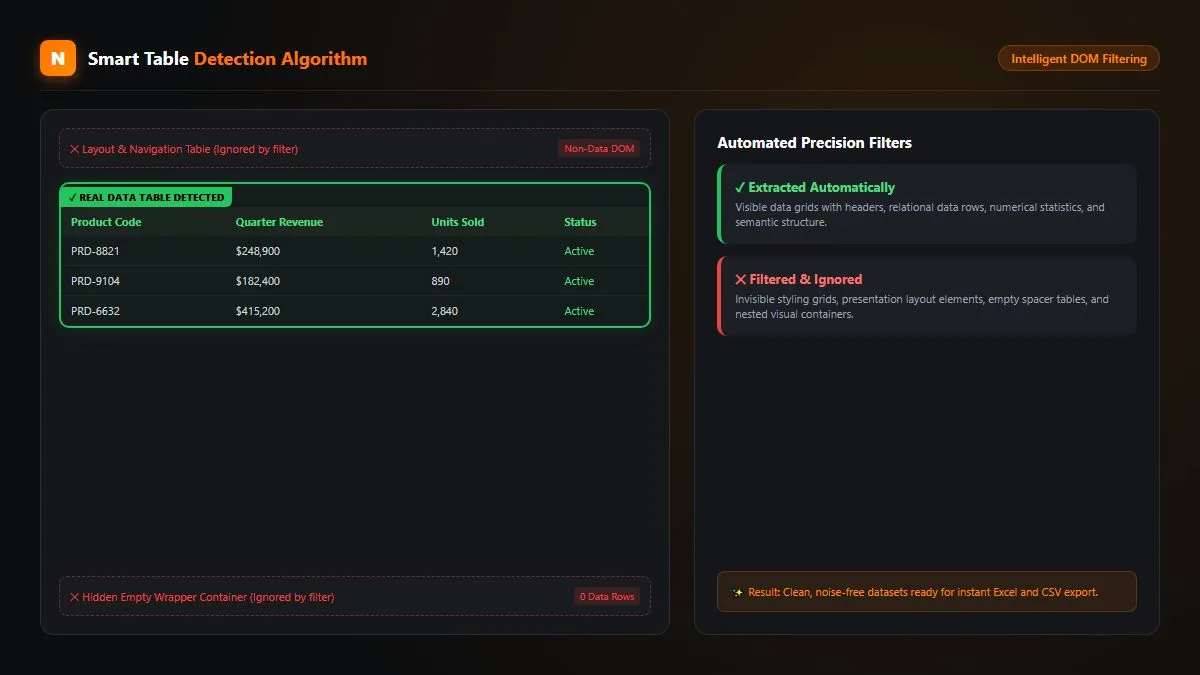
Figure 2: The Smart Detection Engine highlights all HTML tables and dynamic CSS grids automatically with bounding boxes.
Click Neksio to Inspect and Preview the Extracted Grid
Click the Neksio icon. The tool highlights detected tables with a visual bounding box and displays an interactive preview. You can inspect row counts, check column headers, and verify that all numerical values align with complete precision.
Export Clean Data to Excel, CSV, or Google Sheets
Click “Export to Excel (.xlsx)”. Neksio constructs an authentic binary Microsoft Excel spreadsheet directly in your browser’s local memory. Within a fraction of a second, your clean spreadsheet downloads to your computer with zero formatting errors.
5. Automated Multi-Page Scraping: Traversing Pagination Sequences
A frequent challenge when discovering how to scrape a table from a website is dealing with multi-page pagination. When records span 20, 50, or 100 pages, manually clicking “Next”, waiting for the reload, and copying each page individually wastes hours of valuable time.
Neksio Table Capture solves this with its autonomous Auto Capture Multi-Page Crawler. By designating the “Next Page” pagination button, you can set the crawler into motion:
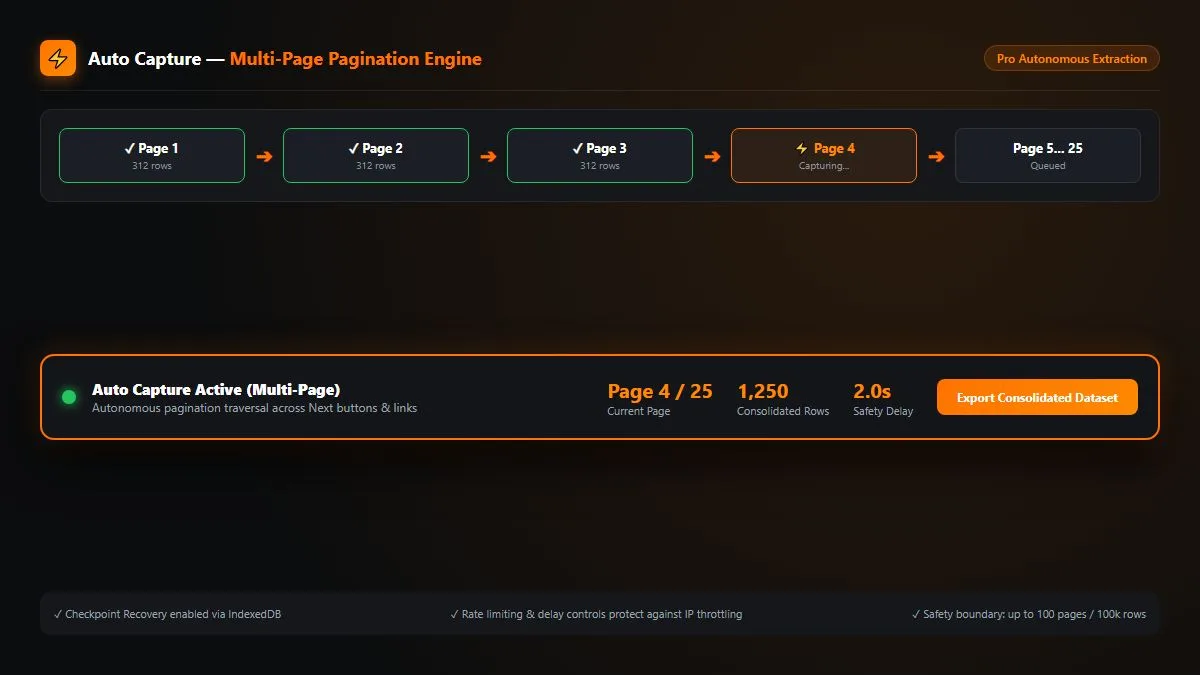
Figure 3: The Auto Capture multi-page crawler systematically navigates pagination buttons, aggregating thousands of rows into one dataset.
The crawler includes smart delay intervals (1,500ms to 3,000ms) to ensure asynchronous AJAX requests complete gracefully without triggering server-side rate limits. Furthermore, all harvested records are buffered into your browser’s persistent IndexedDB storage engine, ensuring you never lose data if your internet connection fluctuates.
6. Packaging Multiple Web Tables into Separate Excel Worksheets
Consider a corporate financial filing page or a medical research journal: a single webpage often contains multiple distinct data grids (such as Income Statements, Balance Sheets, and Cash Flow Statements).
Legacy tools force you to download each table as an isolated CSV file, cluttering your hard drive with dozens of fragments. When you master how to scrape a table from a website using Neksio, you can select every table on the webpage simultaneously:
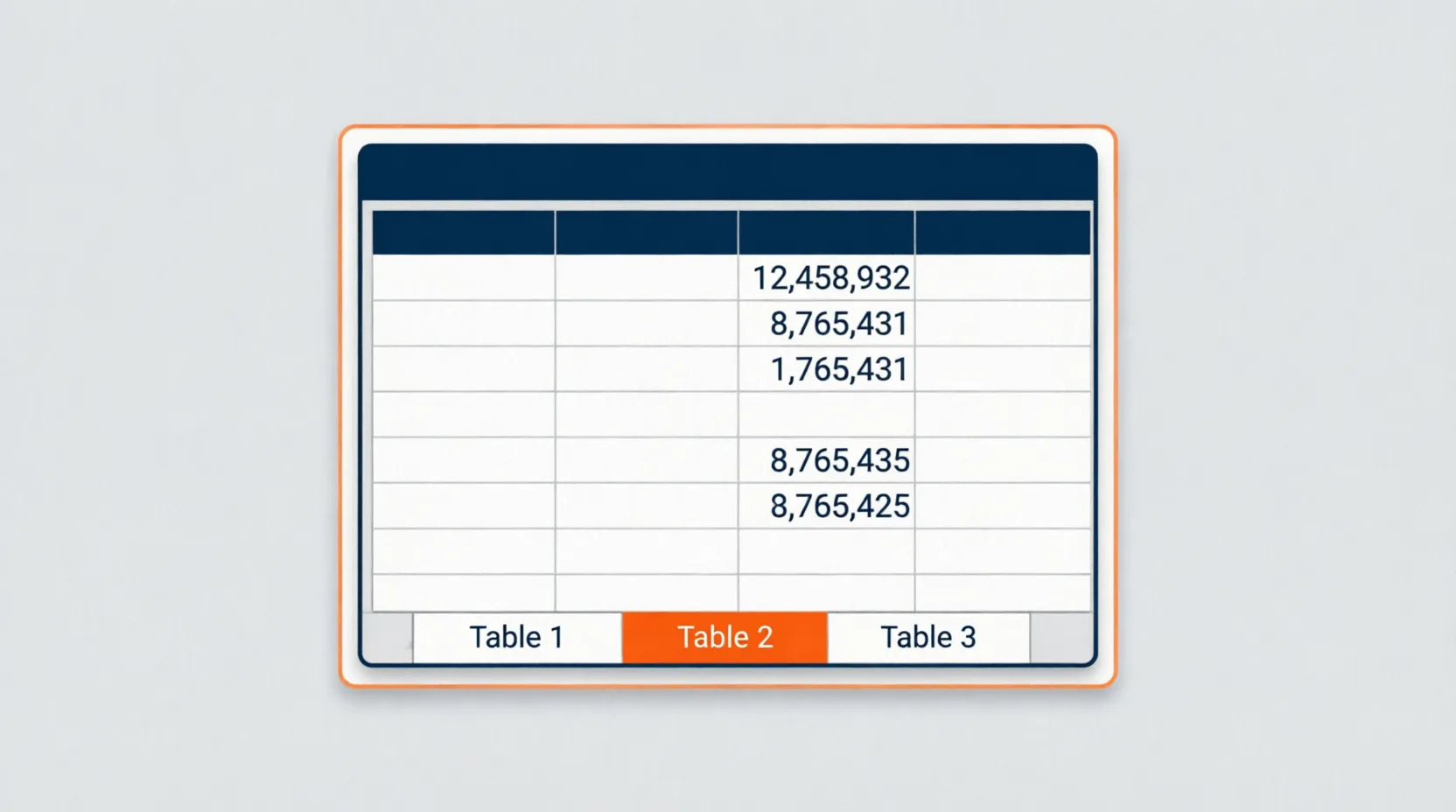
Figure 4: Neksio consolidates multiple selected web grids into individual named worksheet tabs inside a single unified Microsoft Excel workbook.
Neksio automatically packages each selected table into its own dedicated worksheet tab (such as Sheet1: Balance Sheet, Sheet2: Income Statement, and Sheet3: Segment Yields). This multi-tab consolidation saves data analysts countless hours of manual workbook assembly every month.
7. In-Browser Data Sanitization: Cleaning Records Before Export
Raw website tables are often cluttered with messy symbols, currency indicators, footnote markers, and unwanted action buttons (such as “Edit”, “Delete”, or “View Profile”).
Neksio provides built-in spreadsheet sanitization tools directly inside Chrome:
- Inline Cell Editing: Double-click any cell in the live preview to edit typos or redact sensitive values before exporting.
- One-Click Column Removal: Click the trash icon on unwanted column headers (such as product thumbnail links or share icons) to strip them from the final export.
- Regex Search & Replace: Strip out unwanted currency notations (like “$”, “€”, or “PKR”), clean non-numeric punctuation, or normalize phone numbers across thousands of rows in seconds.
- Trailing Space Trimming: Eliminate invisible zero-width spaces and newline breaks with the automatic whitespace sanitizer.
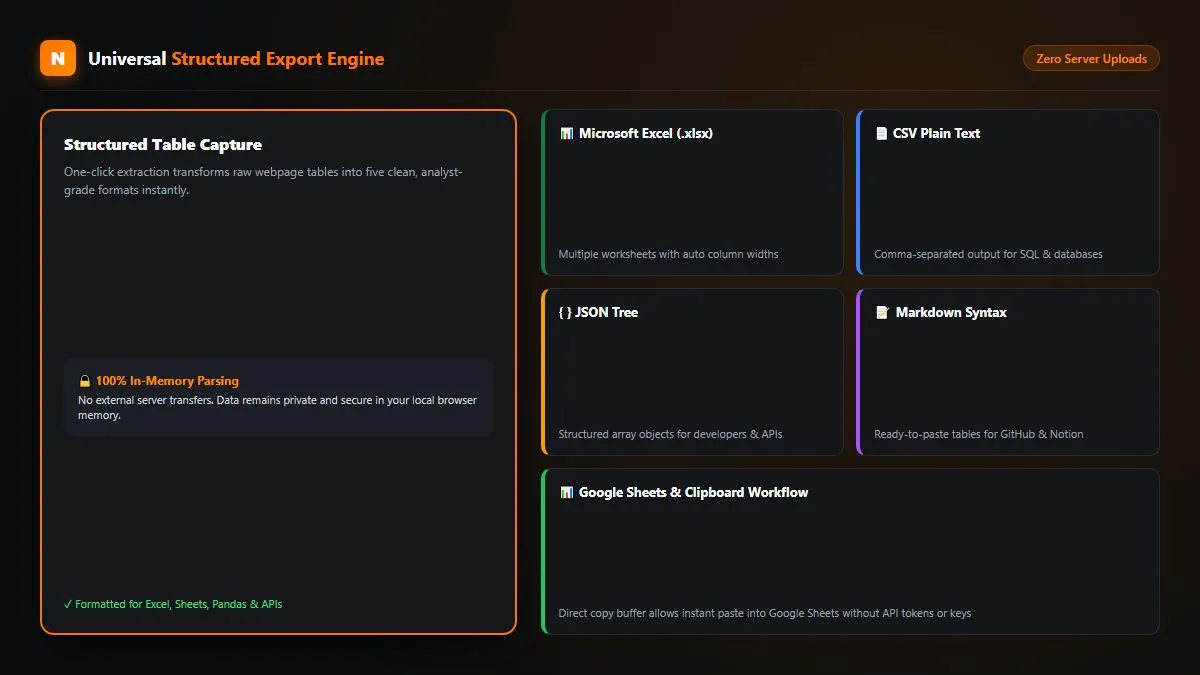
Figure 5: Export options include native Microsoft Excel (.xlsx), CSV, JSON, Markdown tables, and direct push to Google Sheets.
8. Comparison: Python Scripts vs Cloud Scraping vs Neksio
To determine the most efficient extraction methodology for your business, examine how different approaches to how to scrape a table from a website compare across speed, setup time, and maintenance:
9. Practical Workflows: E-Commerce, Finance, Research & Marketing
The ability to effectively execute how to scrape a table from a website accelerates operational productivity across key professional industries:
- E-Commerce Sellers & Price Trackers: Scrape multi-page supplier catalogs, competitor inventory levels, and wholesale discount matrices directly into clean Excel sheets for dynamic margin calculations.
- Equity Researchers & Accountants: Instantly capture multi-table financial filings, dividend payment histories, and cryptocurrency trading books without paying for expensive Bloomberg or Refinitiv data terminal feeds.
- Academic Scholars & Data Scientists: Extract clinical trial results, census demographic tables, and environmental matrices into CSV or Excel workbooks for immediate statistical modeling in SPSS, Python, or R.
- Digital Marketers & SEO Professionals: Harvest competitor backlink grids, SERP keyword ranking matrices, and content audit tables in seconds. Read our companion HTML table extraction guide for more practical workflows. If you regularly handle compressed data dumps, you can also decompress them directly using our free ZIP Extractor Online.
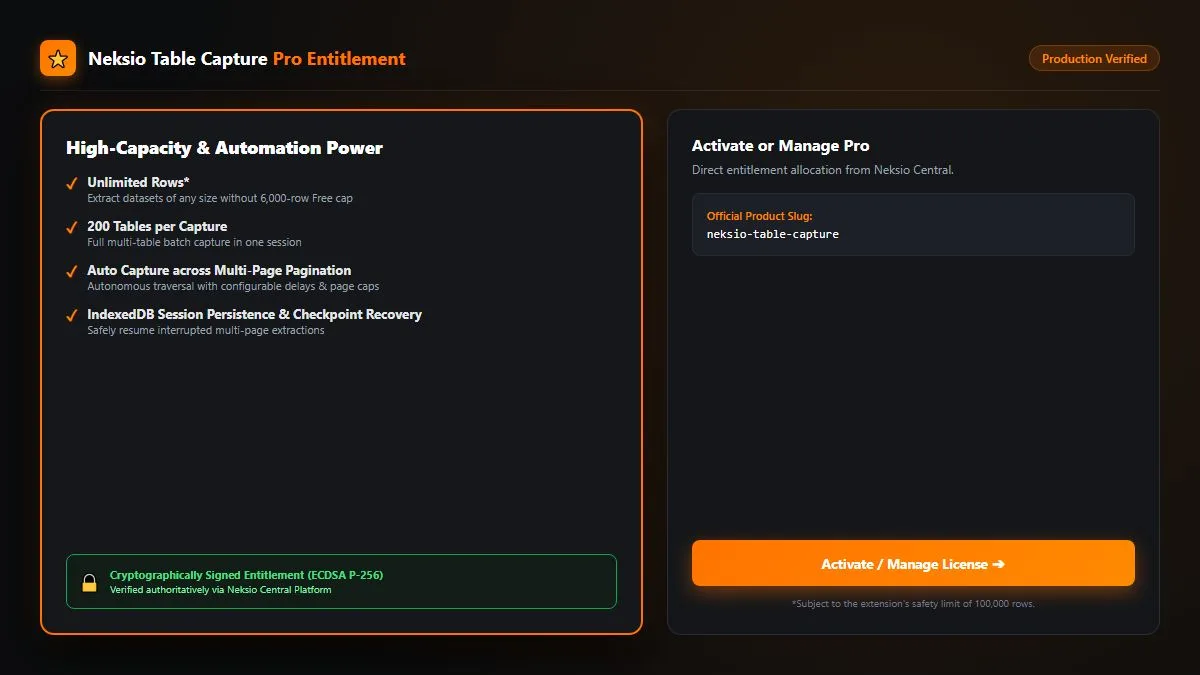
Figure 6: High-volume data operations utilize Neksio Table Capture Pro for unlimited extraction capacity and automated multi-page pagination.
10. Frequently Asked Questions (FAQ)
How to scrape a table from a website without coding?
The easiest method is to install the free Neksio Table Capture extension on Chrome or Edge. Open the webpage displaying your table, click the Neksio icon to detect the grid, and click “Export to Excel (.xlsx)”. The extension converts the table directly into a clean Microsoft Excel document with zero coding required.
Is it legal to scrape table data from public websites?
Yes. Scraping publicly accessible information on the web (such as public price tables, directory listings, or sports stats) for personal, academic, or analytical purposes is widely recognized as legal under landmark digital court rulings, provided you respect website terms of service and avoid scraping copyrighted intellectual property or private personal data behind authenticated barriers without permission.
Can I scrape multi-page tables across pagination buttons?
Yes. With Neksio Table Capture Pro’s autonomous Auto Capture feature, you designate the “Next Page” pagination button. The crawler navigates through consecutive pages automatically, aggregating all rows into a single unified Excel or CSV dataset.
How many rows can I scrape for free with Neksio?
The free version of Neksio Table Capture allows you to extract up to 6,000 rows across up to 200 tables per session. For users requiring unlimited rows, automated multi-page pagination, and priority support, an affordable Pro lifetime upgrade is available.
Start Scraping Clean Web Tables Today
Eliminate tedious manual copy-pasting forever. Install Neksio Table Capture on Google Chrome and master how to scrape a table from a website into Microsoft Excel in seconds.