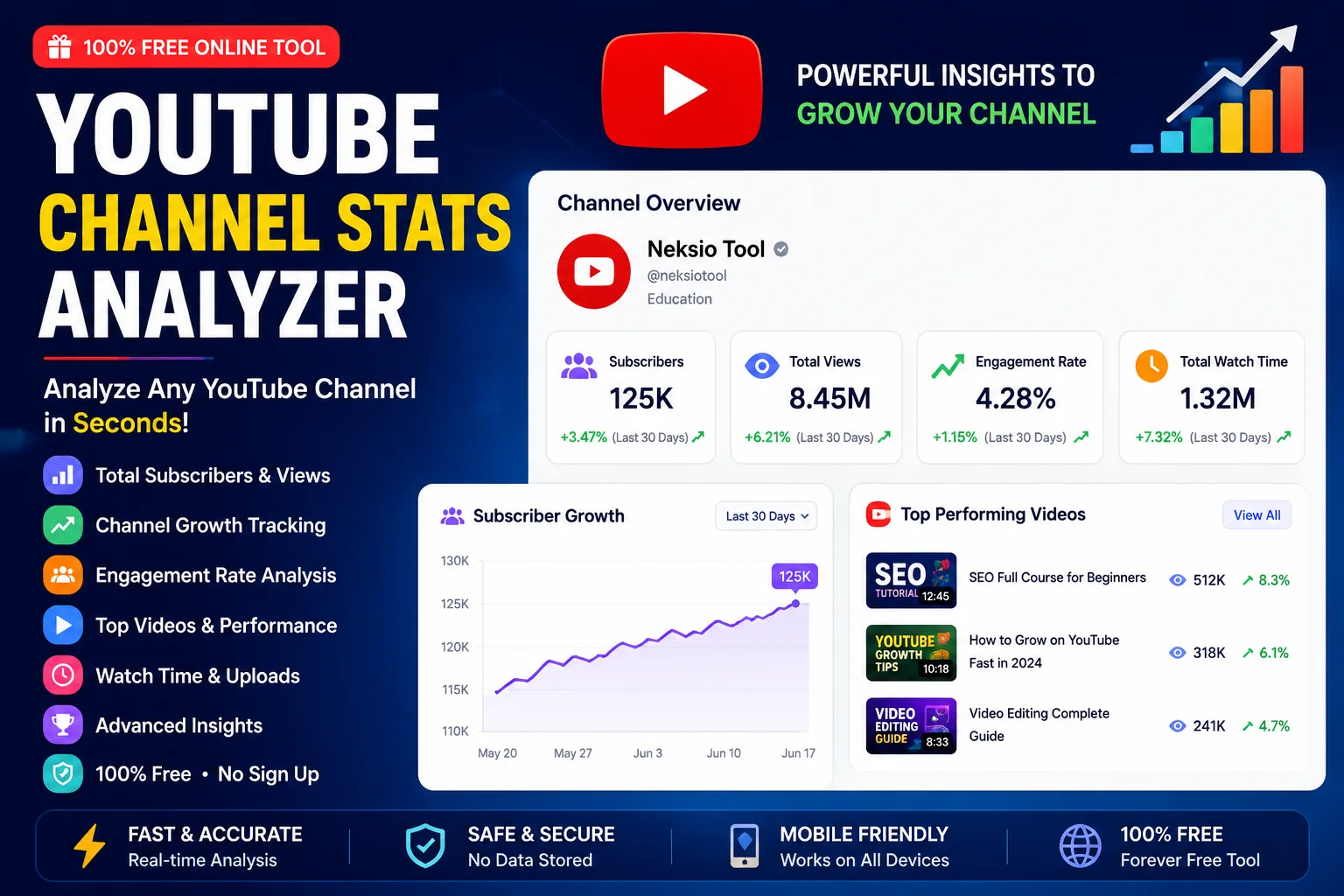
YouTube Channel Stats Analyzer: Master Your Channel Performance
In the highly competitive landscape of digital video, relying on guesswork is a guaranteed way to stall your growth. Whether you are a budding content creator, a digital marketing agency, or a brand looking for influencer partnerships, understanding the data behind the videos is non-negotiable. This is exactly where a powerful YouTube Channel Stats Analyzer becomes your most valuable asset. By providing instant, accurate, and comprehensive public data, this tool allows you to benchmark your success, analyze competitors, and uncover the strategies driving top-tier creators.
But tracking numbers is only half the battle; interpreting them is where the real magic happens. In this ultimate, EEAT-optimized guide, we will dive deep into YouTube Channel Analytics, explore the most critical metrics you must track, and show you how to leverage a YouTube Channel Analyzer to transform raw data into a actionable roadmap for explosive channel growth.

📑 Table of Contents
- What Is YouTube Channel Statistics?
- How Channel Analytics Help Creators
- Most Important YouTube Metrics
- How to Analyze Any YouTube Channel
- How Neksio Channel Stats Analyzer Works
- Benefits of Using This Tool
- Tips to Increase Subscribers
- How to Improve Engagement Rate
- Common Analytics Mistakes
- Frequently Asked Questions
- Final Thoughts
What Is YouTube Channel Statistics?
YouTube Channel Statistics refer to the quantifiable data points that define a channel’s reach, audience behavior, and overall performance on the platform. These statistics are divided into two main categories: private analytics (accessible only to the channel owner via YouTube Studio) and public statistics (visible to anyone via the channel’s frontend and API).
When you use a YouTube Channel Stats Analyzer, you are primarily interacting with public statistics. This includes the total subscriber count, cumulative video views, the total number of uploaded videos, and the channel’s creation date. While these numbers provide a high-level overview of a channel’s authority and scale, they are just the tip of the iceberg.
To truly Analyze YouTube Channel effectiveness, you must look beyond vanity metrics. According to the YouTube Help Center, the platform’s algorithm prioritizes viewer satisfaction and session time over raw view counts. Therefore, modern YouTube Channel Analytics tools and strategies focus heavily on engagement rates, audience retention, and click-through metrics to gauge true Channel Performance.
How Channel Analytics Help Creators
Data is the compass that guides content strategy. Without YouTube Channel Analytics, creators are essentially flying blind, uploading content based on intuition rather than evidence. Here is how leveraging a YouTube Growth Checker and analytics data fundamentally transforms your approach:
1. Identifying What Resonates with Your Audience
Analytics reveal exactly which topics, formats, and video lengths your audience prefers. By analyzing your top-performing videos, you can identify patterns and double down on the content that generates the highest watch time and engagement.
2. Optimizing for the Algorithm
The YouTube algorithm is designed to find and keep viewers on the platform. By monitoring metrics like Average View Duration (AVD) and Click-Through Rate (CTR), you can tweak your thumbnails, titles, and video hooks to align perfectly with what the algorithm wants to promote.
3. Benchmarking Against Competitors
Using a YouTube Channel Analyzer, you can study successful channels in your niche. If a competitor with a similar subscriber count is getting three times your average views, their analytics strategy (thumbnails, topics, or pacing) is likely superior. Reverse-engineering their success is a proven growth hack.
4. Securing Brand Sponsorships
Brands do not just look at subscriber counts; they look at engagement and demographics. Having a clear, data-backed presentation of your YouTube Channel Statistics proves your value to potential sponsors and justifies your rates.
5. How Data Helps YouTube SEO
YouTube is the second largest search engine in the world. Just as you would use a Permalink Generator to optimize website URLs for Google, you must optimize your YouTube metadata for YouTube search. Analytics tell you which keywords are driving traffic to your videos, allowing you to refine your tags, descriptions, and titles for better discoverability. For creators who also run external blogs to drive traffic to their videos, integrating tools like a Blogger Sitemap Generator ensures your external content is indexed, creating a powerful cross-platform SEO ecosystem. Read our detailed Permalink Generator Guide and Blogger Sitemap Generator Guide for more SEO tips.
Most Important YouTube Metrics
To truly understand Channel Performance, you need to monitor the right data points. Here is a deep dive into the most critical metrics every creator must track.
Subscribers (YouTube Subscriber Checker)
Your subscriber count is the most visible metric of your channel’s authority. It represents your core audience—the people who have explicitly opted in to receive notifications about your new content. While it is a great milestone tracker, it is important to remember that subscribers do not guarantee views. A channel might have 100,000 subscribers, but if the content no longer appeals to them, the views will not reflect the sub count.
Total Views (YouTube Views Checker)
Total views indicate the overall reach and historical success of your channel. When using a YouTube Views Checker, look at the trajectory of your views. Are they accelerating? A sudden spike in total views usually indicates that a specific video has been picked up by the recommendation algorithm or has gone viral in a specific region.
Engagement Rate
Engagement rate is the percentage of viewers who interact with your video through likes, comments, shares, and community posts. A high engagement rate signals to the algorithm that your content is provoking thought, emotion, or discussion. It is the ultimate indicator of community health.
Upload Frequency
Consistency builds habit. Upload frequency tracks how often you publish new content. While daily uploads work for news or gaming channels, educational or high-production channels might thrive on a weekly schedule. The key is consistency; erratic upload schedules can cause audience drop-off.
Average Views Per Video
This metric provides a realistic baseline of your channel’s actual reach. If you have 50,000 subscribers but your average views per video is only 5,000, it indicates a disconnect between your subscriber base’s expectations and your current content. Tracking this helps you recalibrate your content strategy.
Watch Time (The Holy Grail)
According to YouTube’s Advanced Features documentation, watch time is the primary factor in YouTube’s recommendation algorithm. It is the total amount of time viewers have spent watching your videos. High watch time means your content is highly engaging and retaining attention, prompting YouTube to push it to broader audiences.
Audience Growth
Audience growth tracks the net change in your subscriber count over a specific period. Using a YouTube Growth Checker helps you identify which videos acted as “subscriber magnets.” If a specific tutorial brought in 1,000 new subs in a week, you know exactly what topic to explore next.
Video Performance (CTR & Retention)
Video performance is best measured by combining Click-Through Rate (CTR) and Average Percentage Viewed (Retention). CTR tells you how effective your packaging (thumbnail and title) is, while retention tells you how good your actual content is. Both must be optimized for a video to succeed.
📊 Creator Stat: Videos that achieve a CTR of over 10% and an Average View Duration of over 50% in the first 24 hours have an 80% higher chance of being pushed to the YouTube Homepage recommendation feed.
How to Analyze Any YouTube Channel
Competitor analysis is a cornerstone of YouTube growth. By using a YouTube Channel Analyzer, you can dissect the strategies of top performers in your niche. Here is a step-by-step framework to Analyze YouTube Channel data effectively:
Step 1: Identify Top Competitors
Find 3 to 5 channels that are targeting the same audience as you, ideally those that are slightly larger or at the same level. Use a YouTube Channel Stats Analyzer to pull their public data.
Step 2: Analyze Their Content Pillars
Sort their videos by “Most Popular.” What topics are they covering? Are they doing tutorials, vlogs, or commentary? Identify the core themes that consistently bring them millions of views.
Step 3: Reverse-Engineer Their Thumbnails
Thumbnails are the billboard of your video. Use a YouTube Thumbnail Downloader to save their best-performing thumbnails. Analyze their use of contrast, facial expressions, text placement, and color psychology. For your own visual assets, ensure you are using high-quality graphics; you can explore the best free image tools online to edit and optimize your thumbnail images before uploading.
Step 4: Evaluate Upload Consistency
Look at their upload history. Do they post every Tuesday and Friday? Do they take breaks? Understanding their schedule helps you find gaps in the market where you can post your content to capture audience attention when competitors are quiet.
Step 5: Compare Engagement
Don’t just look at views; look at the comment section. Are the comments generic (“Great video!”) or highly detailed? Detailed comments indicate a deeply invested community. Use this insight to craft videos that ask specific questions to drive deeper engagement.
| Metric Category | Channel Growth Metrics | Video Performance Metrics |
|---|---|---|
| Primary Focus | Long-term audience building and brand authority | Short-term virality and immediate viewer satisfaction |
| Key Indicators | Subscriber Count, Total Views, Upload Frequency | CTR, Average View Duration, Engagement Rate |
| Timeframe | Months to Years | First 24 Hours to 30 Days |
| Optimization Target | Content consistency, niche authority, community building | Thumbnails, titles, video hooks, pacing |
How Neksio Channel Stats Analyzer Works
The Neksio Channel Stats Analyzer is designed to be the most intuitive, fast, and reliable YouTube Channel Stats Analyzer on the web. We have stripped away the complexity of raw API data and presented it in a clean, actionable dashboard. Here is how you can use it:
Step 1: Paste Channel URL
Simply copy the URL of any public YouTube channel (e.g., youtube.com/@channelname or youtube.com/channel/UC...) and paste it into the search bar. If you only have a custom handle or need to find the exact ID for API integration, you can use our YouTube Channel ID Finder to get the precise string.
Step 2: Instant Analysis
Hit the “Analyze” button. Our tool instantly queries the public YouTube Data API and processes the response in milliseconds.
Step 3: View Public Channel Statistics
The dashboard populates with a comprehensive overview of the channel. You will see the total subscriber count, lifetime views, video count, and estimated category ranking.
Step 4: Easy Interface & Fast Processing
The data is presented in a clean, easy-to-read interface. Whether you are on a desktop or a smartphone, the responsive design ensures you can Analyze YouTube Channel data on the go.
Benefits of Using This Tool
Why should creators, marketers, and agencies choose the Neksio YouTube Channel Stats Analyzer over other platforms? Here are the core advantages:
- Paste Channel URL: No need to dig for complex channel IDs; just paste the standard URL you see in your browser.
- Instant Analysis: Get real-time data without waiting for slow server responses or loading screens.
- Public Channel Statistics: Accurately pulls verified, public data directly from YouTube’s official endpoints.
- Easy Interface: Designed for both beginners and advanced data analysts. No learning curve required.
- Fast Processing: Optimized code ensures that even channels with thousands of videos are analyzed in seconds.
- Free Online Tool: Access premium-level analytics without spending a dime on expensive enterprise software.
- No Registration: We respect your time. Start analyzing immediately without creating an account or verifying an email.
- Mobile Friendly: Perfectly optimized for mobile browsers, allowing you to check stats from anywhere.
- Browser Based: No software downloads, extensions, or installations required. It works directly in Chrome, Safari, Firefox, and Edge.
Tips to Increase Subscribers
Gaining subscribers is about converting casual viewers into loyal fans. According to YouTube’s Monetization Guidelines, building a dedicated audience is the first step toward a sustainable career on the platform. Here is how to turn viewers into subscribers:
1. Deliver on the Title and Thumbnail’s Promise
If your thumbnail promises a shocking reveal, the video must deliver it within the first 30 seconds. If viewers feel clickbaited, they will leave immediately, destroying your retention rate and ensuring they never subscribe.
2. Use Strategic Calls to Action (CTAs)
Don’t just say “Subscribe” at the beginning of the video when you haven’t provided any value yet. Place your CTA after a major “aha!” moment or a highly engaging segment. Viewers are most likely to subscribe right after you have proven your worth.
3. Optimize Your Channel Layout
Your channel page is your storefront. Use a compelling channel trailer, organize your best videos into featured sections, and ensure your branding is consistent. If you are driving traffic from external blogs, ensure your links are optimized. For technical users managing blog redirects or data, tools like a Base64 Encoder Decoder Online can help manage secure data strings for webhooks and API integrations.
4. Leverage the Community Tab
The Community Tab is a powerful tool for staying top-of-mind. Post polls, behind-the-scenes photos, and text updates. It keeps your channel active in the subscription feeds even on days you don’t upload a video.
5. Make Subscribing Frictionless
If you are promoting your channel on Instagram, TikTok, or Twitter, do not just link to your channel homepage. Use a One Subscribe Link Generator to create a direct link that instantly prompts the user to subscribe. This removes the friction of navigating your page and drastically increases conversion rates. For more growth strategies, read our ultimate guide on 1000 subscribers free tools.
How to Improve Engagement Rate
Engagement is the lifeblood of the YouTube algorithm. A video with moderate views but massive engagement will often outrank a video with high views but low engagement. Here is how to boost your likes, comments, and shares:
- Ask Specific Questions: Instead of saying “Leave a comment,” ask “What do you think about X vs Y? Let me know below.” Specific prompts generate specific answers.
- Pin a Comment: Pin your own comment asking a question related to the video. This creates an immediate thread for viewers to join.
- Heart and Reply: In the first 24 hours, heart and reply to as many comments as possible. This notifies the viewers and brings them back to the video, doubling their watch time.
- Create “Debate” Content: Politely challenging a common industry norm or presenting a controversial (but safe) opinion encourages viewers to jump into the comments to defend their stance.
- Use End Screens Effectively: Keep viewers on your channel by linking to a highly relevant playlist or video at the end of your content. Session time is a massive factor in overall channel engagement.
| Aspect | High Subscriber Count / Low Engagement | Moderate Subscribers / High Engagement |
|---|---|---|
| Audience Quality | Passive, likely acquired via trends or sub4sub | Active, loyal, and highly invested in the niche |
| Algorithm Push | Low (Algorithm ignores videos if subs don’t click) | High (Algorithm sees immediate interaction and pushes) |
| Sponsorship Value | Lower (Brands prefer active audiences for conversions) | Higher (Highly trusted audience converts better) |
| Longevity | Vulnerable to algorithm changes and burnout | Resilient, sustainable long-term growth |
Common Analytics Mistakes
Even experienced creators fall into traps when interpreting their data. Avoid these common pitfalls to ensure your strategy remains sound:
1. Obsessing Over Daily Fluctuations
YouTube analytics can be volatile. A video might underperform on day one but explode on day seven due to the algorithm picking it up. Look at 28-day and 90-day trends rather than daily spikes.
2. Ignoring Traffic Sources
Views are not all created equal. A view from “Browse Features” (Homepage) is generally more valuable for massive scale than a view from “YouTube Search.” Search traffic is evergreen, while Browse traffic is viral. Understand where your views are coming from to replicate the success.
3. Failing to Check Copyright Status
Nothing kills channel performance faster than a copyright strike or Content ID claim that demonetizes your video. Always verify your assets before publishing. Use a YouTube Copyright Checker to ensure your background music and video clips are safe. For a deeper dive into avoiding strikes, read our guide on the YouTube copyright video checker online free.
4. Neglecting Audience Retention Graphs
The retention graph tells you exactly where viewers got bored and clicked off. If you see a massive dip at the 2-minute mark, you need to change your pacing, add a visual pattern interrupt, or cut the fluff in your future scripts.
5. Not Extracting Leads for Business Growth
If you are using YouTube to grow a business, you need to capture leads. If you are doing outreach or managing a network of channels, an email extractor can help you gather contact information from channel “About” pages for professional collaborations and sponsorship management.
| Feature | Views (Quantity) | Watch Time (Quality) |
|---|---|---|
| Definition | Number of times a video was initiated | Total minutes/hours spent watching |
| Algorithm Weight | Secondary signal | Primary ranking and recommendation signal |
| Monetization Impact | Indirect (needs retention to sustain) | Direct (determines ad placement and revenue) |
| How to Improve | Better Thumbnails, Titles, and SEO | Better Scripting, Pacing, and Editing |
Frequently Asked Questions
A YouTube Channel Stats Analyzer is a specialized online tool that allows creators, marketers, and agencies to extract and view public data from any YouTube channel. It provides instant insights into subscriber counts, total views, video performance, and growth metrics without needing access to the channel’s private backend.
You can analyze your YouTube channel performance by using YouTube Studio for private, in-depth analytics, and a third-party YouTube Channel Stats Analyzer for public benchmarking. Track key metrics like watch time, click-through rate (CTR), audience retention, and subscriber growth to understand what content resonates with your viewers.
Yes, the Neksio YouTube Channel Stats Analyzer is 100% free to use. It requires no registration, has no hidden fees, and provides instant, accurate public statistics for any YouTube channel directly in your browser.
Absolutely. Using a YouTube Channel Analyzer like Neksio Tool, you can paste any public channel URL to view their subscriber count, total video views, upload frequency, and estimated growth metrics. This is highly useful for competitor analysis and influencer marketing research.
A ‘view’ is counted when a user initiates the playback of a video and watches for a certain duration (usually 30 seconds). ‘Watch time’ is the total accumulated minutes or hours that viewers have spent watching your content. Watch time is a much stronger ranking signal for the YouTube algorithm than raw view counts.
Subscriber count shows potential reach, but engagement rate (likes, comments, shares, and retention) shows actual audience connection. A channel with 10,000 highly engaged subscribers will often outperform and monetize better than a channel with 100,000 passive subscribers because the algorithm favors active community interaction.
It is recommended to check your YouTube analytics at least once a week to monitor recent video performance and audience trends. However, avoid obsessing over daily fluctuations. Focus on long-term channel growth, average view duration, and traffic sources over a 28-day or 90-day period.
For YouTube SEO, the most critical metrics are Click-Through Rate (CTR), Average View Duration (AVD), and total Watch Time. High CTR tells YouTube your thumbnail and title are appealing, while high AVD and Watch Time prove your content delivers on its promise, prompting the algorithm to recommend it to wider audiences.
Yes, you can track your YouTube channel growth on mobile using the official YouTube Studio app for your own channel, or by using a mobile-friendly web tool like the Neksio YouTube Channel Stats Analyzer to check public metrics for any channel on the go.
You can find your YouTube Channel ID by going to YouTube Studio, clicking on Settings, then Channel, and looking under the ‘Advanced settings’ tab. Alternatively, you can use a free online YouTube Channel ID Finder tool to extract the ID from any public channel URL.
Yes, consistent upload frequency helps build audience habit and signals to the algorithm that your channel is active. However, consistency should never come at the cost of quality. Uploading one highly engaging video per week is vastly superior to uploading three low-quality videos that hurt your average view duration.
A good engagement rate on YouTube varies by niche, but generally, an engagement rate (likes and comments relative to views) of 4% to 8% is considered healthy. Micro-niche channels often see higher rates (10%+), while broad entertainment channels might see lower rates (2% to 4%) due to a more casual audience.
Final Thoughts
Mastering YouTube is not about luck; it is about data-driven iteration. By leveraging a robust YouTube Channel Stats Analyzer, you transform from a casual uploader into a strategic media publisher. Understanding the delicate balance between YouTube Channel Analytics, audience retention, and engagement allows you to craft content that not only attracts viewers but turns them into a loyal, monetizable community.
Whether you are using a YouTube Subscriber Checker to benchmark your growth, a YouTube Views Checker to identify viral trends, or a comprehensive YouTube Channel Analyzer to spy on your competitors, the key is consistency. Check your data weekly, adapt your strategy based on the numbers, and never stop optimizing your thumbnails, hooks, and content pillars.
The algorithm rewards those who respect the viewer’s time and deliver exceptional value. Arm yourself with the right analytics, avoid the common mistakes of vanity metrics, and watch your Channel Performance soar to new heights.
🚀 Ready to decode your YouTube success? Stop guessing and start analyzing. Get instant, accurate, and comprehensive public data for any channel right now!
Analyze Channel Stats Free →